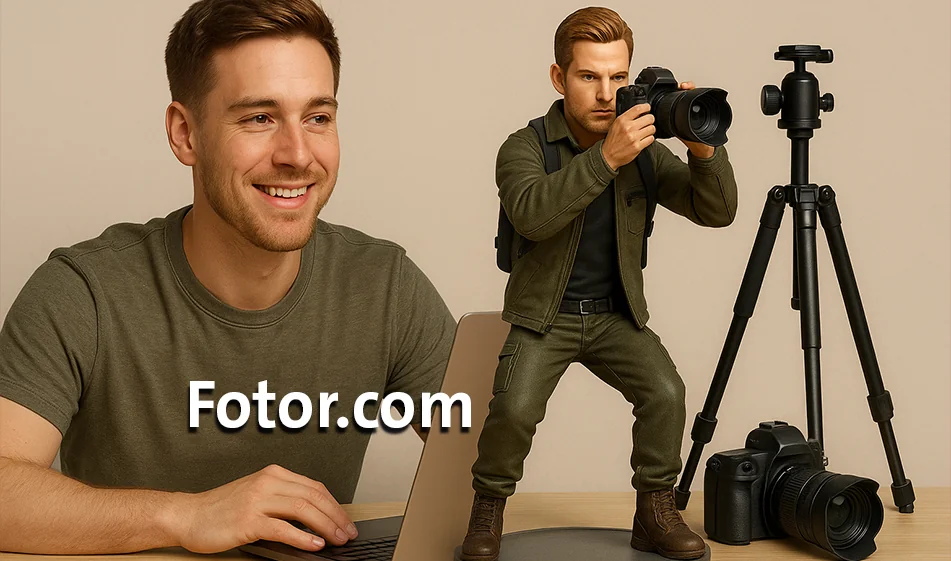
Fotor - Turn your photo into an AI action figure

Fotor - Turn your photo into an AI action figure

💡 Compass Tip

Have you ever imagined seeing yourself as an Action Figurine like the characters in movies and comics?
With Fotor , you can turn your selfie into a 3D, realistic or cartoony digital model, ready to be published or printed in less than a minute!

️ ⚙ How does it work?

  1. Upload your selfie with a clear background.
  2. Choose your Action Figures style: realistic, anime, 3D, superhero, or game style.
  3. The AI reshapes your features and transforms them into a fully detailed anthropomorphic character.
  4. Download the final result or adjust the colors and background to your liking.

Highlights

  • Instantly transform photos into professional Action Figures.
  • Multiple styles suitable for games, animations, and profiles.
  • Fine details in features and clothing give the image a realistic anthropomorphic look.
  • Easy and fast interface suitable for beginners and designers.
  • The result can be used for portraits , posters, or unique gifts.

💰 Plans and Pricing

  • Free Plan: Limited number of conversions with standard quality.
  • Paid plan (starting at $9/month):
    • Higher quality and more realistic results.
    • Additional styles for Action Figures.
    • Watermark removal and HDupload.
  • Professional plan: For designers and personalized gift makers.

🧭 Golden Compass Tip

🎯 Choose a photo with a frontal angle and clear lighting.
The clearer the facial features are, the more accurate and realistic the Action Figurine will be.
Try more than one style, a small change in style can give you a whole new personality!

Compass Summary

Fotor makes your ordinary photo into a superhero or a 3D avatar with the push of a button.
Whether you're looking for a fun style for your content, a unique gift for someone you love, or a unique profile - this tool gives you a fun, fast, and professional artistic experience.

Turn you... into the hero of your story! 💥

November 15, 2025 11:57 AM GMT
About Fotor

🖼️ Tool Name

Fotor

🧠 Tool category categorization

✅ AI photo editing tools ✅ Graphic design and collage tools ✅ Photo generators and digital art with AI

✏️ What does this tool offer?

Fotor is a comprehensive AI-based photo editing and graphic design platform, offering a wide range of tools that include.
  1. Basic and advanced photo editing.
  2. Automatically optimize images using artificial intelligence.
  3. Remove unwanted backgrounds and elements.
  4. Generate images and digital art from text.
  5. Design collages, cards, and posters.
  6. Optimize portraits andheadshots.

🛠️ How do you use it?

  1. Visit the official website: https://www.fotor.com/
  2. Choose the appropriate tool from the available tools.
  3. Upload an image or enter the required text.
  4. Apply edits or create designs using the available tools.
  5. Download the final result or share it directly via social media.Fotor+2Taafer+2Android Apps on Google Play+2

⭐ Tool Review

Fotor is a powerful and innovative AI photo editing and graphic design tool. It features a simple and intuitive user interface, allowing users to create professional visual content quickly and efficiently. The tool offers a variety of features that cater to the needs of different users, from beginners to professionals.

💵 Type of tool (in terms of cost)

✅ Partially free with paid options

🎁 What does the free version offer you?

  1. Access to basic editing tools.
  2. Ability to create and design collages and cards using limited templates.
  3. Apply some basic effects and filters.
  4. Upload images in standard quality with watermarks.

🎁 What does the paid version offer you?

  1. Access to advanced AI-based editing tools.
  2. Remove watermarks from edited photos.
  3. Access to an extensive library of professional templates and designs.
  4. High-quality, unrestricted image uploads.
  5. Dedicated technical support and priority order processing.

⚙️ Access or Source

✅ Ready to use via the official website: h ttps://www.fotor.com/