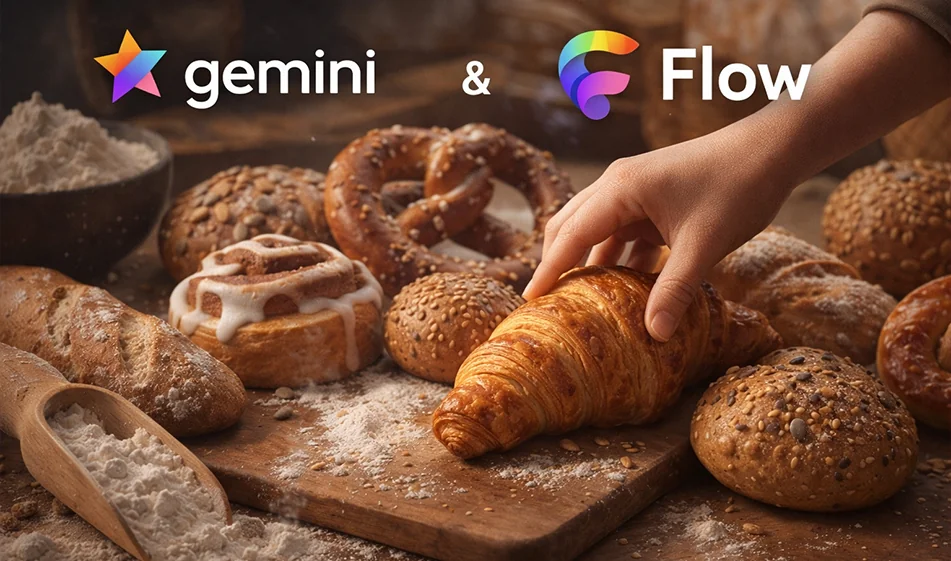
🍞 Gemini + Flow integration: Create free CGI videos in stop motion style for baked goods

🍞 Gemini + Flow integration: Create free CGI videos in stop motion style for baked goods

If you want a CGI ad videofor baked goods in stop motion style (step-by-step dough development) without real filming and without complex editing, the practical solution is to combine two tools:
Gemini
to write the script and generate accurate prompts for each shot, andFlow to convert these shots into a ready-made animated video. You can start for free, subject to each platform's limitations.

The idea that works in the trend

Instead of a "long video," create a series of short shots with the same shooting angle:

  • Fixed camera from above (top-down)
  • Elements always in the center of the frame
  • Stop motion transitions: each shot is a clear "step forward"

️ ⚙ Practical steps

  • 1) Prepare the idea in Gemini
    • Write down the type of baked goods: croissants, manakish, cookies...
    • Ask it to divide the idea into 8–12 short stop motionshots.
    • Ask for a prompt for each shot with the same style, angle, and lighting.
  • 2) Generate the images for the shots (optional but gives you stability)
    • If you are using an image generator such as NanoBanana:
      • Generate an image for each step using the same template (same angle and background).
  • 3) Move the shots within Flow
    • Upload the images in sequence.
    • Request a very simple movement:
      • "Grow/Transform" without moving the camera
      • Smooth stop motion transitions
    • Export the video in 9:16 vertical format for Reels and Shorts.

🧩 Ready-made request template for Gemini (copy and edit the type of baked goods)

“I want a 12-second stop motion scenario for baked goods (write the type), with a fixed camera from above, a light wood background, and the elements always in the center of the frame. Divide it into 10 short shots. Write a detailed description for each shot that can be used as a prompt for an image generator, with consistent lighting and style, and no text within the images."

Prompt ready for Flow (if you upload the step images)

“Turn these sequential images into a 12-second vertical 9:16 stop motion video. Keep the camera completely still without moving. Make the elements move step by step towards the center of the frame as if they are forming and growing. The movement should be smooth and light, without shaking or distortion, while maintaining the same lighting and background.”

🎯 Golden Compass Tip (for a professional-looking result)

  • Always keep three things constant: the shooting angle + the background + the lighting.
  • Don't ask for too many movements: successful stop motion depends on "simple progress" in each shot
  • Make the ending strong: a shot of the final product "ready to eat" with light steam and an appetizing shine.

📍 Summary

Gemini prepares the script and prompts for you with precision, andFlow turns them intotrendy CGI stop motionvideosfor baked goods in minutes.
For more AI tools: bosala.ai

January 29, 2026 09:02 PM GMT
About Google Gemini

🖼️ Tool Name:

Google Gemini 

🔖 Core Classifications:

  • Generative AI & Agents: Capable of planning and executing logistics (e.g., "Plan my trip, book the hotel, and email the itinerary to my team").

  • Multimodal Mastery: Native understanding of text, 60fps real-time video, 3D spatial relationships, and high-fidelity audio.

  • Ecosystem Integration: Deeply embedded into Android, Google Workspace, and the new Gemini for Home(replacing legacy Google Assistant).

✏️ Key Features:

  • Gemini 3.0 Pro & Flash: Features "Built-in Reasoning" by default, meaning the AI automatically "thinks" through complex logic without needing a manual toggle. It handles a context window of 2 million+ tokens(entire codebases or hours of video).

  • Gemini Live (Visual Interface): You can now share your camera or screen in real-time. Point your phone at a broken appliance, and Gemini will provide an augmented reality (AR) overlay to show you how to fix it.

  • Deep Research Mode: A specialized tool that performs autonomous, hours-long web research, synthesizing thousands of sources into a professional report with verified citations.

  • Audio Overviews: Powered by NotebookLM technology, Gemini can turn any PDF, Doc, or Slides presentation into a two-person, conversational podcast episode.

  • Veo 3 & Nano Banana: High-end video generation (up to 8-second clips with sound) and state-of-the-art text-to-image editing are now integrated directly into the chat.

⭐️ User Experience Highlights:

  • "The Personal Assistant": Android users use Gemini to manage their calendars, summarize missed WhatsApp threads, and even draft replies that match their personal writing style.

  • "The Research Partner": Students and researchers use Gemini 3's "Multi-document insights" to find contradictions or patterns across hundreds of research papers simultaneously.

💵 Pricing Plans (2026 Status)

PlanPrice (Approx.)Key Features
Gemini Free$0Access to Gemini 2.5 Flash, basic Workspace integration, and limited image generation.
Gemini Advanced$19.99 /moAccess to Gemini 3 Pro, Deep Research, Veo 3 video, and 2TB Google One storage.
Google AI Ultra~$29.99 /moPriority access to experimental models, higher video/image limits, and advanced "Agent" features.
Workspace Business$20 - $30 /userEnterprise security, AI in Docs/Gmail, and Workspace Studio for automating business flows.

🎁 Is the free version a trial or completely free?

It is Free Forever. Google provides a robust free tier using its "Flash" models, which are optimized for speed and daily tasks. While free users don't get the "Deep Research" or "Veo 3" video tools, they still benefit from a massive context window and the ability to analyze files and photos.

⚙️ Access or Source:

  • Official Website

  • Mobile: The default assistant on most 2026 Android phones; available as an app on iOS.

  • On-Device: Gemini Nano runs locally on high-end phones for private, offline summaries and translations.

🔗 Experience Link: 

https://gemini.google.com/

About AI-Flow

🖼️ Tool Name:
AI-Flow

🔖 Tool Category:
Productivity & Automation — it falls under visual workflow builders that automate tasks using AI models like GPT, DALL·E, and more.

✏️ What does this tool offer?
AI‑Flow is a no-code platform for building and deploying AI-powered workflows using a visual drag-and-drop interface. It allows users to combine different AI models (like GPT-4, Stable Diffusion, Whisper, Claude, and more) with tools and logic blocks to create automated applications, chatbots, content pipelines, image generators, and more — all without writing a single line of code.

What does the tool actually deliver based on user experience?
• Easily create AI-powered workflows using a drag-and-drop interface
• Combine multiple models from providers like OpenAI, Anthropic, Hugging Face, and Replicate
• Build apps such as AI bots, content generators, or creative tools
• Offers built-in API calls, logic branching, and memory across steps
• Real-time preview and quick deployment to web apps or APIs
• Great for non-developers and technical users alike

🤖 Does it include automation?
Yes — AI-Flow is built entirely around automation:
• Triggers tasks based on inputs or actions (e.g., file upload, message input)
• Connects and sequences multiple AI models automatically
• Enables conditionals, loops, timers, and branching in workflows
• Deploys automated agents or applications in one click

💰 Pricing Model:
Freemium (free tier with usage limits, plus paid upgrades)

🆓 Free Plan Details:
• Includes basic access to visual workflow builder
• Limited runs per month (e.g., ~250 executions)
• Access to core AI integrations (OpenAI, Replicate, etc.)
• No credit card required to start

💳 Paid Plan Details:
• Starting from ~$20/month
• Higher execution limits, priority performance, and more integrations
• Business and enterprise plans available for team collaboration, versioning, and advanced support

🧭 Access Method:
• Web-based — register at https://ai-flow.net
• No installation required
• Option to deploy workflows as public apps or private APIs
• GitHub access available for community and open-source contributions

🔗 Experience Link:

https://ai-flow.net

About Gemini 2.5 Pro

️ 🖼Tool name:
Gemini 2.5 Pro
(Gigantic Multimodal Model from Google DeepMind)

🔖 Tool Category:
Multimodal General AI Model
Supports text, images, audio, and video - developed by Google DeepMind.


️ ✏What does this tool offer?

  • Multimodal understanding and generation: Supports input and processing of text, images, video, and audio within the same context.

  • Huge context capacity: Capable of handling up to 1 million tokens in input, allowing for the analysis of large-scale projects and documents.

  • Function Calling: Can execute commands and code within the conversation itself.

  • Execute code directly as part of the reasoning process.

  • Direct integration with research tools for real-time information retrieval.

  • Advanced Reasoning: Outstanding performance in solving complex problems in coding, math, and science.

  • Vibe-Coding and controlling the tone and style of audio output.


What does the tool actually offer based on user experience and official news?

  • Gemini 2.5 Pro tops Benchmark's global scores in programming, logic, and math.

  • Native Multimodal integration without the need for intermediate conversions.

  • It relies on accurate scheduling to price tokens (inputs/outputs) according to the volume of usage.

  • It is characterized by a secure architecture that adheres to Safety & Securitystandards, with a clear commitment to transparency and addressing ethical challenges.


🤖 Does it include automation?
Yes - to a very high degree.

  • Functions are implemented directly within the conversation to integrate with external services and developer tools.

  • Self-runs code within analytical responses.

  • Searches the web in real-time to fetch the latest information and data during the interaction.


💰 Pricing model:
Pay-as-you-go based on the number of tokens:

  • 💵 Input: $1.25 per million tokens (no caching )

  • O 💵utput: $10.00 per million tokens

  • If the input exceeds 200,000 tokens,progressively higher rates apply.

  • Prices are officially displayed on the Gemini Pro page on the DeepMind/Google website.


🆓 F ree plan details:

  • There is no comprehensive free plan for the model itself.

  • Limited trial or free tiers can be accessed across platforms:
    - Google AI Studio
    - Gemini API
    - Vertex AI

  • These platforms make it possible to try out some of the capabilities within the limits of free usage.


💳 Paid plan details:

  • Payment is based on the number of tokens actually used (Input + Output).

  • There is a different pricing for exceeding the 200k token limit in Input.

  • Organizations can manage usage via Google Cloud/Vertex AI accounts with professional options for scaling.


🧭 Access:

  • Via Google AI Studio to experience the model directly.

  • Through the Gemini API to integrate it into applications and software projects.

  • Via Vertex AI within Google Cloud to run it at enterprise scale.

  • Also available in the official Gemini app and Google's integrated platforms.


🔗 Link to the demo/source:
https://deepmind.google/models/gemini/pro