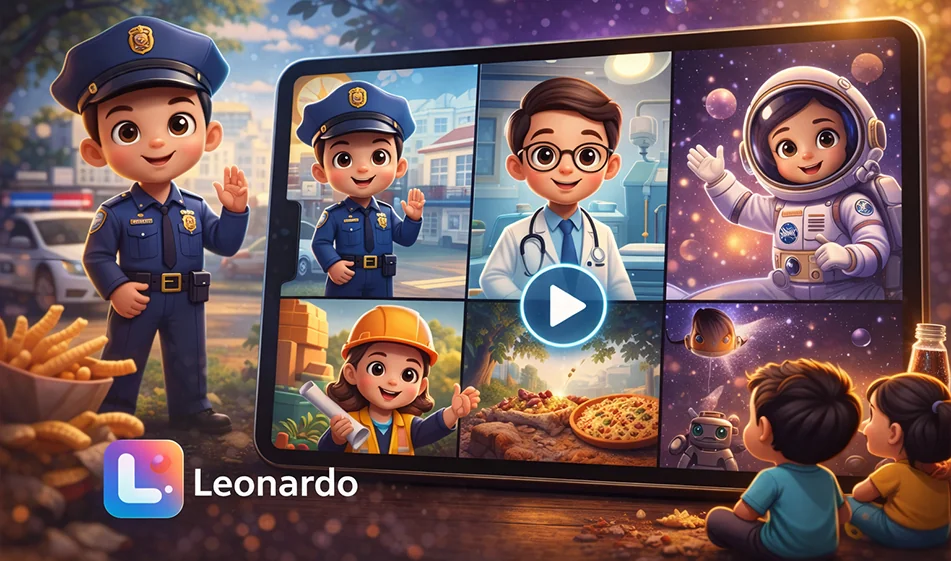
🎬 Create a series of animated educational videos for kids about different careers (6 seconds per video) using Leonardo

🎬 Create a series of animated educational videos for kids about different careers (6 seconds per video) using Leonardo

“Kids Pretend to Be a Professional at Home” videosare among the most effective ways to keep children engaged, because they combine play with learning: a short scene, clear action, and a single sentence introducing the profession. The great thing here is that you can create an entire series (police officer/firefighter/paramedic/pilot/engineer…) featuring the same character and using the same style in a short amount of time.

Link to the tool on Leonardo:
https://app.leonardo.ai/image-generation/video

Ready-made prompts (copy and paste as is)

1) The Police Officer

Create a 6-second 3D animated video in the style of Pixar, featuring a cute Arab child at home pretending to be a police officer while playing.

Same character in all videos: A cute 5-year-old Arab boy with a soft, round face, large brown eyes, short dark hair, a warm smile, innocent and expressive features, and a playful energy. The 3D design should resemble the Pixar style and be very appealing to children, with the same features and proportions in every video.

Consistent style across all videos: Pixar-style 3D animation, warm cinematic lighting, cheerful colors, soft textures, a beautiful and cozy home environment, playful and clear movement, strong facial expressions, high quality, 9:16 vertical video, no on-screen text, no subtitles, no music, only the child’s voice and sound effects appropriate for the scene.

Scene: The living room at home is transformed by the child’s imagination into a small, cute police station made of toys, miniature traffic lights, and colorful barriers. The child is wearing a toy police uniform and carrying a toy walkie-talkie, walking confidently among toy cars, then raising his hand and directing traffic in a playful manner. The child says in Modern Standard Arabic: "I am a police officer; I help people and maintain order." Sound effects only: light footsteps, the sound of a toy walkie-talkie, soft toy car sounds, a cheerful and friendly atmosphere.

2) Firefighter

Create a 6-second 3D animated video in the style of Pixar, featuring a cute Arab child inside a house playing dress-up as a firefighter.

Same character in all videos: A cute 5-year-old Arab boy with a soft, round face, large brown eyes, short dark hair, a warm smile, innocent and expressive features, and a playful energy. The 3D design is in the style of Pixar and very appealing to children. The same features and proportions are used in every video.

Consistent style across all videos: Pixar-style 3D animation, warm cinematic lighting, cheerful colors, soft textures, a beautiful and cozy home environment, playful and clear movement, strong facial expressions, high quality, 9:16 vertical video, no on-screen text, no subtitles, no music—just the child’s voice and sound effects appropriate for the scene.

Scene: The living room is transformed by the child’s imagination into a small indoor fire station, complete with a toy ladder, a firefighter’s helmet, a cartoon fire truck, and very gentle, non-scary smoke resembling cotton clouds. The child is wearing a children’s firefighter costume and carrying a small toy hose, running to rescue a teddy bear on a chair. The child says in Modern Standard Arabic: "I am a firefighter; I put out fires and help everyone." Sound effects only: light, quick footsteps, the sound of toy water, a very soft fire siren, and cheerful movement sounds.

3) The Paramedic

Create a 6-second 3D animated video in the style of Pixar, featuring a cute Arab child inside a house playing dress-up as a paramedic.

Same character in all videos: A cute 5-year-old Arab boy with a soft, round face, large brown eyes, short dark hair, a warm smile, innocent and expressive features, and a playful energy.The 3D design is Pixar-style and very appealing to children, with the same features and proportions in every video.

Consistent style across all videos: Pixar-style 3D animation, warm cinematic lighting, cheerful colors, soft textures, a beautiful and cozy home environment, playful and clear movement, strong facial expressions, high quality, 9:16 vertical video, no on-screen text, no subtitles, no music, only the child’s voice and sound effects appropriate for the scene.

Scene: The child’s imagination transforms the bedroom into a cute first-aid corner inside the house, featuring a small bed for the teddy bear, a toy first-aid kit, a doctor’s stethoscope, and soft lights resembling an ambulance in a playful, non-scary way. The child wears a little paramedic outfit and examines his teddy bear carefully with a smile. The child says in Classical Arabic: “I am a paramedic; I help patients quickly and with care.” Sound effects only: the sound of a medical bag opening, a light cartoonish heartbeat, small footsteps, a reassuring and warm atmosphere.

4) The Pilot

Create a 6-second 3D animated video in the style of Pixar, featuring a cute Arab child at home playing while pretending to be a pilot.

Same character in all videos: A cute 5-year-old Arab boy with a soft, round face, large brown eyes, short dark hair, a warm smile, innocent and expressive features, and a playful energy.The 3D design is Pixar-style and very appealing to children, with the same features and proportions in every video.

Consistent style across all videos: Pixar-style 3D animation, warm cinematic lighting, cheerful colors, soft textures, a beautiful and cozy home environment, playful and clear movement, strong facial expressions, high quality, 9:16 vertical video, no on-screen text, no subtitles, no music, only the child’s voice and sound effects appropriate for the scene.

Scene: The child’s room transforms in his imagination into a magical airplane cockpit made of pillows, cardboard, and light-up buttons, with a window showing beautiful clouds outside as if the plane were flying. The child is wearing a little pilot’s outfit and a captain’s hat, sitting and holding the toy steering wheel with confidence and joy. The child says in Classical Arabic: "I am a pilot; I fly the plane in the sky." Sound effects only: the gentle sound of buttons, the soft hum of an airplane, the movement of clouds, and soft play sounds.

5) The Engineer

Create a 6-second 3D animated video in the style of Pixar, featuring a cute Arab child inside a house playing while pretending to be an engineer.

Same character in all videos: A cute 5-year-old Arab boy with a soft, round face, large brown eyes, short dark hair, a warm smile, innocent and expressive features, and a playful energy.The 3D design is in the style of Pixar and very appealing to children, with the same features and proportions in every video.

Consistent style across all videos: Pixar-style 3D animation , warm cinematic lighting, cheerful colors, soft textures, a beautiful and cozy home environment, playful and clear movement, strong facial expressions, high quality, 9:16 vertical video, no on-screen text, no subtitles, no music—just the child’s voice and sound effects appropriate for the scene.

Scene: A corner of the house is transformed by the child’s imagination into a small, beautiful engineering workshop containing building blocks, children’s blueprints, a small hard hat, and colorful toy models of bridges and towers. The child wears a small engineer’s helmet and a cute work jacket, then proudly places the final building block on top of a tower. The child says in Classical Arabic: “I am an engineer; I build houses and beautiful things.” Sound effects only: the sound of blocks being assembled, light footsteps, soft toy sounds, a playful and creative atmosphere.

1) The educational concept that makes the series successful

  • A consistent character in every clip: the same child with the same facial features and basic clothing (with only the work uniform changing).
  • Very short duration: 6 seconds is enough to explain“Who amI? What do I do?
  • A single home setting transformed by the child’s imagination into the world of the profession (policestation/fire station…).
  • A single sentence in Standard Arabic: “ ” + only subtle effects (no music and no text on screen).

2) Steps for creating a video on the Leonardovideo generator page (practical guide)

  1. Open the link above, then select the video generation mode.
  2. Adjust the basic settings (if available):
    • Aspect ratio: Vertical 9:16
    • Duration: 6 seconds
    • Quality: Highest available quality
  3. Paste the prompt (below) as is, then click Generate.
  4. View the result and focus on 3 points:
    • Are the child’s features stable?
    • Is the movement clear and smooth?
    • Is the sentence in Classical Arabic understandable?
  5. If errors appear (changes inthe face/exaggeratedmovement/distortion):
    • Regenerate the model once or twice (this is normal).
    • Don’t change the entire prompt; adjust just one line, such as:“softer movement” or“without exaggerated expressions.”

Important note: If the audio doesn’t come out as you want (or there’s no sound), create the video without music and then add the child’s voice and sound effects later in any simple editor. The idea will still work because it’s short and clear.

3) How do you ensure the child’s character remains consistent across all videos?

  • Never change the child’s description between clips. Copy the same“same character…” paragraphinto every prompt.
  • Maintain the same style: warm cinematic lighting + cheerful colors + soft textures + a cozy home.
  • Make the only change: the character’s outfit + the room’s fantasy decor.
  • If there is an option within the tool such as “Seed” or “Reference,” enable it to maintain consistency in facial features.

4) How to post the series to boost engagement

  • Post one profession per day (5 days = a complete series).
  • End each video with a question (in the description or comments):
    “Which profession do you want to see in the next part?
  • Make the first second“catchy”: a small funny gesture or a hand gesture before the sentence.

March 14, 2026 02:30 PM GMT
About Leonardo.Ai


️ 🖼Tool Name:
Leonardo.Ai

🔖 Categories:

  • Image Design and Creation
  • Image Generation from Text
  • Text and Images to Video
  • Video, Editing, and Motion Graphics
  • Removing and Replacing Elements and Backgrounds
  • Editing/Enhancing/Upscaling
  • Format and batch conversion
  • Game asset generation
  • Marketing and Sales
  • Integrations and APIs

️ ✏What does this tool offer?

Leonardo.Ai is a generative AI platform designed for creators, enabling the creation of visual content—including images, videos, designs, and animations—all within a single platform. Users can generate high-quality images using simple text prompts or pre-built and custom models, then adapt the results to the desired style and use them across a wide range of concepts and use cases. The platform also provides tools for video creation and for turning static visual ideas into moving content, as well as for editing images and videos, removing backgrounds, upscaling images, and training custom models. Current creation tools include AI Image Generator, Creative Ideation, Background Remover, Train Your Own Model, AI Video Generator, Image Upscaler, Image Editor, and Video Editor, in addition to featured models such as Lucid Origin, Phoenix 1.0, and Veo 3.

The platform supports a wide range of models for generating images and videos, and users can choose the most suitable model based on the type of content or use case; they can also train or fine-tune their own model using a small set of images, typically between 10 and 20 images, to reproduce a specific style, theme, or mood, while capturing details such as color schemes, composition, and aesthetic concepts to achieve consistent results. Applications include art, design, gaming, and other creative fields.

Leonardo.Ai serves a wide range of users, including artists, designers, animators, photographers, marketers, and developers, and provides solutions for various industries and use cases, such as marketing, graphic design, print-on-demand, photography, interior design, and architecture. Use cases include the Art Generator, Banner Generator, Social Media Post Generator, AI Storyboard Generator, and AI Character Generator.

The platform allows users to create and edit images and videos while preserving important elements of the work—such as characters, composition, style, and purpose—so that the work can be improved, modified, or perfected without having to start from scratch. It also provides an Image Upscaler to enhance resolution and clarity and prepare assets for print, high-resolution screens, and professional delivery.

Leonardo.Ai relies on a set of general-purpose and finely tuned models rather than a single general-purpose model, These models include Seedream 4.5, Nano Banana Pro, GPT 1.5, Lucid Realism, Lucid Origin, Flux.2 Pro, and Ideogram 3.0, along with other models available on the platform. The platform also showcases examples of its applications in product photography, food photography, fashion, interior design, architecture, illustration, landscape photography, editorial and cinematic photography, and more.

Leonardo.Ai also provides a range of educational resources for beginners, including “Getting Started With Leonardo.Ai, “Image Models Explained,” “How to Write Image Prompts,” “VEO 3 Prompts Mastery,” “AI Art Styles Explained,” “How to Create Storyboards,” and “How to Create Product Prototypes,” as well as the “Artists Stories” section, which showcases creative stories and experiences. The platform can be used directly via the web or integrated programmatically through the Developer API.

The platform states that it is designed to scale to serve individuals, teams, and businesses, and highlights examples of companies and brands that have used its technologies; Gamepack used it to reduce production costs by 50% while maintaining the quality of outputs for games and digital experiences, and Ducati used the platform to launch a global campaign that allowed fans and riders to create personalized, shareable visuals, while Springbok used Leonardo’s video templates to reduce the time needed to bring motion assets to market, increase creative output, and reduce the team’s workload.

The platform offers collaboration via Teams and API integration, and is available on the App Store and Google Play. Leonardo.Ai confirms that it is fully SOC 2 Type I and Type II certified, reflecting its commitment to enterprise-level standards for security, availability, data integrity, and data protection.

What does it actually offer based on user experience?

  • It enables the rapid creation of images and visual content through text prompts and multiple models.
  • It offers a wide variety of templates, allowing you to choose the right one instead of relying on a single template.
  • It allows you to maintain consistency in style and theme when using custom templates.
  • It allows you to transform static images and ideas into video and motion content.
  • It combines image and video creation, editing, upscaling, background removal, and model training within a single platform.
  • It provides tools suitable for designers, artists, marketers, content creators, and game developers.
  • It can be used to create characters, comics, banners, social media posts, storyboards, and commercial designs.
  • It offers templates and tools that can be used for creative projects, games, marketing, design, photography, and more.

🤖 Does it include automation?

Yes, Leonardo.Ai includes AI-powered automation and generation capabilities. You can convert text prompts into images and videos and use tools such as Creative Ideation, Blueprints, Realtime Canvas, and Realtime Generation. You can also train custom models and reuse them to generate consistent outputs. The platform also supports API integration, allowing you to incorporate generation and processing capabilities into your own workflows and applications. Generation and synchronization limits vary by plan.

💰 Pricing Model:

ForDetails
Pricing ModelFreemium + Monthly/Annual Subscription + Pay-As-You-Go for the API
BillingMonthly or annual
Annual DiscountUp to 20%
TaxesPrices do not include taxes, which will be added at checkout if applicable
Individual PlansFree, Essential, Premium, Ultimate
Team PlansStarter, Growth, Custom Team
API PlansPay-as-you-go, Custom API

🆓 Free Plan Details

FeatureFREE
Price$0 per month before taxes
Fast Tokens150 per day
Token Bank150
CreationsPublic
PresetsAvailable
Image QualityBasic
Personal CollectionOne set
Image GenerationAvailable
Video GenerationAvailable
BlueprintsLimited
Flow StateAvailable
Ultra QualityLimited
Image Guidance ReferenceLimited
Video Guidance ReferenceLimited
Real-time CanvasLimited
Real-time GenerationLimited
ElementsLimited
Platform ModelsAvailable
Third-party ModelsAvailable
Personal AI Model TrainingNot available
Private GenerationsNot available
CollectionsLimited

Individual Plans 💳

PlanMonthly PriceFast Tokens per monthToken BankPersonal AI ModelsSimultaneous Generation
Essential$128,50025,500102
Premium$3025,00075,000203
Ultimate$6060,000180,000506

Plan Details

FeatureEssentialPremiumUltimate
CreationsSpecialExclusiveExclusive
Image QualityEnhancedEnhancedEnhanced
Personal CollectionsUnlimitedUnlimitedUnlimited
Generation Queue51020
Top-up TokensAvailableAvailableAvailable
BlueprintsComplete3 concurrent / 10 in queue6 concurrent / 20 in queue
Flow StateAvailableAvailableAvailable
Ultra QualityAvailableAvailableAvailable
Image Guidance ReferencesUp to 6Up to 6Up to 6
Video Guidance ReferenceAvailableAvailableAvailable
Real-time CanvasAvailableAvailableAvailable
Real-time GenerationAvailableAvailableAvailable
ElementsAvailableAvailableAvailable
Platform ModelsAvailableAvailableAvailable
Third-party ModelsAvailableAvailableAvailable
Training Personal AI Models10 per month20 per month50 per month
Private GenerationsAvailableAvailableAvailable
CollectionsUnlimitedUnlimitedUnlimited
Unlimited Relaxed Image GenerationAvailableAvailable
Unlimited Relaxed Video GenerationAvailable

Team Plans 👥

PlanMonthly PricePrice per SeatShared TokensBank CapacityFast Tokens per Seat
Starter$72$2475,000225,00025,000
Growth$144$48180,000540,00060,000
Custom TeamCustomCustomCustomCustomCustom
FeatureStarterGrowthCustom Team
Unlimited Relaxed Image GenerationAvailableAvailableAvailable
Unlimited Relaxed Video GenerationAvailableAvailableAvailable
Private Team GenerationsAvailableAvailableAvailable
Train AI Models Using Team TokensAvailableAvailableAvailable
CollectionsUnlimitedUnlimitedUnlimited
Real-time Canvas ActionsUnlimitedUnlimitedAvailable
Real-Time Generation ActionsUnlimitedUnlimitedAvailable
Simultaneous Generation66Custom
Generation Queue2020Custom
Enhanced QualityAvailableAvailableAvailable
Customize Fast TokensAvailable

API Plans 🔌

PlanPricing ModelKey Details
Pay as you goPay-as-you-goNo monthly commitment, automatic top-ups, access to the latest models, Background Removal APIs, up to 10 concurrent generation processes, and API credits that never expire
Custom APICustom PricingDesigned for high-volume usage, with Custom Concurrent Generation Limits, model-specific discounts, and dedicated production support

🪙 Tokens and Top-up System

ItemDetails
Tokens FunctionThe currency used within the platform to create images and videos, remove backgrounds, perform upscaling, and more
The cost of the operationVaries depending on computing intensity and GPU load
Top-up TokensAvailable to paid users
Validity of Top-up TokensNever expire
Number of Top-up PackagesMultiple packs can be purchased
Terms of UseRequires an active subscription
Token RolloverAllows unused tokens to be transferred to the Rollover Bank within the plan’s limits
Fast TokensThe plan’s basic usage balance
Relaxed GenerationAllows generation to continue after the base balance is depleted in eligible plans, with lower priority and synchronization

Unlimited Relaxed Generation ⚡

TypeEssentialPremiumUltimate
Relaxed Image Generation
Relaxed Video Generation
PriorityBelow the main generation listLower than the main generation list
Consumes additional tokensTo use eligible formsTo use eligible models

Premium includes specific image models such as Lucid Origin, Lucid Realism, Phoenix 1.0, Phoenix 0.9, FLUX Dev, and FLUX Schnell, while Ultimate adds video models such as Motion 1.0, Motion 2.0, and Motion 2.0 Fast. Third-party models such as GPT-Image-1, Flux.1 Kontext, Ideogram, Nano Banana, Veo, Kling, Sora, and others require tokens or a top-up for each use.

Content Ownership 📝

User TypeContent Rights
Paid SubscribersRetain full ownership, copyright, and other intellectual property rights to the content they create, with the ability to use it commercially
FREE UsersLeonardo.Ai retains the rights to use, reproduce, modify, and distribute the images, while granting the user a non-exclusive, royalty-free license to access and use their creations commercially

🧭 How to access the tool:

  • Web platform via Leonardo.Ai.
  • App available on the App Store.
  • App available on Google Play.
  • Developer/API for programmatic access.
  • Teams for collaboration among team members.
  • Dedicated API for integrating the platform’s capabilities into applications and workflows.
  • The platform includes Create tools for photos, videos, editing, and upscaling.
  • Industry includes solutions for marketing, graphic design, print-on-demand, photography, interior design, and architecture.
  • The Business plan includes collaboration features via Teams and API integration.

Leonardo.Ai allows you to change your plan at a later date; upgrades take effect immediately, while downgrades take effect at the end of the current billing cycle. The prices shown do not include taxes; taxes are added when paying via Stripe, if applicable.

🔗 Trial link or official website:

Leonardo.Ai — Official Website and Pricing