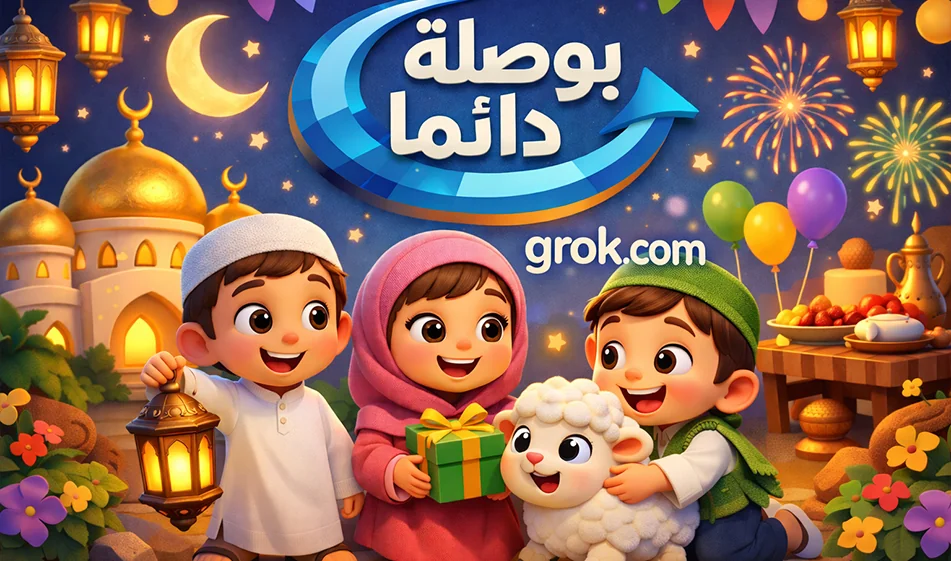
If you want to create a series of short videos about Eid al-Fitr in a childlike 3D style that appeals to kids and families, Grok’s Imagine mode helps you turn a simple description into videos ready for posting on Reels and Shorts. The power of this tool really shines when used as a series—that is, with the same character and style in every clip, changing only the scene.
Website link:
Video explaining how it works:
1) Why Grok is perfect for the Eid al-Fitr series
- It produces short, cinematic-style clips for you
- Perfect for the series concept because you can reuse the same template with different scenes
- It gives you great freedom in setting the scene, lighting, and camera movement
- The clearer and more focused your description is on a single scene, the cleaner the result will be
2) A successful series concept for Eid al-Fitr
Make each video only6 to 8 seconds long, with the same character, then change the scene in each episode, such as
- Preparing for Eid prayers
- Eid takbeers on the way
- Distributing Eid gifts
- Visiting relatives
- Eating Eid cookies
- A nice conclusion with congratulations
Tip: Don’t cram more than one idea into a single video. A single powerful shot is better than a long story in just a few seconds.
3) Steps for creating a video in Grok Imagine
1 Open the link and select "Generate Video"
2 Set the aspect ratio to 9:16
3 Set the duration to 6–8 seconds
4 Write the prompt, preferably divided into:
Character description
Location description
Camera movement
What happens
Don’ts
5 Click "Generate"
6 If you don’t like the result the first time, regenerate it once or twice
and don’t change the entire prompt; just modify a single line, such as the lighting or camera movement
4) A fixed prompt template for the series maintains the same character
Copy this section at the beginning of every prompt and then change only the scene
Childlike 3D style similar to Pixar, cheerful colors, soft textures, warm cinematic lighting, High quality ,9:16vertical video , smooth and slow camera movement, cute and clear facial expressions, no on-screen text, no subtitles, no watermarks, no shaking, no flickering,no distortion.
The character remains consistent across all clips:
A cute 6-year-oldArab boy with a round face, large brown eyes, short dark hair, and a warm smile, wearing elegant Eid attire. The same facial features and proportions are maintained in every video.
5) Five ready-made prompts for Eid al-Fitr scenes in a series style
Paste the static template, then add one of these scenes
Scene 1 : Getting ready for Eid prayers
Inside a tidy bedroom on Eid morning, the child puts on his Eid clothes in front of the mirror and happily adjusts his shirt collar; his mother sprays him with a light fragrance and smiles; close-up shot followed by a wider shot, with a slow zoom-in camera movement.
Scene 2 :Eid Takbeers on the Way
The child walks with his father down a quiet street toward the mosque. The Eid decorations are lit up, the sky is clear. The child raises his hands joyfully and recites the Eid takbeers in a sweet, childlike voice.Slow lateral tracking camera movement.
Scene 3 :Eid Gift
The child sits with his uncle or grandfather in a cozy living room; he receives a colorful Eid gift envelope and jumps for joy; close-up of the hand, then a shot of the child’s smiling face; gentle sound effects only.
Scene 4 :Eid Cookies
A cozy Arab home kitchen; the child helps his mother arrange Eid cookies on a plate, steals a small piece and laughs; his mother smiles; a gentle camera pan around the plate then back to the child’s face.
Scene 5 : Closing Greetings
A post-Eid Ramadan backdrop featuring decorations and glowing lanterns; the child waves at the camera and says a short greeting in Classical Arabic, such as“
” (Happy Eid al-Fitr),“
” (May Allah accept your deeds), and then ends with a smile and a one-second static shot suitable for replay.
6) Tips for achieving smoother, more stable results
- Keep the duration short ,6 to 8 seconds
- Use only one camera movement
- Clearly specify that the subject must remain still in every video
- Avoid cluttered backgrounds
- Do not include Arabic text in the video; add it later in Canva using a clear font
- If there is shaking or flickering, re-render the video and add a line without shaking or flickering
7) How to turn it into a viral series
- Post one episode per day
- Make the cover of each video with the same colors and the same character
- In the description, ask a simple question:
Which Eid scene do you like best? - Ask people to write “compass” if they want the full templates
For more AI tools , visitbosala.ai