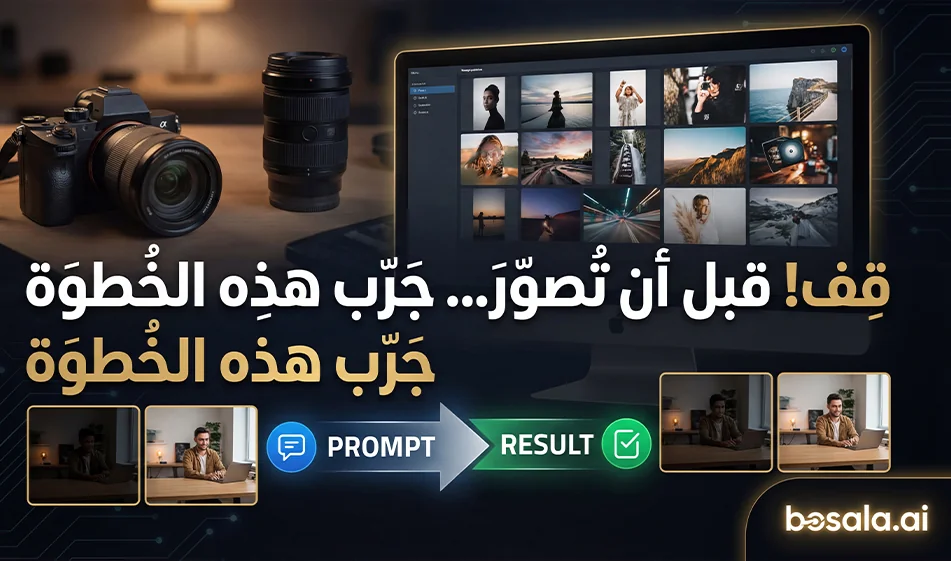
A library of ready-to-use photo prompts—copy and apply them to your photos in minutes
If you’re a photography enthusiast or studio owner looking for professional results quickly and without extensive experience, this idea has you covered
A website featuring a library of ready-made prompts with numerous photos and templates. Choose the photo you like, then copy the ready-made prompt as is. Next, go to Nano Banana, upload your photo, and paste the prompt. In just a few moments, you’ll get a new photo with the same vibe as the example you chose
Prompt website link: https://www.bananaprompts.xyz/explore
Nano Banana website link: https://gemini.google.com/app
Why this is useful for photography enthusiasts and studio owners
It saves time spent on trial-and-error when writing prompts
Gives you results close to a ready-made professional photography style
Helps you establish a specific style for your studio or client
Suitable for portraits, advertisements, and social media photos
Helps you create a variety of photo shoots from a single image
Step-by-step guide:
1. Choose the style you want from the library
Realistic, Luxury Studio, Daylight, Cinematic Portrait, Night Street, and more
2 Open the example you like
Note the lighting, background, shooting angle, skin details, and colors
3 Copy the prompt exactly as it is
Don’t edit it at first so you get roughly the same result
4 Open Nano Banana and upload your photo
A clear, high-quality image with a simple background is preferred
5 Paste the prompt and generate
Start with just two versions, then choose the best one
6 Edit smartly if needed
Don’t change the entire prompt
Change just one line, such as
Make the lighting softer
Make the background darker
Make the camera angle closer
Then regenerate
Tip: Use the compass to ensure the result is close to the example
Use an image with the same type of shot as in the example
If the example is a close-up portrait, use a close-up image
If the example is a half-body shot, use a half-body photo
This alone significantly increases the similarity
Ready-to-use ideas for studios
A personal ID photo shoot with five styles
Clean white studio
Luxurious dark studio
Warm cinematic
Neon-lit night street
Natural Daylight Lighting
Product photography with a model in the same style, then changing backgrounds as needed
Ramadan, Eid, Summer, Winter
Important Note
If the prompt includes text within the image or logos
Remove the text line and request the image without text
Then add any text later in Canva using a neat font
Summary
This method lets you choose the result visually instead of guessing. Pick an image you like from the library, then apply the same prompt to your image in Nano Banana to get a professional result quickly—perfect for photography enthusiasts and studio owners
For more AI tools, visit bosala.ai