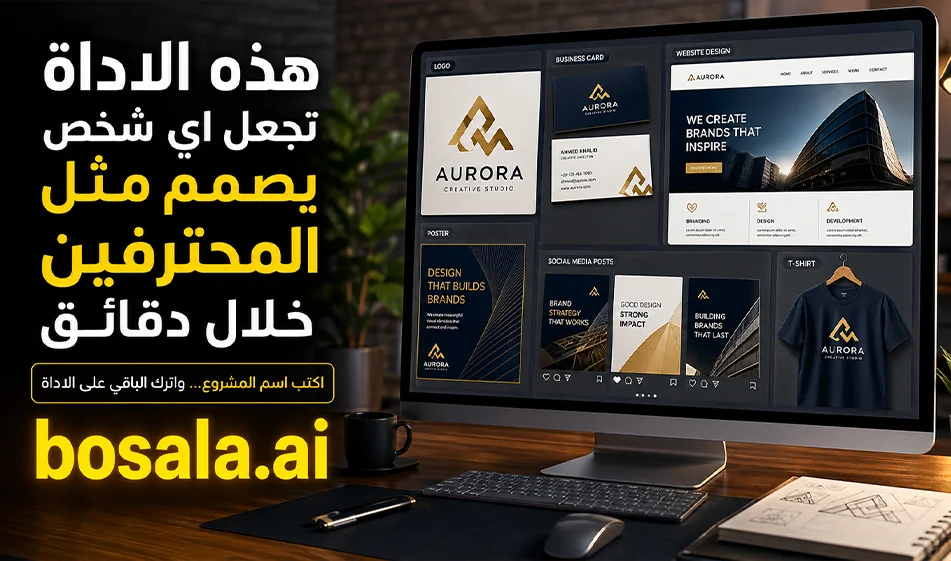
Design.com: A comprehensive tool for designing your project’s brand identity all in one place
If you want toquickly create a visual identity for your project, Design.com helps you turn your project name and description into a set of ready-made designs, such as logos, business cards, websites, posters, flyers, social media graphics, and print designs.
The tool is ideal for entrepreneurs, designers, marketers, and content creators who want quick, customizable results without starting from scratch.
Website: https://www.design.com/
About the tool
Design.com uses artificial intelligence to generate designs based on your project’s concept. Instead of starting with a blank page, you enter your project’s name and a brief description, then select the type of design you need, and the tool suggests multiple templates that you can customize and refine.
The core idea behind the tool is that it doesn’t just provide a single design; rather, it helps you build a cohesive visual identity for your project, ensuring that the logo, colors, fonts, business cards, website, and social media posts all work together seamlessly.
What does the tool offer?
Design.com offersa wide range of design tools that can be used across multiple fields. You can use it to create a project logo, then apply the same brand identity to business cards, websites, social media posts, posters, flyers, letterheads, email signatures, and even designs for products or clothing.
The tool also allows you to create designs for social media posts and stories, making it very useful for anyone looking to quickly produce cohesive visual content for their project’s accounts.
How does the tool work?
The process is simple and intuitive. Start by entering the project name, then write a short description explaining the type of business, such as: restaurant, clothing store, tech company, clinic, café, educational project, or personal brand.
Next, choose the type of design you need. You can start with a logo, then move on to a business card, website, or social media posts. The tool will then generate multiple templates, and you can select the design that best matches your vision.
After selecting a template, the customization phase begins. You can change the colors, fonts, element layout, logo style, background, and text size until you achieve a result that fits your project’s identity.
Practical Example
Let’s say you have a project called Fresh Bite, a healthy food restaurant.
You can write a description such as:
“A healthy food restaurant offering light, modern dishes for young people and office workers, with a simple, clean style and natural colors.”
After entering this description, the tool can suggest logos in suitable colors such as green, white, and orange. You can then use the same logo to create a business card, Instagram posts, an opening poster, and perhaps a simple website showcasing the restaurant’s concept and services.
This way, you’re not just using the tool to design a single element, but to build a complete brand identity around the project’s concept.
Why is it useful for designers and entrepreneurs?
The tool benefits the designer because it streamlines the initial research and ideation phase. Instead of spending a long time experimenting with different directions, they can use the results as a starting point and then professionally refine them to match the client’s taste.
It benefits the project owner because it gives them a quick visualization of the visual identity before hiring a full design team. It also helps them test multiple visual styles and identify the one that best aligns with their project’s personality.
Bousla’s Tip
Don’t write a general description like: “I want a logo for a restaurant.” It’s better to write a more specific description, such as: “A youthful burger restaurant with bold colors, suitable for social media, and targeting college students.”
The clearer the description, the closer the results will be to what you want. Focus on three points: the type of project, the target audience, and the desired visual feel.
Conclusion
Design.com is a useful tool for anyone who wants to quickly design a complete visual identity. You can use it to create logos, business cards, websites, posters, flyers, and social media designs, with the ability to customize colors, fonts, and the final look.
It’s not a complete replacement for a professional designer on large projects, but it’s a powerful tool for getting started, experimenting with ideas, and producing initial designs quickly and efficiently.