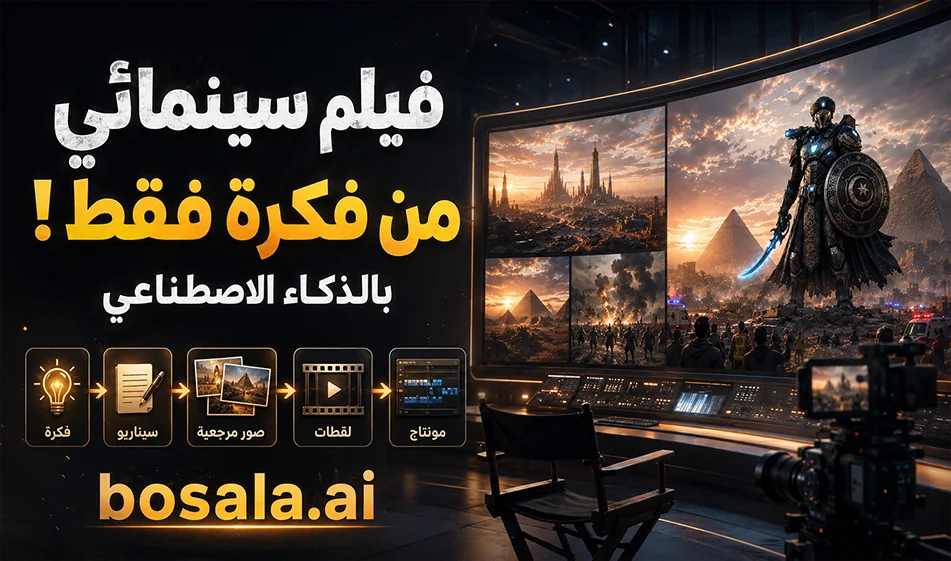
How to Create a Movie Using AI with a Free Trial
If you want to create a movie or a cinematic scene using AI, there’s a simple and practical method that starts in ChatGPT and ends in PixVerse. The idea is to type your story or idea into ChatGPT, then ask it to convert it into a structured scriptand prompts ready for video generation. You can also ask it to generate reference image ideas for each shot. Then you go to PixVerse, enter the prompt, upload the reference image, choose the aspect ratio and duration, click “Generate,” and in no time you’ll get a shot that looks like it’s straight out of a real movie.
Link: https://app.pixverse.ai/creation/video
How does this method work?
The first step starts with ChatGPT. Clearly state your idea, such as:
“I want a short film about a hero escaping from a futuristic city,” or “I want a cinematic ad for a coffee product,” or “I want a short film about a child discovering a magical world.”
Then ask ChatGPT to turn the idea into:
- A short story synopsis
- A breakdown of the scenes
- A description of each shot
- A video prompt for each scene
- Reference image prompts for the shots
And now you have a nearly complete plan for the film instead of starting from scratch.
Why use ChatGPT first?
Because ChatGPT helps you during the creative development phase before generation. It doesn’t just give you a general idea; it helps you structure the story, break it down into scenes, and then write stronger, clearer prompts. This is very important because the quality of the output in video tools depends heavily on the quality of the prompt.
You can also use it to create reference images for shots, or at least to draft precise descriptions of those images, so that the character’s appearance, the setting, and the lighting are clearer before moving on to generation.
Step 2: Move to PixVerse
After preparing the prompts and reference images, move on to PixVerse. There, you can use more than one workflow:
- Text-to-Video if you want to generate a video from a text prompt only
- Image-to-Video if you have a reference image and want to animate it
- Some models also support audio within the video
In PixVerse, upload the reference image if you have one, then paste the prompt, and specify:
- Aspect ratio: such as 16:9 or 9:16
- Video duration
- Whether you want audio or no audio
- Model type or quality mode, if available
Then click Generate and waitfor the result.
What does this method produce?
The result isn’t a complete movie with a single click, but separate shots that resemble movie scenes. You generate each shot individually, then assemble them later in editing software. This is the method closest to the filmmaking process: an idea, a script, shots, and then final assembly.
With this method, you can create:
- A cinematic advertisement
- A short film
- An action scene
- A children’s story video
- Or even a short trailer for a movie idea
A simple practical example
You can type into ChatGPT, for example:
“Turn this idea into a short film with 5 scenes, and for each scene,write:
- Scene description
- Video prompt in English
- Reference image prompt
- Camera angle
- Lighting type
- Suggested sound effects
Then take each prompt and transfer it to PixVerse.
If you have a reference image, upload it, then paste the video prompt, and start generating each shot.
Free Trial on PixVerse
PixVerse provides users with free, daily, renewable credits, typically up to 30 credits per day. This means you can try out the tool continuously without having to pay from the start.
Are the credits enough for the trial?
It depends on:
- The duration of the shot
- Resolution
- The model used
- And whether you have enabled audio or not
Therefore, the daily free credits are very suitable for quick experiments and short clips,but they may not be enough to produce a large number of long or high-quality shots in a single day.That’s why it’s excellent for learning and testing, and you can later switch to a paid plan if you want to produce more content.
Compass Tip
To get strong results, don’t just ask ChatGPT for a “video” in general. It’s best to specify:
- The type of scene
- The duration of each shot
- Character design
- The location
- Camera movement
- Lighting
- Overall atmosphere
- and sound effects
Then, when importing the prompt intoPixVerse, start with short clips, experiment multiple times, and choose the best result. After that, assemble the scenes in the editor to create a work that closely resembles a real film.
Conclusion
This method is perfect for anyone who wants to try making a movie with AI without the hassle:
- ChatGPT to write the idea and turn it into a script, prompts, and reference images
- PixVerse to turn these prompts and images into cinematic video clips
And the great thing here is that PixVerse offers free daily credits that resetevery day, making it perfect for experimenting, learning, and creating initial clips before moving on to larger-scale production.