Description
Tool name:
Knit
Tool category: 🔖
• Automation and Smart Agents
• Productivity and Scheduling
• Business and Operations Management
• Programming and development
️ What does this tool offer? ✏
Knit provides an advanced workspace for prompt designers, allowing prompts to be organized into custom projects with different settings and access permissions for members to facilitate collaboration and sharing. The platform includes three specialized editors: an image prompt editor that supports multiple image inputs and control over the level of detail, a conversation editor that enables easy simulation of function calls and message modification, and a text generation editor for individual use with support for variables and simultaneous execution and comparison of results. The platform also supports running the latest models such as GPT-4o, Claude-3-Opus, and Gemini-1.5-Pro without the need for an API key, with sensitive data encrypted using RSA-OAEP and AES-256-GCM during transfer and storage, a complete copy and revision history system to ensure that no changes are lost, and the ability to generate ready-to-use code for integrating prompts into applications.
What does it actually offer based on user experience? ⭐
According to the platform's description, Knit provides a comprehensive experience for easily organizing, running, and managing prompts across multiple projects, with advanced collaboration capabilities between members, support for text and image prompts and conversations, while maintaining data security and revision history, making it a suitable environment for testing and continuous development of prompts without the need for external API keys.
Does it include automation? 🤖
Yes, the platform provides partial automation by supporting the direct execution of prompts across different models, managing variables, running comparisons between prompt results, and automatically simulating function calls in conversations, making it easy to experience results quickly and accurately.
Pricing model: 💰
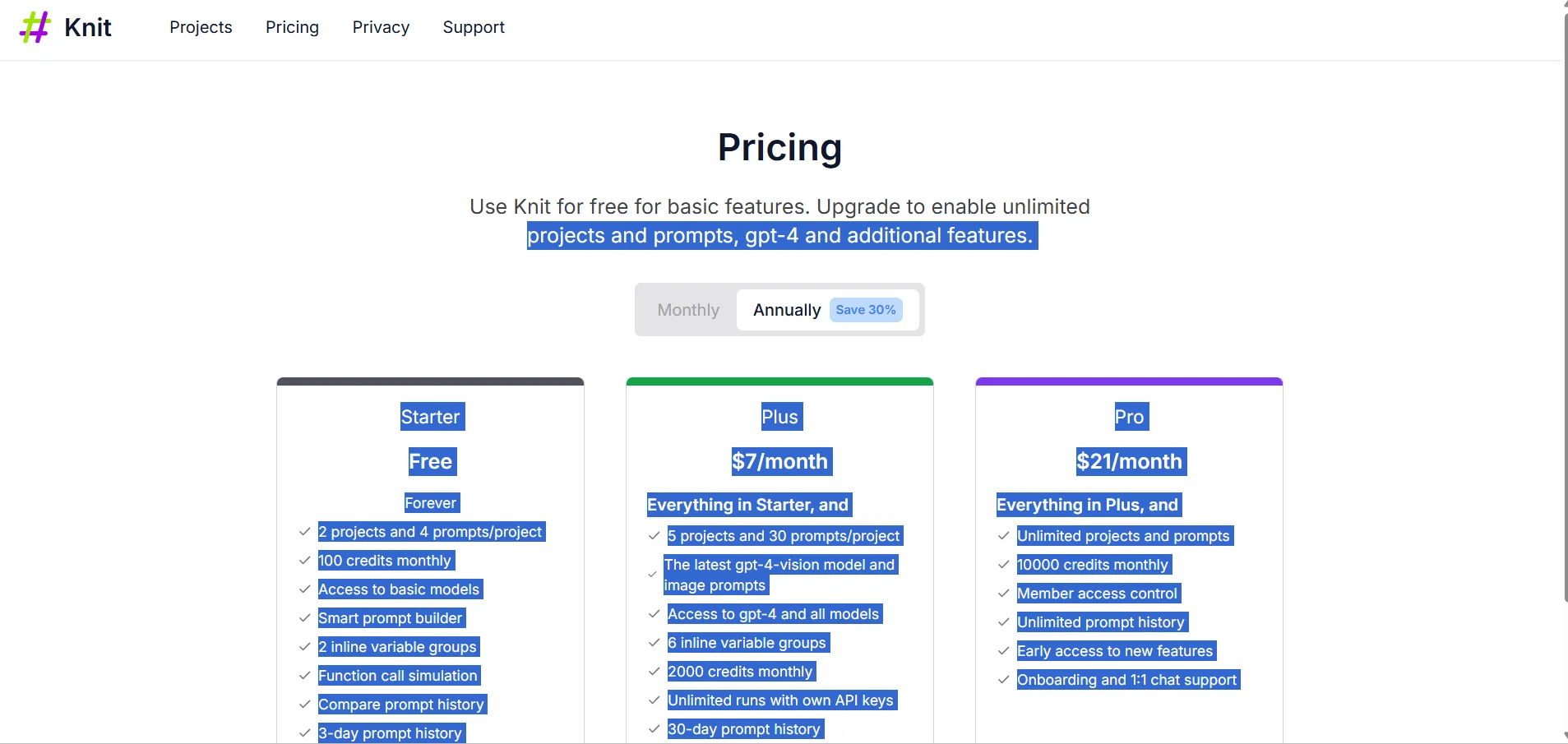
Knit relies on a multi-tier monthly subscription model to suit different user needs, ranging from a free plan to paid plans at varying prices with advanced features for each tier.
🆓 Free plan details:
The free Starter plan offers two projects and four prompts per project, with 100 monthly credits, access to basic models, smart prompt building, use of two sets of internal variables, function call simulation, and a 3-day prompt history comparison.
Paid plan details: 💳
The Plus plan, priced at $7 per month, includes all Starter features plus 5 projects and 30 prompts per project, access to the GPT-4-vision model, image prompts, support for all models, 6 sets of internal variables, 2000 monthly credits, unlimited runs using private API keys, and 30 days of prompt history with priority support.
The Pro plan, priced at $21 per month, offers all the features of Plus plus unlimited projects and prompts, 10,000 monthly credits, member permission control, unlimited prompt history, early access to new features, and comprehensive support via introductory sessions and one-on-one chat.
How to access the tool: 🧭
The platform can be accessed by registering an account on the website, with the ability to start for free and try out projects and prompts without the need for an external API key, with project and member management directly from the platform interface.
Trial link or official website: 🔗
https://promptknit.com/pricing