Description
🖼 Tool Name:
SketchAI
🔖 Categories:
Text to Image Generation
Logo Generation
Object & Background Editing
Style Transfer & Batch
Social Templates & Auto-Editing
✏ What does this tool offer?
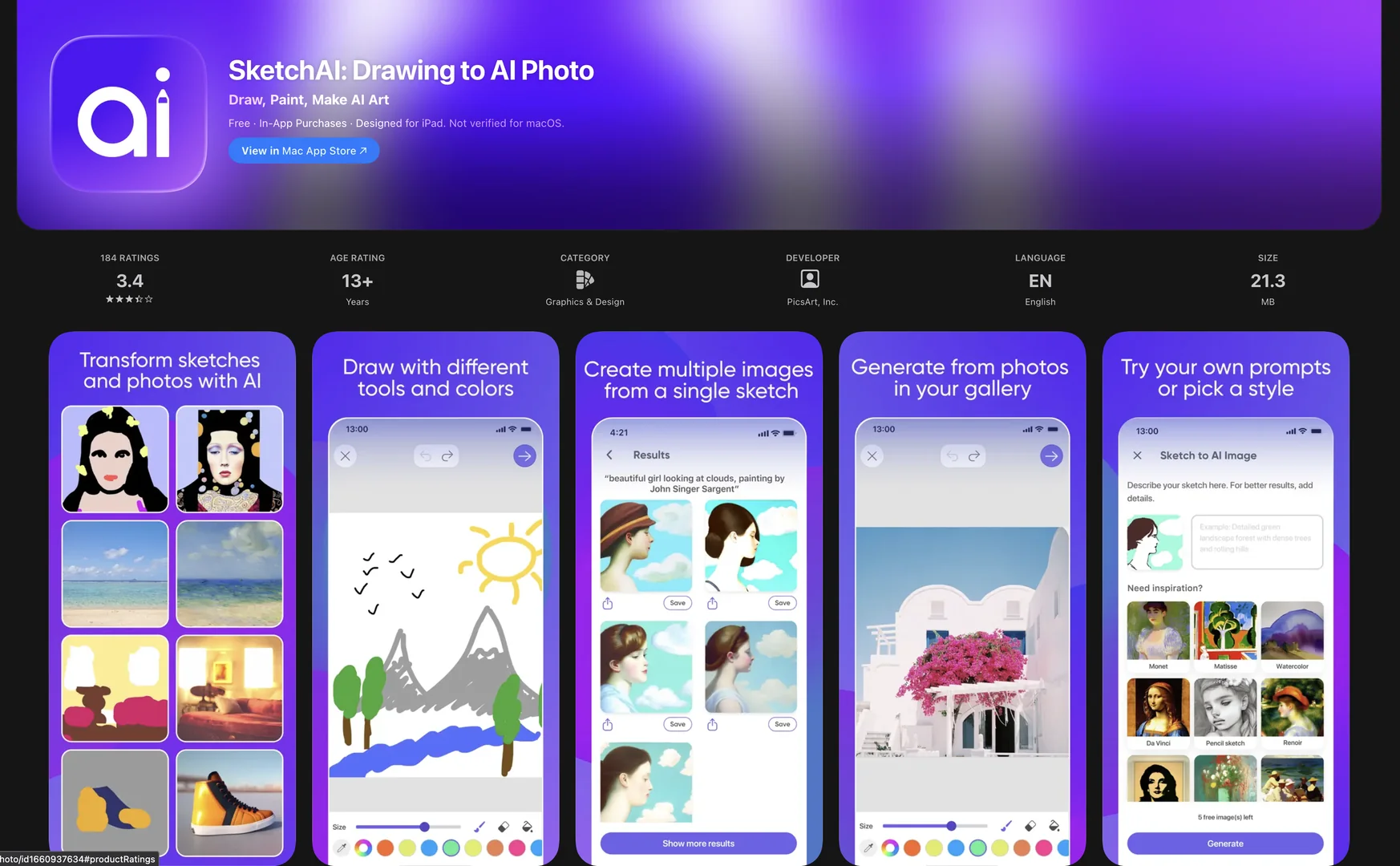
Sketch-to-Image Transformation: The core engine allows users to draw rough outlines or doodles and transform them into high-quality digital artwork, stock photos, or 3D renders using generative AI.
Prompt-Based Refinement: After sketching, users can add text descriptors to guide the AI on specific details, lighting, or materials, ensuring the output matches their vision.
Diverse Artistic Styles: Offers over 40+ professional presets, including Flat Vector, Oil Painting, Van Gogh style, Pencil Sketch, and 3D Mockup styles.
In-App Drawing Suite: Includes a complete set of digital brushes, an eraser, a bucket fill tool, and an adjustable color wheel, optimized for iPad and mobile touchscreens.
Upscaling & Export: Features built-in tools to upscale generated images to high resolution, making them suitable for professional marketing materials or social media posts.
⭐ What does it actually offer based on user experience?
Bridge for Non-Artists: Users with limited drawing skills praise the tool for making them feel like professional illustrators by turning simple "stick figures" into polished designs.
Rapid Prototyping: Small business owners use it to quickly mock up product ideas, logos, or backgrounds without hiring a designer for the initial brainstorming phase.
Creative Fluidity: The "undo/redo" and "zoom" features provide a level of control that feels more like a professional drawing app than a simple AI generator.
Social-Ready Content: It is highly valued for creating unique, "scroll-stopping" visuals for Instagram and TikTok that don't look like standard AI-generated stock photography.
Identity Consistency: The "Inspiration" section helps users learn how to structure their sketches to get the most consistent results across multiple designs.
🤖 Does it include automation?
Yes, SketchAI uses agentic automation to simplify the artistic workflow:
Automated Variation Generation: Can automatically generate unlimited variations of a single sketch with a single tap, allowing users to choose the best result quickly.
AI Background Removal: Instantly isolates the subject of a generation from its background for easy use in other design software.
Smart Inpainting/Overdraw: Allows users to draw on top of a generated image to automate specific edits or "variants" of an existing AI creation.
Style Injection: Automates the application of complex artistic textures and lighting effects without requiring the user to understand digital shading or color theory.
💰 Pricing Model
Item Details: Weekly, Monthly, or Yearly "Gold" Subscriptions.
General Concept: Freemium model where basic tools are free, but unlimited generations, high-res exports, and premium styles require a subscription.
🆓 Free Plan Details
Feature: Basic Access / Limited Generations.
Cost: Free ($0/mo). Includes access to standard brushes and a refillable daily amount of generations.
💳 Paid Plans (2026 Estimates)
🔹 SketchAI Gold Weekly
Item: Price / Details: Approx. $3.99 - $5.99/week.
Item: Features / Details: Unlimited variations, priority generation speed, and removal of watermarks.
🔹 SketchAI Gold Monthly
Item: Price / Details: Approx. $9.99 - $17.99/month.
Item: Features / Details: Full access to all 40+ presets, advanced editing tools, and batch upscaling.
🔹 SketchAI Gold Yearly
Item: Price / Details: Approx. $69.99/year.
Item: Inclusions / Details: Most cost-effective for long-term users; includes all premium features and early access to new AI models.
🧭 How to access the tool:
Mobile-first platform available on the iOS App Store (iPhone/iPad) and Google Play Store.
