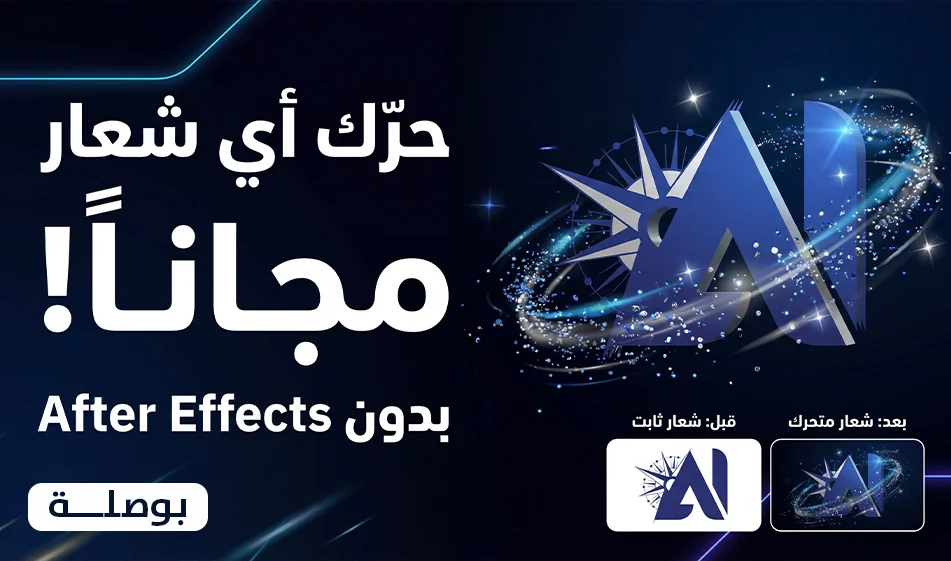
Animate any logo professionally for free and without After Effects

Animate any logo professionally for free and without After Effects

Compass Gift
Animate any logo professionally for free and without After Effects

The Idea
Instead of struggling with After Effects, you can animate any logo in just 5 seconds using video generators that work directly from the logo image. Upload the logo once, choose one of the ready-made prompts below, and generate a luxurious visual identity video that looks like professional motion graphics work.

Suggested video generator links
Digen Veo
https://digen.ai/veo
Qwen
https://chat.qwen.ai
Kling
https://kling.ai

Note
The following explanation applies to almost all of these sites, since the concept is the same
Upload the logo, paste the prompt, then generate

What you need before generating
A PNG logowith a transparent background, if possible
A high-resolution version of the logo to avoid pixelation
The logo colors should be clear and not blurred
The logo should ideally be centered in the image with space around it

Ideal settings before clicking "Generate"
Duration: 5 seconds
Aspect ratio: 9:16 vertical if you want Stories and Reels
or horizontal 16:9 if you want a YouTube intro
Dark cinematic background
No text on screen
No subtitles
No music
No voiceover
If there is an option for the number of copies, set it to 2 and then choose the best one

Step-by-step instructions
1
Open the video generator and select "Generate Video from Image"
2
Upload the logo image as the base reference
3
Set the duration to 5 seconds and the aspect ratio you want
4
Paste one of the ready-made prompts below as is
5
Click "Generate"
6
Choose the best result
7
If you notice a slight distortion in the logo, just regenerate it
and do not change the prompt entirely
Add a single line at the end, such as:
Preserve logo shape perfectly, no distortion, no warping, no extra text

Tips for a more polished result
Choose only one motion per video; don’t combine too many effects
Keep the background simple so the logo remains the star
Request a very smooth camera movement, not a quick rotation
If your logo is flat, choose the Compilation or Neon prompt
And if your logo is suitable for 3D, choose the3D Heroprompt

Ready-made prompts
Copy and paste as is

Prompt 1: Logo Assembly Reveal
Use the uploaded logo image as the exact design reference. Preserve its proportions, shapes, colors, and identity accurately.

Create a premium cinematic 5-second logo animation. The logo starts completely disassembled into its core design elements—shapes, strokes, outlines, particles, and layers—floating separately in space. Then, with elegant motion design timing, each element smoothly flies into place and assembles the logo piece by piece with perfect precision. Add subtle depth, glossy reflections, light streaks, fine dust particles, and soft glow accents. The assembly should feel like a high-end motion graphics reveal created in After Effects and CGI, with clean easing, dramatic anticipation, and a satisfying final lock-up. Use a dark cinematic background, premium lighting, polished reflections, subtle camera push-in, ultra-clean composition, and a fully finished professional logo animation look. Keep the background minimal so the logo remains the hero.

Prompt 2:3D Hero Logo Motion-
Use the uploaded logo image as the exact design reference. Preserve its proportions, shapes, colors, and identity accurately.

Create a premium cinematic 5-second logo animation. Transform the logo into a polished three-dimensional hero object with realistic depth, bevels, smooth edges, premium materials, and elegant reflections. Start with a dramatic close-up of one edge of the logo, then reveal the full logo with a smooth 3D rotation and cinematic camera orbit. Add subtle environmental lighting, soft shadows, glossy highlights, and a luxurious dark studio atmosphere. The motion should feel like a high-end CGI brand ident—sleek, modern, powerful, and visually expensive. End with the logo centered in a strong hero shot, fully lit and perfectly stable. Keep the composition minimal and cinematic, with the logo as the main focus.

Prompt 3: Forming From Nothing
Use the uploaded logo image as the exact design reference. Preserve its proportions, shapes, colors, and identity accurately.

Create a premium cinematic 5-second logo animation where the logo forms out of nothing. Start from total darkness or empty space, then gradually generate the logo from floating light particles, smoke trails, glowing energy lines, and tiny fragments that gather together in a smooth and magical way. The shapes slowly become more solid and defined until the full logo is completely formed in a premium three-dimensional finish. Add cinematic volumetric lighting, subtle spark particles, elegant glow, rich shadows, and a smooth camera move for a dramatic reveal. The result should feel like a luxury CGI title reveal—mysterious, modern, cinematic, and highly professional. Keep the background dark, clean, and minimal so the logo remains the hero.

Prompt 4: Luxury CGI Brand Ident
Use the uploaded logo image as the exact design reference. Preserve its proportions, shapes, colors, and identity accurately.

Create a high-end 5-second cinematic CGI animation for the uploaded logo. Begin with the logo hidden in darkness, then reveal it through sweeping light passes, atmospheric haze, metallic reflections, soft particle trails, and elegant motion. Give the logo premium material quality depending on its design, such as polished metal, glossy glass, matte black, illuminated acrylic, or brushed chrome. Use a dramatic cinematic camera move, subtle depth of field, rich studio lighting, and a refined sense of scale. The animation should feel like a luxury brand identity created by a top motion design studio—sophisticated, minimal, powerful, and visually unforgettable. End on a beautiful hero frame with the logo fully visible and glowing softly. Keep the background clean, dark, minimal, and distraction-free.

Prompt 5: Sculpted Into Existence
Use the uploaded logo image as the exact design reference. Preserve its proportions, shapes, colors, and identity accurately.

Create a premium cinematic 5-second logo animation where the logo is sculpted into existence. The logo begins as raw abstract material, then smoothly carves, extrudes, and refines itself into its final form, as if being crafted by invisible forces. Add premium material transitions, from dust, stone fragments, or liquid metal into a finished, polished logo surface. Use elegant particles, cinematic shadows, subtle glow, and a dramatic camera move. The final result should feel like a luxury CGI sculpture reveal—clean, precise, modern, and visually striking. End with a polished hero shot of the fully completed logo on a dark cinematic background, with soft reflections and premium lighting.

Prompt 6: Particle Explosion Reveal
Use the uploaded logo image as the exact design reference. Preserve its proportions, shapes, colors, and identity accurately.

Create a premium cinematic 5-second logo animation where the logo begins as a powerful explosion of tiny particles, glowing fragments, and light dust bursting outward in slow motion from the center of the screen. Then, after the explosive expansion, all particles reverse direction and get pulled back together with elegant cinematic motion, rebuilding the logo perfectly in the air. Add depth, energy trails, spark particles, subtle smoke, glowing debris, soft reflections, and dramatic lighting. The movement should feel powerful, high-end, and visually satisfying, like a high-end CGI logo reveal. Use a dark, minimalist cinematic background, a subtle camera shake at the start of the explosion, then a smooth push-in as the logo fully forms. End with a polished hero shot of the completed logo, glowing softly with premium reflections.

Prompt 7: Particle Explosion Luxury Version
Use the uploaded logo image as the exact design reference. Preserve its proportions, shapes, colors, and identity accurately.

Create a luxury 5-second cinematic CGI logo reveal based on a particle explosion effect. The logo is initially invisible in darkness, then suddenly erupts into thousands of glowing micro-particles, metallic fragments, dust shards, and light sparks that scatter dramatically through space. After the burst, the particles begin to swirl, align, and reassemble with elegant motion into the final logo shape. Add rich volumetric light, floating debris, subtle shockwave energy, glossy reflections, and a dramatic cinematic camera move. The reveal should feel powerful, futuristic, expensive, and fully polished, like a premium global brand identity. Keep the background dark and minimal so the logo remains the hero.

Prompt 8: Neon Tech Reveal
Use the uploaded logo image as the exact design reference. Preserve its proportions, shapes, colors, and identity accurately.

Create a premium cinematic 5-second neon-tech logo animation. Start in darkness with faint futuristic electric lines and glowing digital traces scanning across the screen. Slowly reveal the logo outline using sharp neon light strokes, holographic edge glows, and moving energy lines. Then build the full logo with sleek luminous surfaces, subtle tech particles, digital flickers, and elegant sci-fi reflections. The motion should feel futuristic, clean, and high-end, like a luxury technology brand identity. Use a dark studio background with soft haze, cinematic lighting, smooth camera motion, and polished neon reflections. End with the logo fully formed, centered, glowing beautifully, and perfectly stable.

Prompt 9: Neon Tech Hologram Version
Use the uploaded logo image as the exact design reference. Preserve its proportions, shapes, colors, and identity accurately.

Create a high-end 5-second cinematic holographic neon-tech animation for the uploaded logo. Begin with thin futuristic laser lines, scanning grids, digital particles, and faint holographic distortion in a dark environment. The logo gradually appears as a glowing hologram made of neon contours, light beams, transparent layers, and animated electric pulses. Then the hologram becomes more solid, refined, and premium, transforming into a sleek finished logo with luminous edges and glossy surfaces. Add subtle glitch accents, depth of field, light streaks, atmospheric haze, and a smooth cinematic orbit camera. The final result should feel futuristic, elegant, luxurious, and visually unforgettable.

Conclusion
Try Prompt 1 or 4 first, as they produce a luxurious result suitable for most logos
Then try Prompt 8 if your logo is tech-oriented or digital

April 02, 2026 03:57 PM GMT
About Grok

️ 🖼Tool name:
Grok (with versions Grok 4 and Grok 4.1)

🔖 Tool Category:
Conversation/audio agents, summarization, headings and ideas, programming and development, text and image to video, study assistants and smart notes/text to audio/audio to text

️ ✏What does this tool offer?
A super-intelligent AI assistant with the ability to access real-time information from the web and the X platform. Grok 4 provides advanced reasoning, complex math, and programming capabilities. It also includes the Grok Imagine engine for generating high-quality images and videos, and DeepSearch for in-depth research and analyzing conflicting sources to provide an accurate answer.

What do you actually offer based on user experience?
- Grok is known as the "bold assistant" that provides unrestricted answers with optional humor.
- Super fast response time.
- Used by researchers and investors to follow real-time market trends.
- Relied upon by developers to debug huge code with a context window of up to 256k tokens in advanced versions.

🤖 Does it include automation?
Yes, it includes advanced automation via Agents that can use browsers, execute code, and coordinate tasks between multiple AI models simultaneously (Multi-agent system) to solve complex issues.

💰 Pricing model:
Mixed Freemium model with standalone subscriptions or bundled with the X platform.

🆓 F reemium plan details:
- Available to users of the X Platform and grok.com.
- Usage limits: About 10 requests every two hours.
- Access to basic Grok models (such as Grok 3 or Lite).
- Limited access to advanced features.

💳 Details of paid plans:

  • X Premium/Premium+ ($8 - $40/month): Priority access across the X platform, higher usage limits, additional platform features.

  • SuperGrok ($30/month): Standalone subscription via grok.com, full access to Grok 4, 128K tokens of memory, unlimited photo and video generation.

  • SuperGrok Heavy ($300/month): For professionals and developers, access to Grok 4 Heavy, 256,000 tokens of memory, top processing priority.

🧭 How to access the tool:
via grok.com,X App, mobile apps (iOS/Android), and developer API via the xAI platform.

🔗 Link to the demo or official website:
https://grok.com/

About Kling AI

🖼️ Tool Name:
Kling AI

🔖 Tool Category:
AI Video Tool – Converts text or images into realistic short videos using highly advanced technology.

✏️ What does this tool offer?
Kling AI lets you generate realistic videos from just a text prompt or image in seconds — no editing or design experience needed.
You can write a script, choose camera angles, select the video style, and the tool does the rest automatically.
You can also edit the video inside the tool — add or remove elements, merge content, or simulate cinematic camera motion.

What does the tool actually deliver based on user experience?

  • The video quality is very strong, especially in motion and scene composition.

  • Generation is relatively fast, but free users sometimes experience stuck generation (at 99%) or failure.

  • The interface is simple and clear, with helpful features like motion control, positive/negative prompt settings.

  • Users say the experience is similar to professional tools like Runway Gen-3, but cheaper and easier.

  • Some users have complained about slow customer support, especially on the free plan.

  • Pro Mode offers excellent results: larger video resolution, no watermark, and faster generation.

💰 Pricing Model:

  • Free: 66 points daily (enough for one short video), but generation might sometimes fail.

  • Standard: $10/month — 660 points, no watermark, HD quality, faster performance.

  • Pro: $25–37/month — 3,000 points, longer videos, higher quality, faster rendering.

  • Premier: $64–92/month — 8,000 points, priority generation, and instant support.

🆓 Free Plan Details:

  • 66 points daily for free

  • Allows short video generation (5–10 seconds)

  • May occasionally fail or hang

  • Suitable for experimentation or very light use

🧭 Access Method:

  • Create a basic account

  • Choose generation type (text or image)

  • Write a prompt or upload an image

  • Get your video within roughly one minute

🔗 Experience Link:

About Kling 1.6

🖼️ Tool Name:
Kling 1.6 (Kling AI)

🔖 Tool Category:
AI-powered video generation; falls under Video Generation and Content Creation & Communication.

✏️ What does this tool offer?
Kling 1.6 is an advanced AI model that transforms images or text prompts into short, realistic video clips. It supports both image-to-video and text-to-video workflows, making it easy for creators to animate scenes with professional-grade motion and effects.

What does the tool actually deliver based on user experience?
• ❖ Up to 195 % improvement in image-to-video quality from Kling 1.5, with sharper motion and visual fidelity 
• Dual modes: Standard (720p, up to 5 s) and Pro (1080p, up to 10 s with first/last frame control) 
• Natural camera movements (pan, zoom), lifelike motion, and better prompt adherence 
• Supports image-conditioning, full HD output, and advanced scene dynamics

🤖 Does it include automation?
Yes — Kling 1.6 automates:
• Generating animated video clips from images or text prompts
• Camera motion simulation and motion dynamics
• Rendering transitions and maintaining visual consistency between frames
• Frame control for pro users (first + last frames)

💰 Pricing Model:
Freemium with usage-based credits; paid tiers available.

🆓 Free Plan Details:
• Free-tier access with limited credits
• Standard mode usage (720p, basic features)
• Access via web demos or platforms like Pollo AI

💳 Paid Plan Details:
• Pay-per-credit: ~20 credits for 5s Standard video, ~35 credits for 5s Pro HD; longer 10s clips cost ~70 credits based on Pollo AI pricing 
• Subscription plans range from $10 to $92/month (tiers unlock HD, watermark removal, longer clips) 

🧭 Access Method:
• Web-based via Kling AI platform or partners (Pollo AI, getimg.ai, Segmind, BasedLabs) 
• Some offer API access (e.g., Segmind text-to-video) 

🔗 Experience Link:

https://app.klingai.com

About Grok Imagine

️ 🖼Tool name:
Grok Imagine

🔖 Category:
Artificial Intelligence photo and video generator


️ ✏What does this tool offer?
Grok Imagine offers a complete platform for creating diverse visual content using artificial intelligence, allowing users to:

  • Convert text into still images: Create high-quality images of up to 1024×1024 pixels, including photographs, logos, artwork, and commercial designs.

  • Convert images to short videos: Convert still images into 6-second videos with sound effects, perfect for short social media content.

  • Convert text to short videos: Create short 6-second videos with sound, based on text descriptions, revitalizing the popular short video format.

  • AI photo editing: Edit existing photos, including changing styles, backgrounds, and colors, without the need for advanced editing skills.


What does the tool actually deliver based on user experience?
Experiments show that Grok Imagine is characterized by the following:

  • Ease of use: The user interface is simple and straightforward, allowing the creation of visual content without the need for advanced technical skills.

  • Speed of performance: Generating images and videos is very fast, boosting productivity.

  • Variety of styles: Supports a wide range of styles, including photographs, animations, and various artistic styles.

  • High resolution: Produce images and videos in high resolution and quality, enabling them to be used in various fields.


🤖 Does the tool include automation?
Yes, Grok Imagine includes advanced automation features, such as:

  • Automatic conversion of text into images and videos: Enables users to create visual content from text descriptions without the need for manual intervention.

  • Automatic image editing: Automatically modify existing images based on text commands, saving time and effort.


💰 Pricing model:
Grok Imagine is based on a monthly subscription model, with access to advanced features through paid plans.


🆓 F ree plan details:
Grok Imagine offers a limited free plan that gives users access to some basic features, such as:

  • Create a limited number of photos and videos per month.

  • Access to some basic styles.

  • Access to basic editing tools.


💳 Paid plans details:
Grok Imagine offers paid plans that provide advanced features, such as:

  • Professional Plans: Gives access to advanced features such as creating unlimited photos and videos, access to additional styles, and advanced editing tools.

  • Organizational Plans: Intended for teams and businesses, offering features such as group collaboration, access to APIs, and dedicated technical support.


🧭 Access:
Grok Imagine can be accessed via the official website:

Dedicated apps are also available on different operating systems, allowing users to easily create visual content from any device.


🔗 Trial link:
To get started with Grok Imagine, you can visit the official website: grokimagine.ai

About Qwen AI

️ 🖼Tool name:
Qwen AI

🔖 Tool classification:
An advanced multimodal language model developed by the Alibaba Group, used in AI applications such as conversation, translation, voice recognition, image and video generation, and programming.

️ ✏What does this tool offer?

  • Intelligent conversations: Have text and voice conversations with the Qwen3-Omni model, which supports input and output via text, voice, image, and video.

  • Instant multilingual translation: Qwen3-LiveTranslate-Flash offers fast and accurate voice and video translation.

  • Photo and video editing: Qwen-Image-Edit-2509 lets you edit personal photos and transform styles and expressions.

  • Voice Recognition: Qwen3-ASR-Flash supports high-resolution voice recognition for 11 languages and dialects.

  • Script generation: Qwen3-Coder helps in writing and debugging code.

  • Open source model: All modules are available under the Apache 2.0 license, allowing them to be used in commercial and research applications.

What do you actually offer based on user experience?

  • Multiple language support: Supports more than 29 languages, including Arabic, making it suitable for users in the Middle East.

  • High productivity: Capable of processing text up to 128,000 tokens, allowing it to handle large and complex documents.

  • Low cost: It is a low-cost model compared to competitors, making it an attractive option for individuals and small businesses.

🤖 Does it include automation?
Yes, Qwen AI includes automation:

  • Interactive conversations: Having intelligent conversations with users.

  • Automatic translation: Translate text and audio between languages.

  • Photo and video editing: Edit photos and videos based on commands.

  • Voice Recognition: Convert voice to text with high accuracy.

  • Code generation: Write and debug code automatically.

💰 Pricing model:

🆓 F ree plan details:

  • Free access: Users can access Qwen Chat via the following link: chat.qwen.ai.

  • Trial Forms: The free trial allows the use of some models such as Qwen3-Omni and Qwen3-LiveTranslate-Flash.

💳 Details of paid plans:

  • Qwen-Flash (Alibaba Cloud platform):

    • Input price: $0.05 per million tokens.

    • Output price: $0.40 per million tokens.

    • Context range: 1,000,000 tokens.

    • Mode: Not yet available.

  • Qwen-Turbo (OpenRouter platform):

    • Input price: $0.05 per million tokens.

    • Output price: $0.20 per million tokens.

    • Context range: 1,000,000 tokens.

    • Mode: Not yet available.

🧭 How to access the tool:

🔗 Trial link or official website:
https://qwen.ai/home

About Kling

️ 🖼Tool name: Kling 2.1
🔖 Tool Category: AI Text-to-Video & Image-to-Video
️ ✏What does this tool do?
Kling 2.1 allows users to convert still images or text into short, high-quality videos (5-10 seconds) with realistic motion, cinematic effects, and automatic sound, helping to quickly and easily produce educational, promotional, creative, or entertainment content.
What do you actually offer based on user experience?

  • Convert text or images to video in up to 1080p quality.

  • Add cinematic effects and realistic animations.

  • Support multiple video styles: Cinematic, educational, promotional, or entertainment.

  • Easy-to-use interface suitable for beginners and professionals.

  • Ability to add automatic sound and background music.
    🤖 Does it include automation?
    Yes, it includes an automated process to create a video from text or images, and automatically add movements and sound effects.
    💰 Pricing model:

🆓 F ree plan details:

  • Experience creating a short video from an image or text.

  • Access to basic options to customize video duration and quality.

  • Add limited effects and motion.

💳 Paid plans details:

  • Access to higher video quality and more diverse options.

  • Video duration up to 10 seconds.

  • Add automatic sound and background music.

  • Support for start and end frames and cinematic motion enhancement.

  • Commercial use of videos with advanced customization features.

🧭 How to access the tool:
Kling 2.1 can be accessed via a web browser or the Android mobile app.

🔗 Experience Link or official website: Experience Link