Videos of historical figures talking about themselves in an entertaining anime style for kids on Krea
· 7 min read
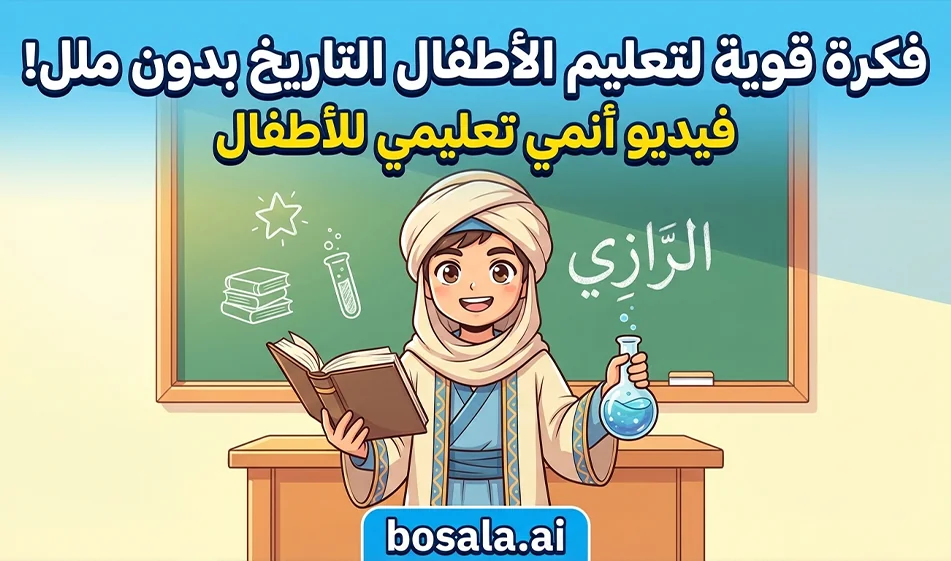
Videos of historical figures talking about themselves in an entertaining anime style for kids on Krea
The Idea
Create a short, cute, and cheerful anime scene featuring a historical figure, then have the character speak in Classical Arabic with a brief educational sentence about themselves and their achievements. This approach yields engaging, shareable content suitable as a series for children aged 6 to 10.
Why This Approach Works
It provides children with historical information in a very short story
The character speaks directly to the camera, making the child feel as though they are being addressed
The Middle Eastern anime style is eye-catching and encourages repeat viewings
You can reuse the same template with dozens of characters without getting tired
Tool link:
https://www.krea.ai/video
How to use it step-by-step in Krea
Step 1: Prepare the text
Write just one sentence in Modern Standard Arabic—keep it short and clear
Preferably 10 to 16 words to make lip-syncing easier
Example
I am Al-Khwarizmi; I helped people with calculations and laid the foundation for the science of algebra
Step 2: Generate the base video from the text
Open the video tool in Krea, then
Select the 9:16 vertical aspect ratio for Reels and Shorts
Choose a short duration suitable for educational clips
The platform itself suggests durations such as 6 seconds for short clips and 10 seconds for longer clips; you can choose what suits you best based on what’s available in your interface
Enter the full scene prompt with a description of the character and setting, and ensure there is no text on the screen
Compass Tip
At this stage, focus only on the image and movement. If your goal is precisely synchronized Arabic speech, you’ll have better results when you add audio using the lip-sync tool instead of relying on the platform to generate audio automatically.
Step 3: Add Arabic Audio and Lip-Sync
Use the lip-sync tool within Krea to add your own voice or record audio within the tool, then select the face that will speak. The lip-sync page explicitly mentions the option to add audio and generate speech with facial expressions
Enter the same Arabic sentence you prepared, then generate just one or two versions and choose the best one.
Step 4: Export and Publish
Export the video in portrait orientation
Add a simple title in the post description, not within the video
End with an interactive question
Who would you like to see on the next episode?
Recommended camera settings for consistent results
Simple camera movement
Medium shot with a slight zoom
Warm, steady lighting
Uncluttered background
No text on screen
No subtitles
Clear, cheerful facial expressions from the children
Quick solutions to common problems
If the character appears unstable
Reduce the elements around it and simplify the background
If lip-syncing is poor
Shorten the Arabic sentence and make it slower and clearer
If text appears in the video
Ensure the prompt contains no text on screen and no letters or numbers
Free usage and pricing at a glance
Krea’s free planoffers 100 units per day without a credit card, with limited access to certain video templates and lip-syncing
The Basic plancosts $9 per month and offers 5,000 credits per month, plus a commercial license and full access to photo and3D toolsand lip-sync, with limited access to certain video templates
The Pro plancosts $35 per month and provides 20,000 units per month, unlocking access to all video templates within the platform
The Max plancosts $105 per month and provides 60,000 units per month for users who need higher production volumes
Compass Tip: How to Make the Most of the Free Plan
Start with very short clips
Produce one or two versions for each character
And use the shortest Arabic sentences to minimize regeneration, which consumes credits
Ready-made prompts that you can paste as-is
This package is specifically designed for historical Islamic characters speaking in Classical Arabic, in an Eastern Arabic anime style with no on-screen text, and is suitable for children
Create an 8-second vertical 9:16 educational children’s video in a beautiful stylized 2.5D animated fantasy style inspired by classic Middle Eastern adventure animation, with warm colors, expressive character design, magical lighting, soft cinematic motion, and a family-friendly tone.
Show the HISTORICAL CHARACTER as a noble, kind, visually appealing historical figure for children, standing in an environment that reflects his era and achievements. Around him, include symbolic objects, inventions, books, maps, scientific tools, architecture, or historical elements related to his legacy.
The character looks directly at the camera and speaks clearly in Modern Standard Arabic with this exact dialogue:
ARABIC DIALOGUE
The scene should feel magical, educational, warm, and respectful, with rich visual storytelling, soft background depth, elegant costume details, and child-friendly facial expressions.
No text on screen. Arabic voice only. No subtitles.
1 Al-Razi
Create an 8-second vertical 9:16 educational children’s video in a beautiful stylized 2.5D animated fantasy style inspired by classic Middle Eastern adventure animation, featuring warm colors, expressive character design, magical lighting, soft cinematic motion, and a family-friendly tone.
Show Al-Razi as a wise and kind historical scholar, dressed in elegant classical Islamic-era clothing, standing inside a warm old scientific library and medical workshop. Around him, show medicine bottles, old books, handwritten manuscripts, a simple lamp, healing herbs, and early medical tools. The atmosphere should feel intelligent, magical, and welcoming for children.
Al-Razi looks directly at the camera and speaks clearly in Classical Arabic with a calm, warm voice:
I am Al-Razi. I lived in the third century AH, and I was a physician and scholar.Among my most important achievements were the advancement of medicine and the writing of useful books on diseases and treatments.
The character should gesture gently while speaking, with soft golden light and a magical, educational atmosphere.
No text on screen. Arabic voice only. No subtitles.
2 Al-Khwarizmi
Create an 8-second vertical 9:16 educational children’s video in a beautiful stylized 2.5D animated fantasy style inspired by classic Middle Eastern adventure animation, featuring warm colors, expressive character design, magical lighting, soft cinematic motion, and a family-friendly tone.
Show Al-Khwarizmi as a bright, thoughtful, kind historical scholar wearing elegant Abbasid-era clothing, standing in a magical scholarly room filled with scrolls, geometric patterns, glowing numbers, maps, astrolabes, and mathematical symbols floating gently around him. Make the environment feel inspiring, intelligent, and magical for children.
Al-Khwarizmi looks directly at the camera and speaks clearly in Modern Standard Arabic with a cheerful, educational voice:
I am Al-Khwarizmi; I lived in the third century AH, and among my most important achievements are the science of algebra and the development of arithmetic and maps.
The character should move his hands gracefully while numbers and shapes glow softly around him.
No text on screen. Arabic voice only. No subtitles.
3 Salah al-Din al-Ayyubi
Create an 8-second vertical 9:16 educational children’s video in a beautiful stylized 2.5D animated fantasy style inspired by classic Middle Eastern adventure animation, featuring warm colors, expressive character design, magical lighting, soft cinematic motion, and a family-friendly tone.
Show Salah al-Din al-Ayyubi as a noble, brave, kind leader for children, wearing elegant historical armor and royal robes in a respectful, non-violent way. He stands in front of a majestic historical Middle Eastern city with banners, castle walls, and warm sunset light. Around him, include symbolic elements of leadership such as a map, a sheathed sword, a shield, and architecture representing Jerusalem and the Ayyubid era. Keep everything child-friendly and non-combat.
Salah al-Din looks directly at the camera and speaks clearly in Modern Standard Arabic with a strong, warm voice:
I am Salah al-Din al-Ayyubi; I lived in the 6th century AH, and among my most important achievements were the unification of the Muslims and the recapture of Jerusalem.
He should gesture proudly and kindly, with a heroic yet gentle, educational atmosphere.
No text on screen. Arabic voice only. No subtitles.
4 Sultan Abdul Hamid II
Create an 8-second vertical 9:16 educational children’s video in a beautiful stylized 2.5D animated fantasy style inspired by classic Middle Eastern adventure animation, featuring warm colors, expressive character design, magical lighting, soft cinematic motion, and a family-friendly tone.
Show Sultan Abdul Hamid II as a dignified, calm, wise Ottoman ruler, wearing elegant late Ottoman royal clothing with refined details, standing in a beautiful palace-inspired setting with books, maps, telegraph lines, a railway model, and Ottoman decorative architecture. The scene should feel regal, educational, warm, and respectful.
Sultan Abdul Hamid II looks directly at the camera and speaks clearly in Modern Standard Arabic with a composed, warm voice:
I am Sultan Abdul Hamid II. I lived in the 13th century AH, and among my most important achievements were my focus on the state, education, and the Hejaz Railway project.
He should gesture slowly and confidently while the railway model and historical details appear beside him in a magical, educational way.
No text on screen. Arabic voice only. No subtitles.
Strong enhancement lines to add at the end of any prompt :
Make the character highly expressive, respectful, visually iconic, and easy for children ages 6 to 10 to understand.
Use warm cinematic lighting, rich costume details, magical environmental storytelling, and smooth Arabic lip sync.
Use elegant hand-painted Middle Eastern fantasy aesthetics, soft facial features, expressive eyes, flowing fabric, and child-friendly heroic charm.
About Krea AI
- Generates images from text, including in real time
- Enhances and upscales images with AI editing
- Generates videos from text or images
- Video enhancement, style conversion, upscaling and frame interpolation
- Generates 3D models from text or images
- Customizes models with LoRA fine-tuning and LoRA sharing
- File management with Krea Asset Manager
- API access for developers
Related Tips
- A video prompt that gives you the feel of GTA with an Arabic twist
- 2 million free tokens to create videos! on Seedance
- How to Create a Series of Educational Videos Using ChatGPT, PixVerse, and Nabat?
- An Explanation of GeminiGen AI for Creating Videos and Images for Children
- A brief overview of Vidu and how to create entertaining animated videos