Kling AI Review: Video Creation

Kling AI Review: Video Creation

Kling AI Review: Video Creation

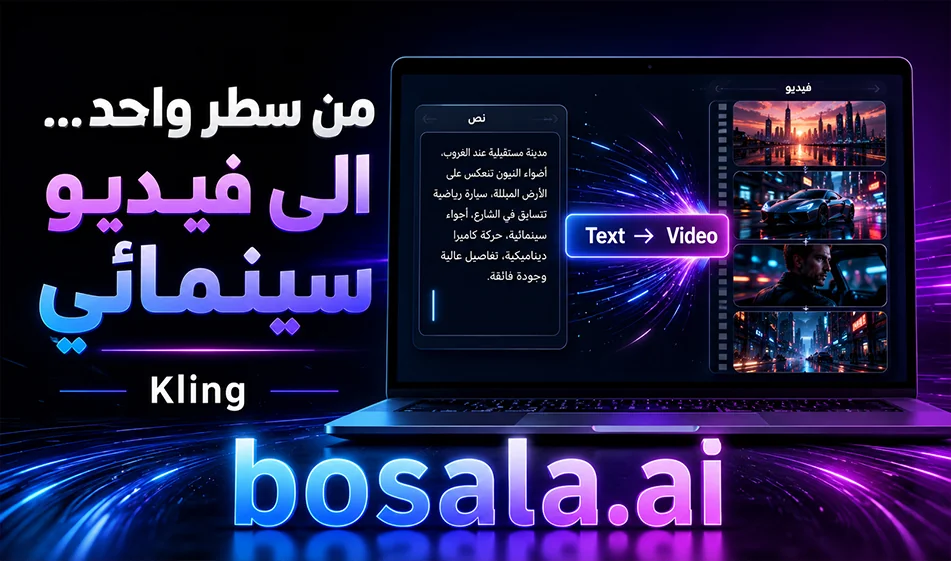
Kling AI is a powerful tool for creating videos using artificial intelligence, and is ideal for content creators, designers, and marketers who want to produce cinematic scenes, ads, product videos, or custom clips for social media. The platform’s concept is simple: you write a description of the scene or upload a reference image, then choose the template and settings and click “Generate.”

Website link: https://kling.ai/app/video/new?ac=1

What does the tool offer?

Kling AI supportsmultiple ways to create videos, the most important of which are:

  • Text to Video: Convert a text description into a video.
  • Image to Video: Upload an image and convert it into a moving scene.
  • Reference-based generation: Using reference images to preserve the appearance of a character or product.
  • Native Audio in some models: Generating audio along with the video.
  • Director Mode: Suitable for scenes containing more than one shot within the same video.

Top Video Generation Models

Kling VIDEO 3.0
Suitable for text-based scenes, cinematic shots, and advertisements, delivering strong results in motion, lighting, and scene composition.

Kling VIDEO 3.0 Omni
Best suited when you need character or product stability; it is most useful for commercials and scenes that rely on visual references, and it supports synchronized audio better.

Kling AIFeatures

  • Strong, natural motion quality
  • Cinematic results suitable for commercials and short scenes
  • Support for text-to-video and image-to-video conversion
  • Ability to preserve the appearance of the product or character
  • Audio support in some models
  • Suitable for product videos, stories, and Reels

Free trial and credits

Kling AI offersa free trial with daily credits that refresh upon login, though the number may vary depending on promotions or what appears in your account. Therefore, it can be said that the tool provides you with a free, renewable trial.

Do the credits renew?

Yes, there are daily renewable credits,which are suitable for trial and testing, but they are usually not enough for large-scale daily production.

The option with the fewest credits

In the credit purchase system, $1 is approximately equal to 66 credits. However, some advanced features, such as higher quality or additional benefits, may require a paid membership, not just the purchase of credits.

Compass Tip

If you want the best results from Kling AI, don’t just write a general description; instead, specify:

  • The type of scene
  • The character or product
  • The location
  • Lighting
  • Camera movement
  • Overall feel
  • And whether you want sound or not

Conclusion

Kling AI isa powerful tool for anyone who wants to create professional videos using artificial intelligence, whether from text or images. It features powerful models like Kling VIDEO 3.0and Kling VIDEO 3.0Omni, with a free trial via daily renewable credits, making it ideal for experimentation, learning, and creating professional-quality short videos.

Short Prompt About Pharaonic Egypt

Create an 8-second ultra-realistic cinematic montage set in ancient Egypt. Show pyramid construction at sunrise, the pharaoh riding a golden chariot through a dusty battlefield, a luxurious royal palace with the pharaoh and queen, a grand temple with giant statues and hieroglyphic columns, and a lively ancient market. End with a wide aerial shot combining the temple, market, and desert landscape. Historical realism, epic scale, warm desert light, rich detail, realistic costumes and architecture—no fantasy, no subtitles, no modern elements.

May 09, 2026 03:59 PM GMT
About Kling AI

🖼️ Tool Name:
Kling AI

🔖 Tool Category:
AI Video Tool – Converts text or images into realistic short videos using highly advanced technology.

✏️ What does this tool offer?
Kling AI lets you generate realistic videos from just a text prompt or image in seconds — no editing or design experience needed.
You can write a script, choose camera angles, select the video style, and the tool does the rest automatically.
You can also edit the video inside the tool — add or remove elements, merge content, or simulate cinematic camera motion.

What does the tool actually deliver based on user experience?

  • The video quality is very strong, especially in motion and scene composition.

  • Generation is relatively fast, but free users sometimes experience stuck generation (at 99%) or failure.

  • The interface is simple and clear, with helpful features like motion control, positive/negative prompt settings.

  • Users say the experience is similar to professional tools like Runway Gen-3, but cheaper and easier.

  • Some users have complained about slow customer support, especially on the free plan.

  • Pro Mode offers excellent results: larger video resolution, no watermark, and faster generation.

💰 Pricing Model:

  • Free: 66 points daily (enough for one short video), but generation might sometimes fail.

  • Standard: $10/month — 660 points, no watermark, HD quality, faster performance.

  • Pro: $25–37/month — 3,000 points, longer videos, higher quality, faster rendering.

  • Premier: $64–92/month — 8,000 points, priority generation, and instant support.

🆓 Free Plan Details:

  • 66 points daily for free

  • Allows short video generation (5–10 seconds)

  • May occasionally fail or hang

  • Suitable for experimentation or very light use

🧭 Access Method:

  • Create a basic account

  • Choose generation type (text or image)

  • Write a prompt or upload an image

  • Get your video within roughly one minute

🔗 Experience Link:

About Kling 1.6

🖼️ Tool Name:
Kling 1.6 (Kling AI)

🔖 Tool Category:
AI-powered video generation; falls under Video Generation and Content Creation & Communication.

✏️ What does this tool offer?
Kling 1.6 is an advanced AI model that transforms images or text prompts into short, realistic video clips. It supports both image-to-video and text-to-video workflows, making it easy for creators to animate scenes with professional-grade motion and effects.

What does the tool actually deliver based on user experience?
• ❖ Up to 195 % improvement in image-to-video quality from Kling 1.5, with sharper motion and visual fidelity 
• Dual modes: Standard (720p, up to 5 s) and Pro (1080p, up to 10 s with first/last frame control) 
• Natural camera movements (pan, zoom), lifelike motion, and better prompt adherence 
• Supports image-conditioning, full HD output, and advanced scene dynamics

🤖 Does it include automation?
Yes — Kling 1.6 automates:
• Generating animated video clips from images or text prompts
• Camera motion simulation and motion dynamics
• Rendering transitions and maintaining visual consistency between frames
• Frame control for pro users (first + last frames)

💰 Pricing Model:
Freemium with usage-based credits; paid tiers available.

🆓 Free Plan Details:
• Free-tier access with limited credits
• Standard mode usage (720p, basic features)
• Access via web demos or platforms like Pollo AI

💳 Paid Plan Details:
• Pay-per-credit: ~20 credits for 5s Standard video, ~35 credits for 5s Pro HD; longer 10s clips cost ~70 credits based on Pollo AI pricing 
• Subscription plans range from $10 to $92/month (tiers unlock HD, watermark removal, longer clips) 

🧭 Access Method:
• Web-based via Kling AI platform or partners (Pollo AI, getimg.ai, Segmind, BasedLabs) 
• Some offer API access (e.g., Segmind text-to-video) 

🔗 Experience Link:

https://app.klingai.com

About Kling

️ 🖼Tool name: Kling 2.1
🔖 Tool Category: AI Text-to-Video & Image-to-Video
️ ✏What does this tool do?
Kling 2.1 allows users to convert still images or text into short, high-quality videos (5-10 seconds) with realistic motion, cinematic effects, and automatic sound, helping to quickly and easily produce educational, promotional, creative, or entertainment content.
What do you actually offer based on user experience?

  • Convert text or images to video in up to 1080p quality.

  • Add cinematic effects and realistic animations.

  • Support multiple video styles: Cinematic, educational, promotional, or entertainment.

  • Easy-to-use interface suitable for beginners and professionals.

  • Ability to add automatic sound and background music.
    🤖 Does it include automation?
    Yes, it includes an automated process to create a video from text or images, and automatically add movements and sound effects.
    💰 Pricing model:

🆓 F ree plan details:

  • Experience creating a short video from an image or text.

  • Access to basic options to customize video duration and quality.

  • Add limited effects and motion.

💳 Paid plans details:

  • Access to higher video quality and more diverse options.

  • Video duration up to 10 seconds.

  • Add automatic sound and background music.

  • Support for start and end frames and cinematic motion enhancement.

  • Commercial use of videos with advanced customization features.

🧭 How to access the tool:
Kling 2.1 can be accessed via a web browser or the Android mobile app.

🔗 Experience Link or official website: Experience Link