A Gift for Our Followers: Ready-to-Use Prompts for Creating Professional Product Ads with AI
· 6 min read
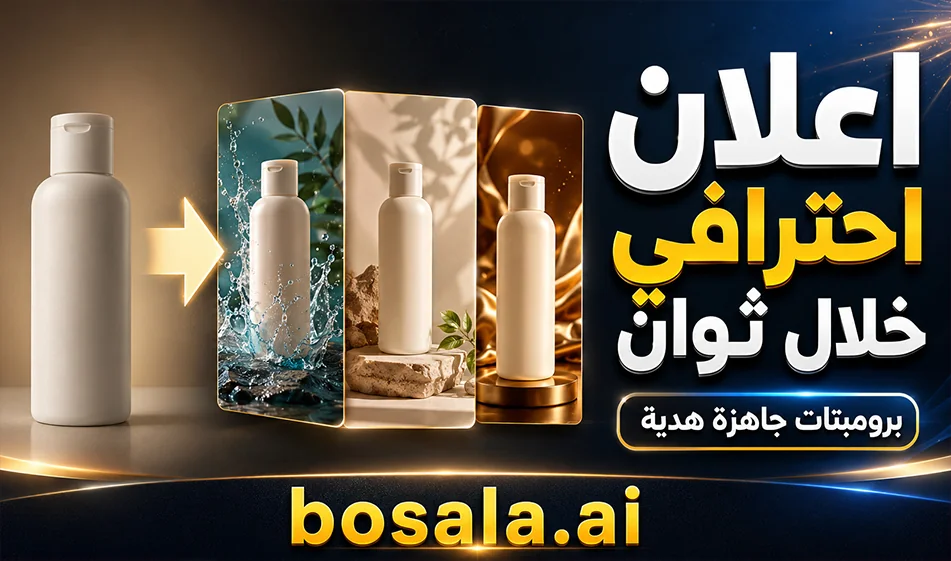
A Gift for Our Followers: Ready-to-Use Prompts for Creating Professional Product Ads with AI
Quick Summary
If you want to turn any product image into a professional ad in seconds, we’ve prepared a set of ready-made ad prompts for our followers. All you need to do is upload the product image to any AI image generation website, then paste the prompt in the style you want, and you’ll get a professional ad design that saves you time and effort. For best results, we recommend using GPT-Image or Nanopana Pro.
About the Idea
This gift is for entrepreneurs, stores, content creators, marketers, and anyone who wants to quickly create ad designs without starting from scratch. The idea is very simple: after you comment on the video, we’ll send you the ready-made prompts. Then, you choose the appropriate style, upload your product image, paste the prompt, and in no time, you’ll have a professional ad ready to publish.
The advantage of these prompts is that they don’t just ask the tool to “design an ad”; instead, they guide it to analyze the product first, then preserve its identity, logo, colors, and shape, and finally build a complete ad design in a professional style.
How do you use these prompts?
It’s very easy:
- Select an image of the product you want to advertise.
- Open any AI image generation website.
- Upload the product image.
- Copy the appropriate prompt from the ready-made prompts.
- Paste the prompt into the tool.
- Click "Generate."
- In seconds, you’ll get a professional ad design.
And if you want the best possible output quality, it’s best to use GPT-Image or Nanopana Pro.
What types of prompts have we prepared?
We’ve prepared 3 different ad styles so users can choose the one that best fits their needs:
1) Lifestyle Product Ad Poster
This prompt is suitable if you want an ad featuring a person using the product or presenting it in a natural and professional way.
This style is useful for products that need a realistic, everyday feel, such as perfumes, beverages, skincare products, accessories, or any product you want to associate with an attractive lifestyle.
What does this prompt do?
- It analyzes the product first
- It preserves the logo, name, shape, and colors
- Places the product within a professional advertising scene
- Adds a male or female model in a stylish, commercial look
- Creates an Arabic headline, a brief description, and key benefits
- Optimizes the design for social media
Prompt
Create a premium lifestyle advertising poster using the uploaded product as the main reference.
Analyze the product first: brand name, product name, logo, colors, shape, category, and key visual details. Preserve the product exactly: no logo changes, no shape changes, no color distortion.
Show one stylish male or female model naturally holding, using, or presenting the product in a confident commercial pose. Make the product clearly visible and visually dominant.
Style: premium agency-level ad, cinematic studio lighting, clean luxury composition, bold background typography, modern social media poster look.
Text rules:
Keep the original brand/product name exactly as shown. Add an elegant Arabic transliteration of the product name. All other ad copy must be in Modern Standard Arabic.
Include:
Arabic headline, short Arabic subheadline, 3–5 Arabic feature points, clean icons if needed, and a small footer: bosala.ai
Aspect ratio: 3:4.
2) Hero Product Poster
This prompt is suitable if you want the product to be the main hero of the design.
It is ideal for ads that focus on strongly highlighting the product itself, such as a perfume bottle, a device, food packaging, or any product you want to present in a luxurious and impactful way.
What does this prompt do?
- It puts the product front and center
- Highlights the product with strong commercial lighting
- Adds reflections, luxurious touches, and visual movement
- Creates a strong visual hierarchy within the design
- Adds an Arabic title, feature text, and product tags
The Prompt
Create a bold hero product advertising poster based on the uploaded product image.
First analyze the product: exact brand name, product name, logo, shape, colors, material, and category. Preserve the product identity perfectly with no distortion or invented details.
Make the product the main hero: large, powerful, centered or in the foreground, with dramatic commercial lighting, premium depth, dynamic angle, subtle glow, particles, motion energy, or luxury reflections depending on the product type.
Style: high-end product launch poster, clean modern layout, strong visual hierarchy, premium advertising campaign quality.
Text rules:
Keep the original product/brand name exactly as shown. Add Arabic transliteration of the product name. All supporting text must be in Modern Standard Arabic.
Include:
Big Arabic headline, short Arabic tagline, 4 Arabic feature cards, short Arabic CTA, and small footer: bosala.ai
Aspect ratio: 3:4.
3) Infographic / Collage Ad Board
This prompt is suitable if you want an ad board or organized collage that showcases the product from multiple angles, with clear features, details, and sections.
It is very suitable for products that require more visual explanation, such as food products, skincare products, supplements, or any product you want to showcase in a professional infographic style.
What does this prompt do?
- It breaks down the product while maintaining its identity
- Creates a large main image of the product
- Adds sub-panels displaying details, angles, and uses
- Organizes the content in a professional grid layout
- Adds Arabic headings, explanatory sections, and product features
The Prompt
Create a premium editorial infographic advertising board using the uploaded product as the main reference.
Analyze the product first: brand, product name, logo, category, colors, shape, and visual identity. Preserve the product accurately with no logo distortion or fake specifications.
Design a clean grid-based commercial layout with one large hero product image and 4–8 supporting panels showing details, angles, usage scenes, ingredients, benefits, or feature highlights based on the product type.
Style: professional ad board, modern infographic, premium catalog look, organized layout, sharp typography, elegant spacing, colors inspired by the product.
Text rules:
Keep the original brand/product name exactly as shown. Add an elegant Arabic transliteration. All other text must be in Modern Standard Arabic.
Include:
Arabic main title, Arabic subtitle, sections titled: "Key Features", "Product Details", "Why Choose It?", short Arabic CTA, and small footer: bosala.ai
Aspect ratio: 3:4.
Why are these prompts useful?
These prompts are useful because they save you a lot of steps, such as:
- Brainstorming the ad concept
- Organizing the text
- Deciding on the design layout
- Creating a professional visual layout
- Maintaining the product’s identity
Instead of starting with a general description, you get a smart, detailed prompt that helps the tool produce results closer to professional ads.
When should I use each prompt?
- Use the Lifestyle Product Ad Poster if you want a realistic ad featuring a person with the product.
- Use the Hero Product Poster if you want to highlight the product alone in a bold and luxurious way.
- Use the Infographic / Collage Ad Board if you want an organized infographic with more features and details.
Compass Tip
For best results:
- Upload a clear image of the product
- Make sure the logo is visible
- Choose the prompt that best suits the nature of your ad
- If the product is food or beauty-related, use clean and clear images
- Experiment until you achieve the best visual composition
Summary
This tool provides users with ready-made prompts to create professional product ads with minimal effort. All you need to do is upload a product image, paste the appropriate prompt, and click "Generate." Within seconds, you’ll receive a professional ad design suitable for social media or marketing campaigns.
For the best results, it’s best to use GPT-Image or Nanopana Pro,as they deliver stronger results when it comes to handling product details, text, and ad output.
About ChatGPT
- Answers with improved factual accuracy and a 400k token context window
- Offers Advanced Voice Mode with emotion understanding, real-time translation and natural interruptions
- Provides Canvas, a side-by-side workspace for writing and coding
- Remembers preferences, projects and instructions across conversations
- Generates short video clips with Sora integration for Plus and Pro users
- Available as native apps for Windows, macOS, iOS and Android
About Gemini 2.5 Pro
- Processes text, images, audio and video in a single context
- Handles up to 1 million input tokens for large projects and documents
- Function calling to run commands within the conversation
- Executes code directly as part of its reasoning
- Retrieves real-time information through web search
- Advanced reasoning for complex coding, math and science problems
- Controls the tone and style of audio output
- Available via Google AI Studio, Gemini API, Vertex AI and the Gemini app
About Google Gemini
- Plans and executes multi-step tasks such as trip planning, booking and emailing
- Understands text, real-time video, 3D spatial relationships and audio
- Integrates with Android, Google Workspace and Gemini for Home
- Reasons through complex logic by default with a 2 million+ token context window
- Shares camera or screen in real time with Gemini Live
- Runs autonomous Deep Research and produces reports with citations
- Turns PDFs, Docs or Slides into conversational podcast-style Audio Overviews
- Generates video with Veo 3 and edits images with Nano Banana
- Runs Gemini Nano on-device for offline summaries and translations
About Nano Banana
- Edits and transforms photos from text prompts
- Creates designs in cartoon, artistic, creative and realistic styles
- Generates short videos in portrait, square and landscape formats
- Adds audio or creates silent videos
- Provides ready-made templates that are updated regularly
- Available on iOS, iPadOS, macOS and visionOS
About NanoPhoto.AI
- Multi-turn image editing that keeps the rest of the image consistent
- Generates video with Sora 2 and Veo 3.1 including native audio
- Colorizes old photos, removes watermarks and upscales to 2K/4K
- Places product photos in luxury environments with realistic lighting
- Analyzes images or videos to generate reproducing prompts
- Batch converts and compresses HEIC, AVIF, WebP and SVG
- Maintains consistent faces and objects across generations
Related Tips
- How to Use the Pokecut Tool to Easily Extract Images
- A professional prompt for turning a meal name into a full recipe infographic
- Bosala Brand Studio Explains: How to Create a Complete Visual Identity from a Logo in Minutes?
- How to Create a Series of Educational Videos Using ChatGPT, PixVerse, and Nabat?
- An Explanation of GeminiGen AI for Creating Videos and Images for Children