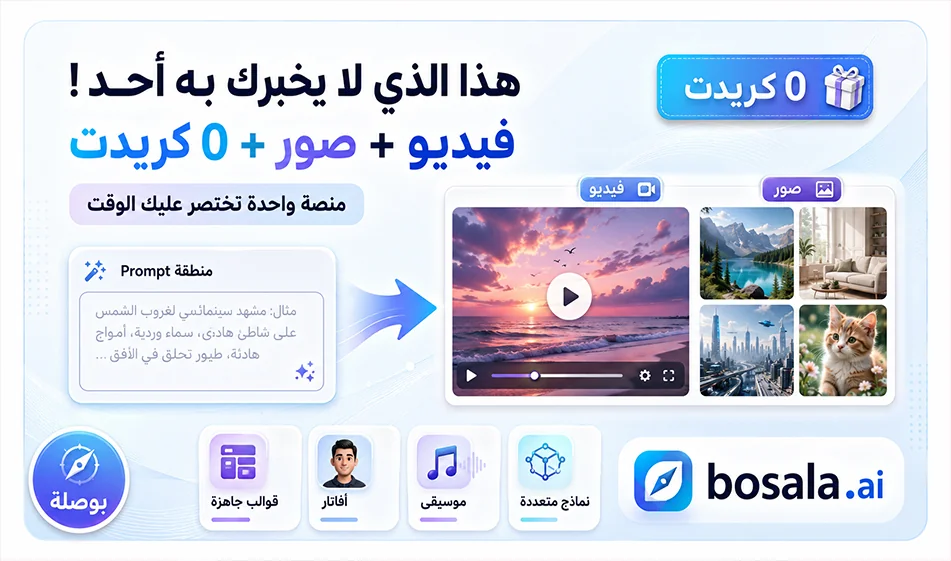
MindVideo AI Review: A Comprehensive Platform for AI-Powered Video and Image Generation
MindVideo AIis a comprehensive platform for creating visual content using AI, allowing you to generate videos, images, avatars, music, effects, and ready-made templates all in one place. The basic idea behind the site is that you type a prompt or upload an image, then choose the appropriate template, specify the dimensions and duration, and then click "Generate."
A great feature of MindVideo is that the site offers more than one template and generation tool; some require credits, while others occasionally appear with a 0-creditoption . This allows users to try the generation process for free without deducting credits, though note that this option is often in high demand due to frequent use.
Link: https://www.mindvideo.ai/invitation-landing?utm_source=invitation&invite_code=1BCHJ2HX
What does the tool offer?
MindVideo offersseveral content creation options, the most important of which are generating video from text, converting images to video, generating images from text, and converting one image to another, in addition to tools such as avatars, music, ready-made effects, and quick video templates.
The site also features popular global templates for video and image generation, with the cost of each template varying based on its capabilities, duration, quality, and type of generation. Therefore, users can choose an affordable option to try out, or a more powerful template if they want a more professional result.
How does MindVideowork?
The process is very simple. Start by selecting the type of content: video, image, avatar, music, or pre-made effect. Next, enter your prompt or upload an image, then choose the appropriate aspect ratio—such as 9:16 for Reels and Shorts or 16:9 for landscape videos. Next, specify the duration or template if the option is available, then click Generate.
If you see a tool option with a value of 0 credits, you can use it to generate content for free without deducting from your balance, but sometimes you’ll need to try more than once due to high demand for this option.
Free Trial and Credits
When you log in, the site gives you free credits to get started with the trial. It also gives you 2 daily bonus credits that can be accumulated, which is useful for those who want to try out more than one tool over several days without paying upfront.
Another nice feature is that some generation tools may appear with a 0-creditoption , meaning you can generate a video or image without anything being deducted from your balance, but these tools are often slower or have higher user traffic.
Avatars and Music
In addition to videos and images, MindVideo offersoptions for creating avatars and audio or music content, but these tools often consume credits depending on the template used. Therefore, it’s best to use them when you have a clear idea so you don’t waste your credits on random experiments.
Templates and Ready-Made Models
The site also contains ready-made templates and models for generation, which are very useful for beginners. Instead of starting from a blank prompt, you can choose a ready-made template and then customize it according to your idea. This feature is ideal for creating quick videos for social media, ads, educational content, or entertainment clips.
Lowest Pricing
Based on the information available at the time of this review, the Liteplan appears to be the most affordable paid option at approximately $9. 90per month, offering around 500 credits and supporting1080p output. Prices and credit amounts may change depending on website updates, so it’s always best to check the pricing page within the platform before subscribing.
Prompts:
Strawberries:
A team of tiny human workers, no bigger than a strawberry seed, harvesting gigantic strawberries, at least 20 times their size, in a lush green field. The strawberries are colossal, towering like buildings, with a deep red color, glistening golden seeds, and fresh green leaves stretching high above the workers. Some workers climb towering rope ladders attached to the massive strawberries, carefully slicing through the thick green stems with miniature golden clippers. Others push tiny wooden carts, completely dwarfed by the enormous fruit, struggling to roll them onto tiny pulley systems for transport. Dewdrops sparkle on the huge strawberries under the golden morning sunlight, making the scene vibrant, hyper-detailed, cinematic, and ultra-satisfying. Macro perspective, whimsical, ultra-realistic textures, ASMR aesthetic
Animation:
A 15-second vertical format video clip. Two animated 3D cartoon girls, Kira (9 years old, dark hair in buns, pink glasses, teal and pink outfit) and Sora (13 years old, taller, long blonde hair, round glasses, yellow cropped hoodie, blue cargo pants). The characters **must not move their mouths, speak, or sing**; their focus is entirely on the dance. They perform an extremely fast and rhythmic, highly energetic synchronized dance routine featuring jumping and crossing limbs (CRUZA! and PULA!). Vertical camera with quick cuts and zooms. Setting: A bright dance studio with intensely flashing neon lights. Style: High-quality 3D animation, bright children’s cartoon style, vertical format (9:16).
Who is MindVideo for?
MindVideo is suitable forcontent creators, entrepreneurs, marketers, designers, and educators who want to quickly produce videos or images using artificial intelligence. It’s also ideal for those who want to experiment with multiple templates within a single platform instead of switching between multiple websites.
It can be used to create educational videos, product videos, ad spots, animated videos, social media images, avatars, and short clips suitable for Reels and Shorts.
Bousla Tip
For the best results, don’t start with random generation. Write a clear prompt that specifies the scene type, dimensions, motion, visual style, video duration, and desired audio (if any). If you have limited credits, try the 0-credittools or ready-made templatesfirst , then use your credits on the more advanced templates once your idea is ready.
Conclusion
MindVideo AI isa useful platform for anyone who wants to generate videos and images from a single place. Its strength lies in its wide range of tools, global models, ready-made templates, and diverse options—both free and paid. The availability of free credits upon registration, a daily bonus of 2 credits, and the option to occasionally generate content with 0 credits make it ideal for experimenting and learning before transitioning to a paid plan.