Description
️ Tool Name: 🖼
remove.bg
Categories: 🔖
Remove and Replace Elements and Backgrounds
Edit/Enhance/Upsample
Image Design and Creation
Integrations and APIs
Digital Asset Management
️ What does this tool offer? ✏
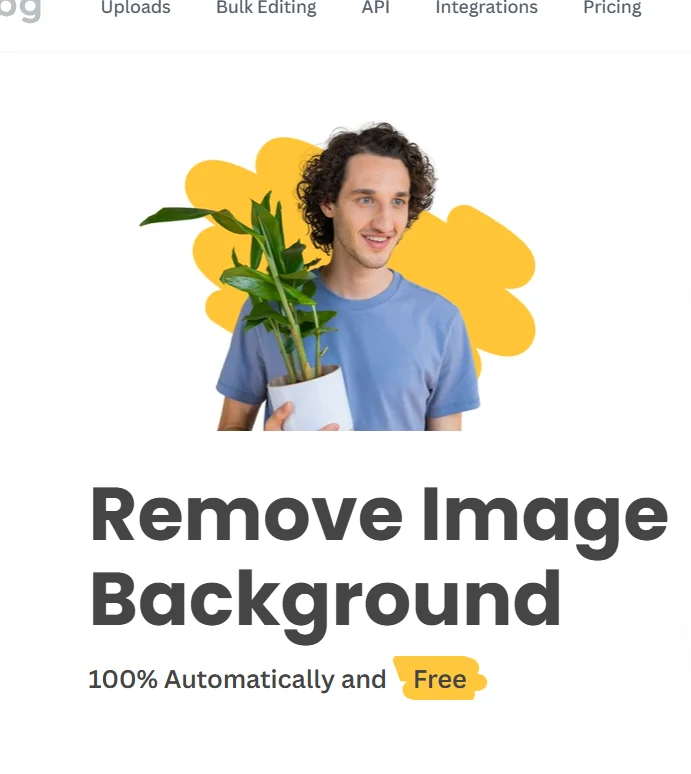
remove.bg is an AI-powered tool that automatically and quickly removes image backgrounds, allowing you to isolate people, products, animals, cars, and various other elements from images with high precision.
The platform allows you to obtain images with transparent backgrounds in PNGformat and also enables you to create new, custom backgrounds using AI.
remove.bg provides tools for editing images and processing large volumes of them; its batch processing feature can handle up to 500 images per minute.
The platform also supports integration with various tools and services, including Figma, Photoshop, and Zapier,in addition to offering a mobile app and an API for developers.
The service is suitable for individuals, photographers, marketers, e-commerce stores, auto dealerships, developers, and businesses.
The service can be used directly on the website for free to remove image backgrounds, with paid options available for advanced features and high-volume processing.
What does it actually offer based on user experience? ⭐
- Automatically removes image backgrounds using artificial intelligence.
- Isolates people from images.
- Isolating products, animals, cars, and various other objects.
- Get images with transparent backgrounds in PNG format.
- Create new custom backgrounds using AI.
- Edit and process images.
- Process images in bulk.
- Process up to 500 images per minute in batch processing.
- Integration with Figma, Photoshop, and Zapier.
- Access the service through mobile apps.
- Integrate background removal and image processing capabilities into apps via API.
- Supports individuals, photographers, marketers, e-commerce businesses, auto dealerships, developers, and enterprises.
Does it include automation? 🤖
Yes. remove.bg uses artificial intelligence to automate the process of detecting objects in an image, separating them from the background, and removing them.
It also enables high-volume image processing, allowing up to 500 images per minute to be processed in batches, reducing the need to manually remove backgrounds one image at a time.
It provides an API to integrate these processes into various applications and workflows.
Pricing Model: 💰
Pay-as-you-go / Monthly Subscription — remove.bg uses a model that combines purchasing credits as needed with monthly subscriptions.
Pay-as-you-go packages start at $3 for 3 credits,with the option to purchase additional credits as needed.
The service offers a 10% discount for annual payments on plans that support this option.
It also provides one free trial credit to use for AI-powered photo editing.
🆓 Free Plan Details:
| Item | Details |
|---|---|
| Background removal via the website | Available for free |
| Trial Credit | One free credit |
| Usage | Credits can be used for AI-powered photo editing |
| Subscription | No subscription is required to use the basic free service |
Paid plan details: 💳
| Plan | Price | Credits and Features |
| Pay-as-you-go | Starting at $3 for 3 credits | Buy credits as needed |
| Lite | $8.10 per month when billed annually | 40 credits per month, background removal, AI-generated backgrounds, eraser and restore tools, high-quality image export, API and integrations |
| Pro | $35.10 per month when billed annually | 200 credits per month, all Lite features, plus bulk editing |
| Volume+ | $80.10 per month when billed annually | 500 credits per month, all Pro features, custom usage limits, and custom API controls including cropping, resizing, and image positioning |
The total annual cost for the Lite plan is $97.20,for the Pro plan $421.20,and for the Volume+ plan $961.20 when paying at the annual rates listed above.
How to access the tool: 🧭
| Access | Availability |
| Web | Available |
| Mobile App | Available |
| API | Available |
| Figma | Integration available |
| Photoshop | Integration available |
| Zapier | Integration available |
Trial link or official website: 🔗