Imagga Background Remover
Description
️ 🖼Tool Name:
🔖 Tool Category:
• Integrations and APIs
• Data and Analytics
• Editing/Optimization/Sharpening
• Remove and replace elements and backgrounds
• Image Design and Creation
️ ✏What does this tool offer?
A platform specializing in computer vision that provides APIs for automatically analyzing and organizing images.
• Keyword extraction (tagging) for each image.
• Face recognition and content classification.
• Detection of inappropriate images.
• Extraction of primary colors from images.
• Ability to train the tool to recognize objects or categories specific to clients.
• Suitable for handling large image databases, such as those found on news websites or e-commerce platforms.
• Fully automated image analysis and classification upon upload, eliminating the need for manual tagging.
• High-performance user experience and easy API integration into systems.
⭐ What does it actually offer based on user experience?
• Fast and reliable processing of large image libraries.
• Full automation to reduce manual work in image classification and organization.
• Flexibility in training models to suit the needs of different projects.
• Easy integration with internal systems via API with consistent and stable performance.
🤖 Does it include automation?
Yes, the tool provides full automation for image analysis, data extraction, and classification—all by simply uploading images without human intervention.
💰 Pricing Model:
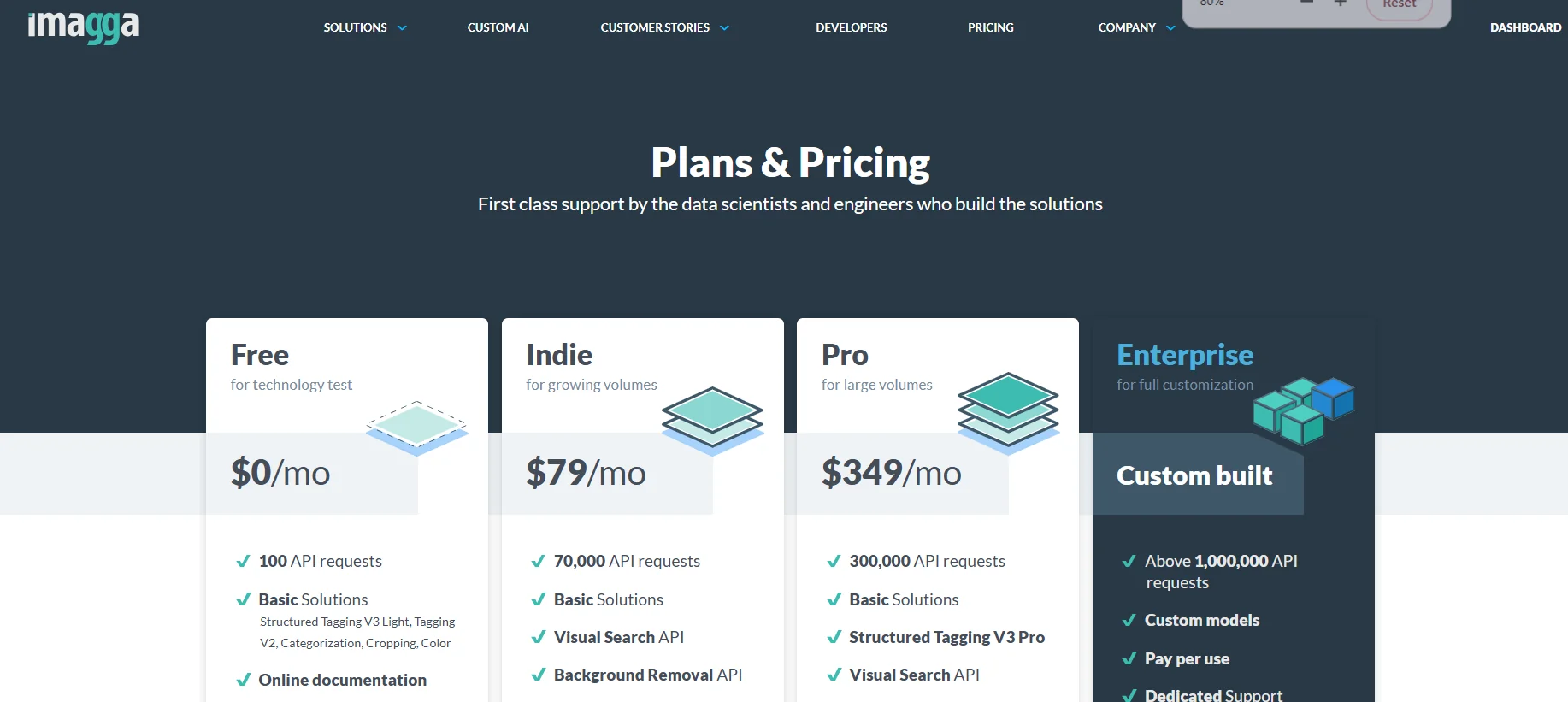
Imagga’s pricing reflects a “value-for-volume” philosophy, with plans designed based on the actual usage levels of developers and businesses.
🆓 Free plan details:
• Grants 100 free API requests upon registration.
• Try all the tool’s features risk-free.
💳 Paid Plan Details:
• Indie: $79 per month for 70,000 API requests, aimed at small and medium-sized projects.
• Pro: $349 per month for 300,000 API requests, designed for companies requiring heavy processing.
• Enterprise: A custom plan tailored to your needs, including advanced features such as custom models and dedicated support, designed for large enterprises and high-volume projects.
🧭 How to access the tool:
• Access directly through the official website.
• Create an API account, then integrate the service into the user’s or company’s systems and applications.
• Images are processed automatically as soon as they are uploaded, without manual intervention.
🔗 Demo link or official website:
https://imagga.com/