️ Tool Name: 🖼
Scrivener
Tool Category: 🔖
Content and Text Writing
Abstracts, Papers, and Research
Business and Operations Management
️ What does this tool offer? ✏
Scrivener allows users to write long texts and manage writing projects in an organized manner. It provides tools to divide content into chapters, scenes, and notes, with the ability to quickly navigate between sections. It supports cross-platform use (Windows, macOS, iOS) with file synchronization via Dropbox, and allows you to create multiple projects within the program to facilitate the management of ideas and large texts.
What does it actually offer based on user experience? ⭐
Users benefit from an integrated writing environment that helps organize large texts, divide projects, arrange content, and add internal notes. They can work across multiple devices thanks to synchronization and choose the appropriate license as needed (Standard, Educational, or Bundle). The tool is useful for writers, researchers, and screenwriters who need to produce long, well-organized content with high efficiency.
Does it include automation? 🤖
Partially, as it offers built-in automation for project organization and chapter division, but it does not rely on AI to generate text. The focus is on smart project management and organization.
Pricing model: 💰
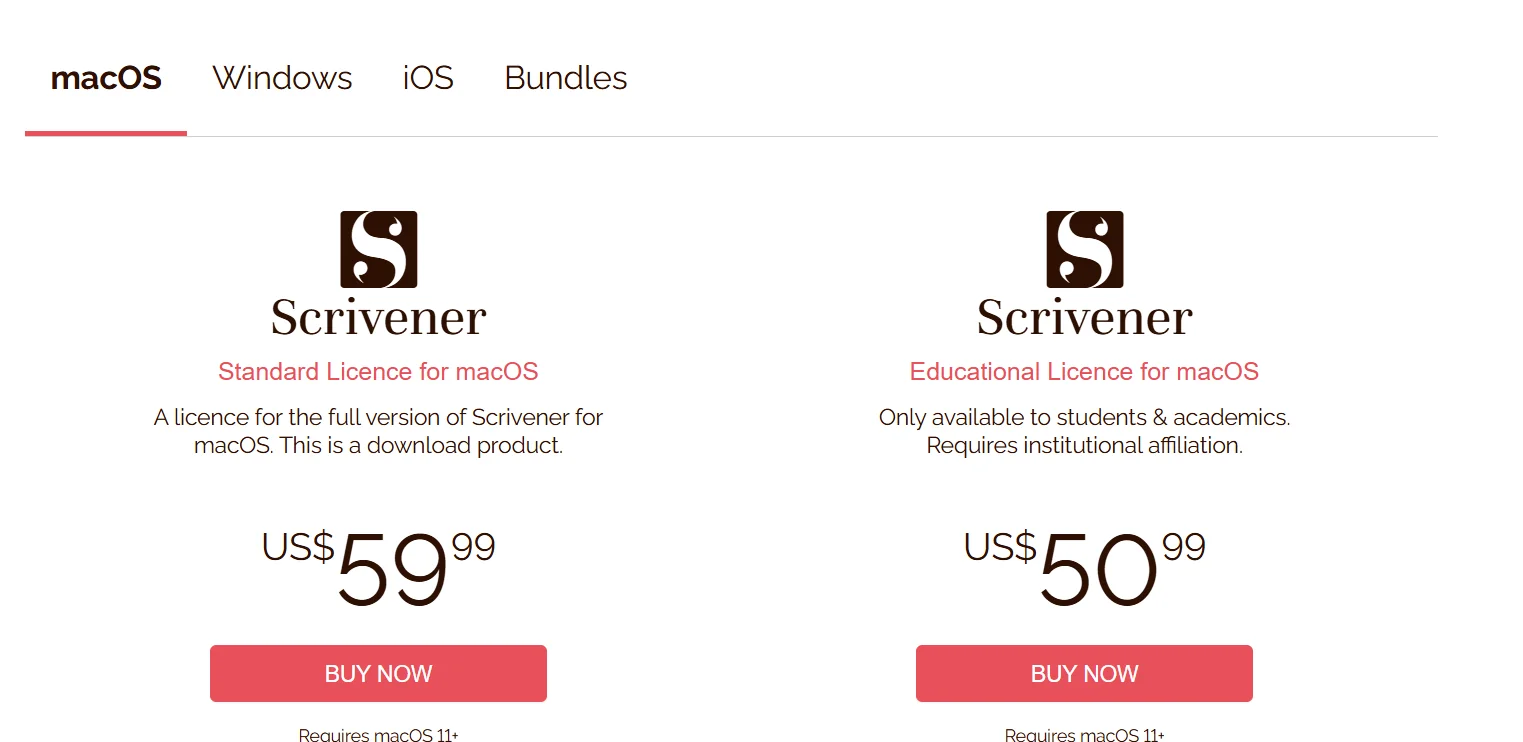
Scrivener requires the purchase of a perpetual license for each platform, with discounted multi-device bundles available, as well as a special option for students and academics.
🆓 Free Plan Details:
There is no permanent free plan, but a feature-limited trial version is available on the website before purchase.
Paid Plan Details: 💳
- Windows / macOS Standard License: $59.99 per platform
- Windows / macOS Educational License: $50.99 per platform (for students and academics)
- iOS & iPadOS License: $23.99 via the App Store
- Bundles (macOS + Windows): $95.98 for two licenses at a discounted price
How to access the tool: 🧭
Users start by visiting the official website, selecting the appropriate system (Windows, macOS, iOS), choosing the appropriate license type, and then clicking the “BUY NOW” or “Download on the App Store” button. After installation, you can start creating new writing projects, organizing chapters and scenes, and managing notes, with Dropbox sync enabled if needed.
Trial link or official website: 🔗
https://www.literatureandlatte.com/store/scrivener