Hello Transcribe

Description
🖼Tool Name:
Hello Transcribe
🔖 Categories:
Text-to-Speech / Speech-to-Text
Meeting Notes & Summaries
Analytics & Dashboards
Integrations & APIs
✏ What does this tool offer?
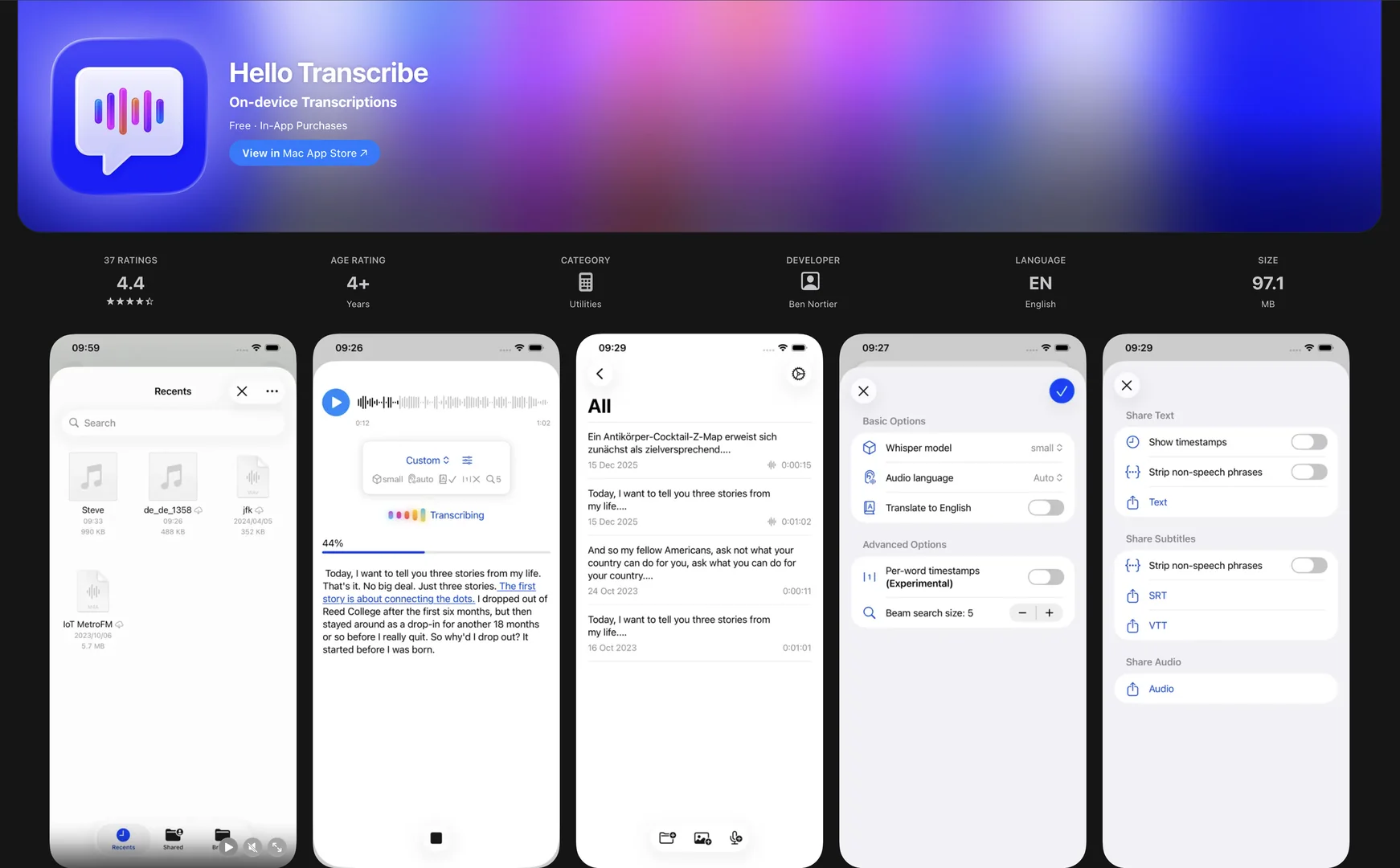
On-Device Private Transcription: Hello Transcribe is a security-focused speech-to-text application that uses OpenAI Whisper and Whisper.cpp technology. Its standout feature is that all processing happens locally on your device, ensuring 100% privacy and allowing it to work completely offline.
Multilingual Support: It can transcribe live speech or audio files (like WhatsApp voice notes, podcasts, or video files) in over 100 languages and dialects, including translation to English.
Live Microphone Capture: Includes a "live" mode where it transcribes the microphone feed in real-time, making it useful for dictating notes or capturing meeting dialogue.
Modern OS Integration: Features deep support for Apple Shortcuts, a macOS Share Extension, and "Karaoke-style" text highlighting where the text illuminates as the audio plays.
Encrypted Storage: Results can be saved securely in iCloud with encryption, providing a balance between portability and strict data protection.
⭐ What does it actually offer based on user experience?
Total Privacy: Users who handle sensitive information (legal, medical, or corporate) prioritize this tool because no audio data ever leaves the device or is sent to a cloud server.
High Accuracy with "Large" Models: With the addition of Whisper Large v3 Turbo (for Pro users), it delivers near-perfect accuracy even for complex terminology or accents.
Seamless Mobile Workflow: It is highly praised for its ability to accept shared files directly from apps like Voice Memos or WhatsApp, transcribing them with just a few taps.
"Buy Once, Use Forever": Unlike many AI tools that require a monthly subscription, Hello Transcribe offers a one-time purchase option that resonates with users tired of "subscription fatigue."
🤖 Does it include automation?
Yes, Hello Transcribe leverages on-device AI automation to streamline its utility:
Shortcuts Automation: Supports complex Apple Shortcuts where a transcription can be triggered automatically and the resulting text passed to another app or a "result" field without manual copying.
Automated Summarization: Includes AI-powered tools to generate key points and summaries from long transcripts.
Smart Audio Player: Automates the synchronization of text and audio, allowing for a "karaoke" playback experience.
Preset Configurations: Pro users can automate their workflow by saving "Presets" for different recording environments or language settings.
💰 Pricing Model
Item Details: Freemium with a "Buy Once" Pro option or a low-cost subscription.
General Concept: Provides high-quality base models for free, while the most powerful AI models (Large v3) and advanced export features require a Pro upgrade.
🆓 Free Plan Details
Feature: Standard Models (Base/Small) & Offline Use.
Cost: Free ($0). Allows for unlimited on-device transcription using standard-speed models without a time limit.
💳 Paid Plans (2026 Estimates)
🔹 Pro Subscription
Item: Price / Details: Approx. $1.99/month.
Item: Features / Details: Access to Large v3 Turbo models, the ability to save/re-transcribe audio, and advanced export formats (SRT, VTT).
🔹 Pro One-Time Purchase
Item: Price / Details: Approx. $6.99 - $9.99 (Once).
Item: Features / Details: Permanent access to all Pro features and future updates without a recurring fee. Includes support for high-fidelity models and subtitle exporting.
🧭 How to access the tool:
Available as a native application for iOS (iPhone/iPad), macOS, and visionOS (Apple Vision Pro).