Zuva DocAI Widget
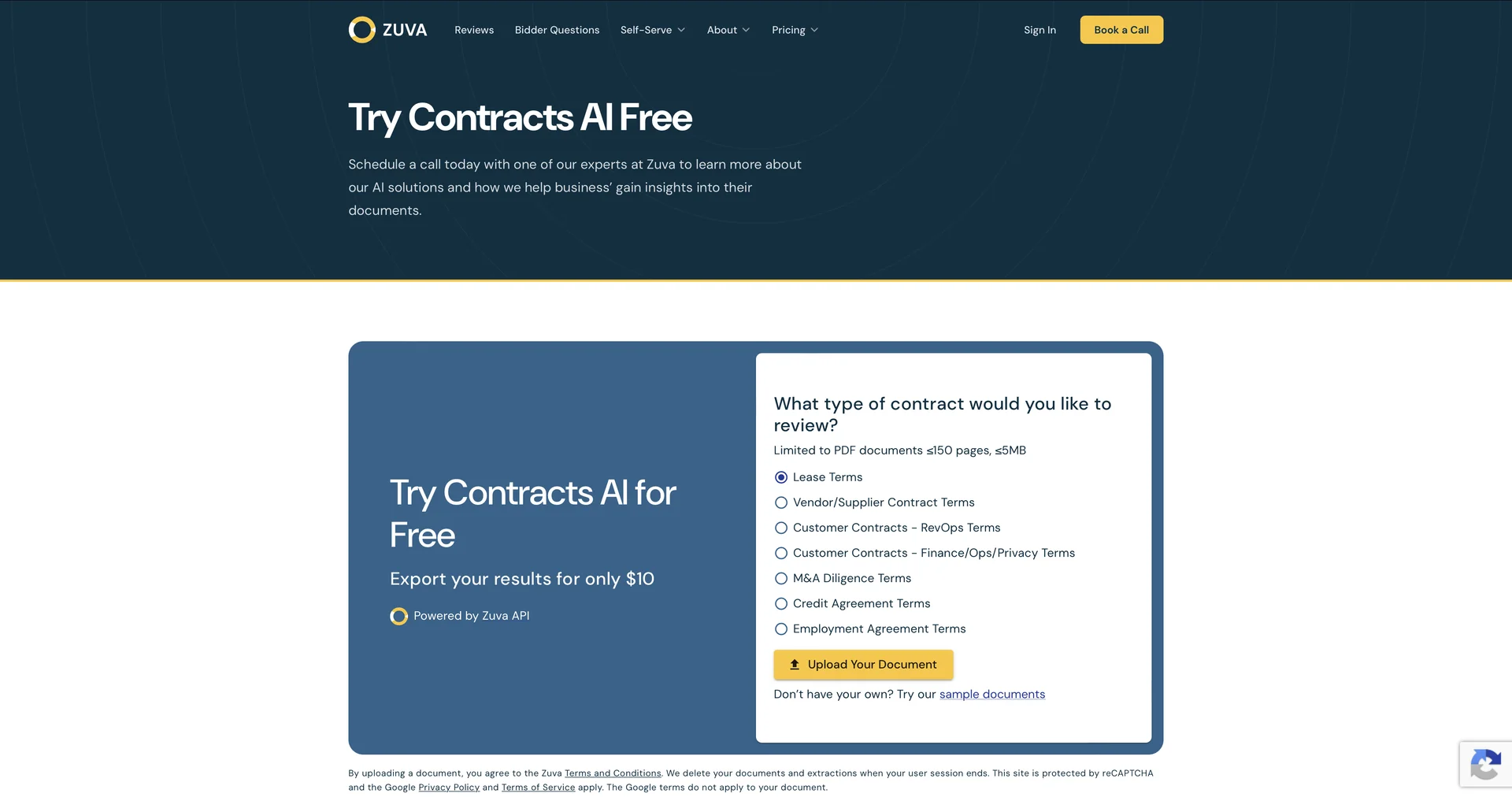
Description
🖼 Tool Name:
Zuva DocAI Widget
🔖 Approved Categories:
Business Docs AutomationFeedback & Analytics
✏️ What does this tool offer?
Instant Browser-Based Contract Review Sandbox: The Zuva DocAI Widget is a free, no-registration, interactive testing ground. It allows legal corporate teams, developers, and operations executives to evaluate Zuva’s core contract intelligence without setting up full software pipelines or sales calls.
Pre-Trained Legal Provisions Engine: Uses a specialized machine learning architecture built to instantly classify and extract legal clauses from uploaded files. The widget is heavily used to extract M&A deal-relevant clauses, including Change of Control, Assignment, lease terms, non-competes, and termination liabilities.
OCR & Multi-Language Document Processing: Includes native optical character recognition (OCR) and language classification engines. This allows the widget to process scanned images or messy PDF formatting, convert them to machine-readable text, and isolate key data points in English, French, and Portuguese.
Automatic Document Type Recognition: Automatically identifies whether a file is a valid agreement and classifies it out of over 36+ specific business document frameworks (including NDAs, employment agreements, and credit contracts) without manual pre-sorting.
Zero-Friction Technical Assessment: Functions as a direct evaluation gate for developers looking to integrate Zuva's 1,300+ pre-trained AI fields into internal company apps, Microsoft Power Automate flows, or custom API endpoints.
⭐ What does it actually offer based on user experience?
Bypasses Legal Procurement Friction: In-house legal departments praise the widget because it doesn't force a sign-up or require credit card submissions, enabling instant, hands-on software evaluation in under a minute.
Authentic Machine Learning, Not an AI Wrapper: Users value that Zuva’s models are purpose-built and trained by corporate M&A lawyers over thousands of hours, delivering highly accurate, structured legal text extraction rather than unpredictable chatbot guesses.
Shortens Vendor Due Diligence Timelines: Operational teams find the free tool perfect for quick, one-off checks to spot hidden assignment roadblocks before kicking off formal audits.
🤖 Does it include automation?
Yes, the interactive widget automates document formatting and extraction workflows instantly:
Automated Layout Parsing (OCR): Programmatically converts flat image files into clean, searchable, machine-readable legal text data.
Autonomous Document Classification: Automatically determines agreement categories and structures the data based on industry type.
Programmatic Provision Isolation: Autonomously scans and highlights target sentences and legal paragraphs on the fly.
💰 Pricing Model
Item Details: Free Interactive Evaluation Widget.
General Concept: The specific browser-based widget at this URL is completely free to utilize for trialing DocAI capabilities. It holds strict usage boundaries—it does not support document history storage, copy/paste functionality, or automated sheet exports. Transitioning to downloadable reporting, multi-document bulk uploads, API tokens, or custom AI trainer features requires moving to their commercial pipelines.
🆓 Free Plan Details
Feature: Browser Sandbox Trial Layer.
Details: Unlocks basic document testing, automated type classification, and on-screen provision extraction. It is completely restricted from data exporting.
Cost: Free ($0 entry access; no registration or profile setup mandatory).
💳 Commercial Scale Upgrades (Zuva Ecosystem)
If you need to move beyond single-file browser testing, Zuva opens up flexible commercial options.
🧭 How to access the tool:
Legal agreements can be scanned, language types classified, and specific change of control or assignment clauses previewed by dragging and dropping a document directly into the application space at zuva.ai/widget/try-it/.