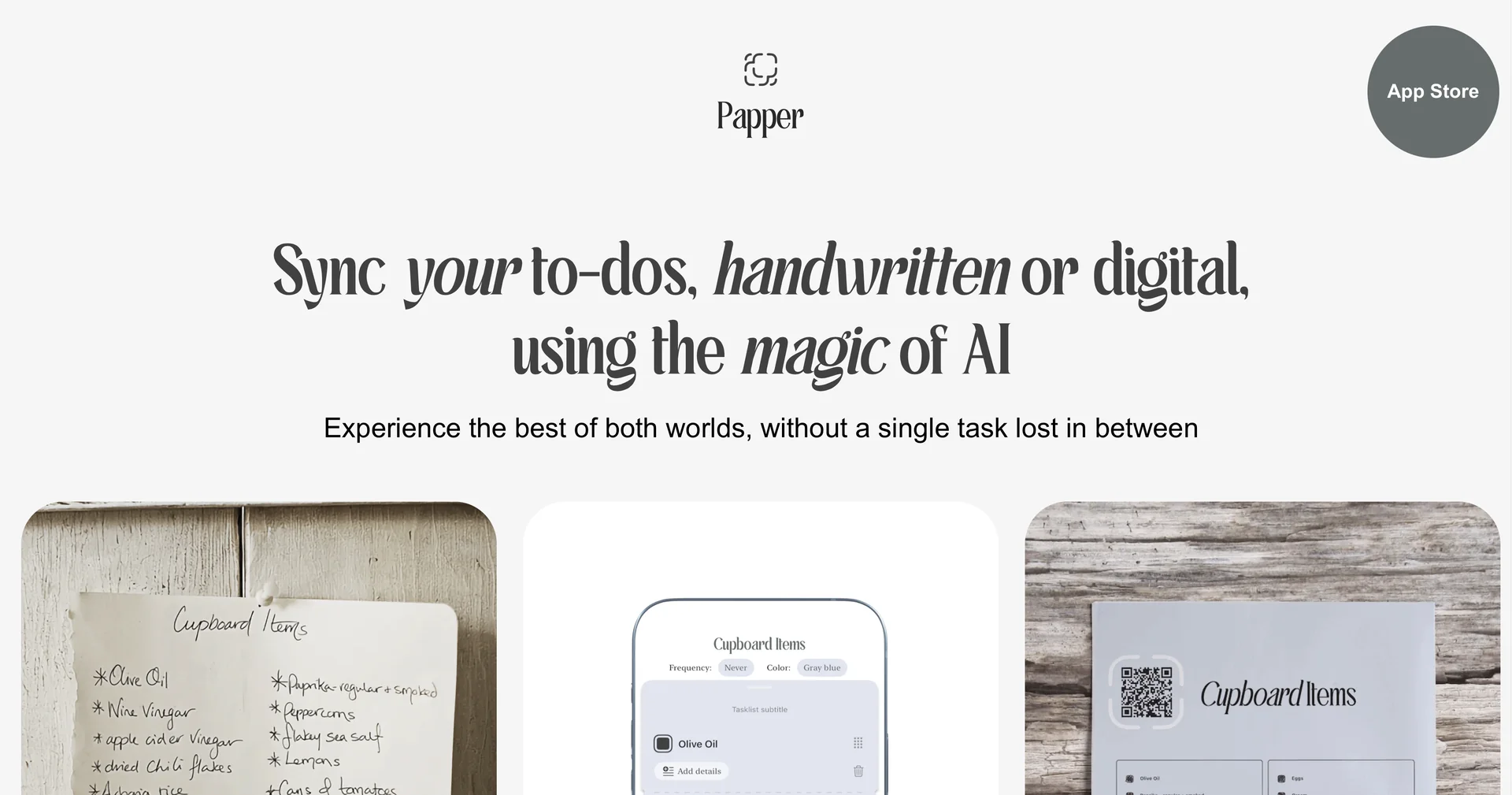
Description
🖼 Tool Name:
Papper
🔖 Approved Categories:
Smart Calendars & AssistantsRPA & Task AutomationEditing, Enhancement & UpscalingEdu-Games & Fun
✏️ What does this tool offer?
Handwritten-to-Digital Task Synchronization: Papper bridges physical task management with digital productivity apps using optical character recognition (OCR) and computer vision models.
Paper-to-App Ingestion: Captures photos of physical paper checklists, sticky notes, or handwritten todo sheets and automatically converts them into digital tasks.
Two-Way Print & Sync Pipeline: Generates printable structured task templates that users can fill out by hand, check off physically, and scan back to sync completion statuses.
Native Task Manager Integrations: Syncs directly with digital task ecosystems like Apple Reminders to maintain cross-device availability.
iOS Mobile Application: Provides a dedicated iOS app (for iOS 16+) featuring dark mode, document alignment guidance, and custom template downloads.
⭐ What does it actually offer based on user experience?
Combines Analog Focus with Digital Organization: Allows users who prefer writing on physical paper to maintain their habit without losing digital task tracking and reminders.
Eliminates Manual Data Re-entry: Automates the tedious step of re-typing daily handwritten action items into digital project boards.
Flexible Custom Workflows: Supports custom printable layouts for daily planning, weekly goal tracking, and project checklists.
🤖 Does it include automation?
Yes, Papper automates text parsing, task extraction, and status synchronization:
Automated OCR Task Extraction: Programmatically detects handwriting boundaries, checkboxes, and text lists from uploaded photos to form digital entries.
Automated App Syncing: Automatically updates corresponding external tasks (e.g., in Apple Reminders) upon processing scanned paper updates.
💰 Pricing Model
Item Details: Freemium / In-App Purchases.
General Concept: Offers a free base version with optional paid upgrades or subscriptions to access premium template exports and unlimited sync scans.
🆓 Free Access Details
Feature: Free Base Access.
Details: Users can download the iOS app for free to test core handwriting conversion and basic template features.
Cost: Free ($0) Base Access.
💳 Access & Subscription Options (Official Standards)
🧭 How to access the tool:
Your handwritten-to-digital task synchronization and two-way paper scanning workflows can be launched by visiting or downloading the app on iOS.