AI Watercolor Generator
Description
️ 🖼Tool Name:
AI Watercolor Generator
🔖 Categories:
Image Design and Creation, Pattern and Batch Conversion, Editing/Enhancement/Up-sampling, Removing and Replacing Elements and Backgrounds
️ ✏What does this tool do?
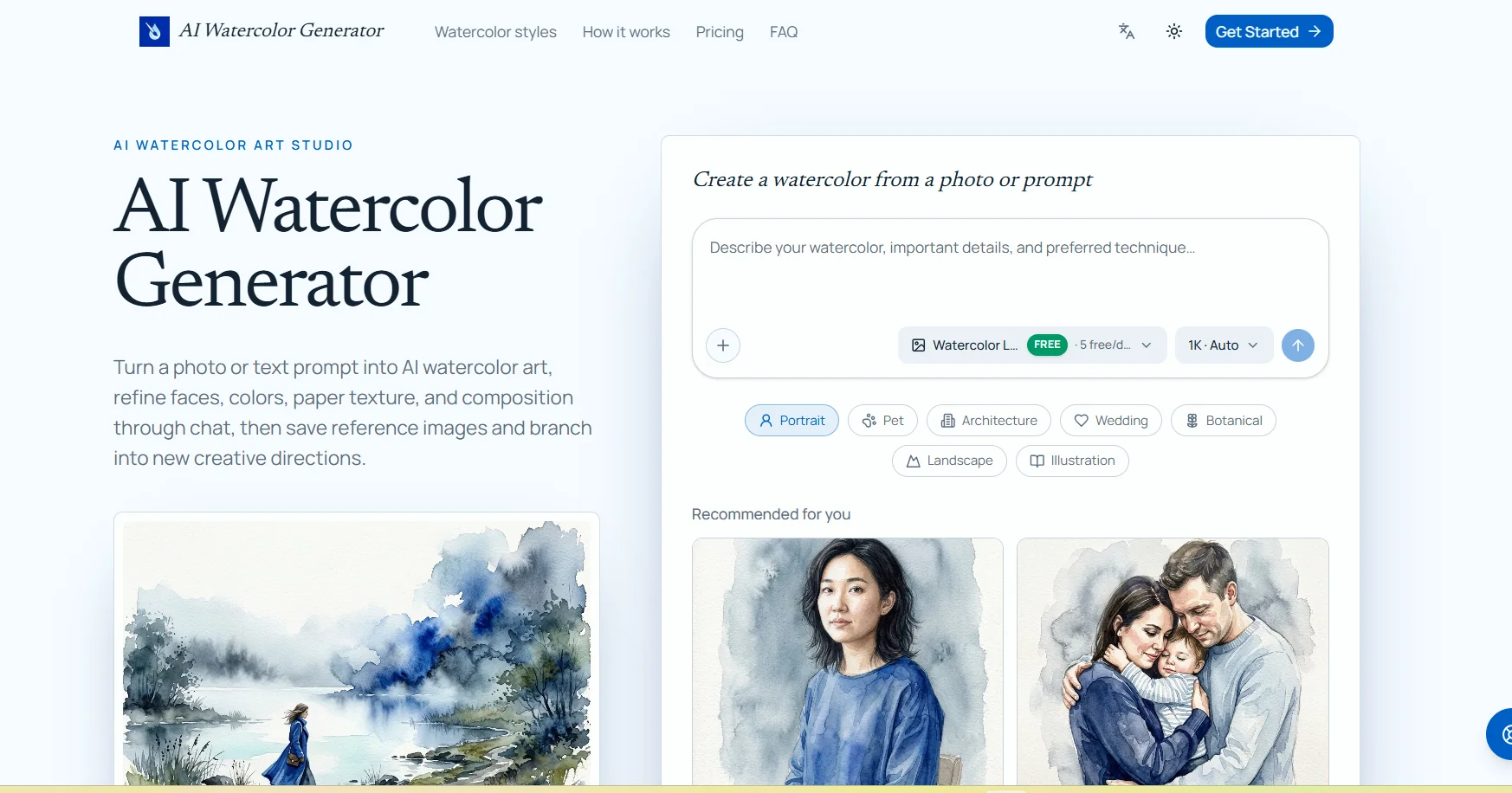
The AI Watercolor Generator uses artificial intelligence to convert images or text descriptions into watercolor-style artwork. It can be used to convert images of people, animals, houses, wedding venues, landscapes, botanical images, and drawings into watercolor paintings, with the ability to specify details that should be preserved, such as facial features, animal markings, or architectural details. The tool lets you choose the AI model, the image aspect ratio, and the output resolution ( 1K, 2K, or 4K). You can also edit the resulting image via text chat, select a specific area within the image, and request modifications without losing previous versions. It also provides a library for saving and reusing reference images, as well as the ability to create a new branch from a previous conversation or result to explore different colors, compositions, or styles. Stated use cases include photos of people and families, pet photos, house paintings, wedding venues, botanical artwork, and clipart collections.
⭐ What does it actually offer based on user experience?
The website displays real examples of the results that can be created, including watercolor-style portraits, pet photos, architectural renderings, landscapes, botanical illustrations, and comic book art. You can also open these examples and use the associated editable prompt as a starting point for creating new artwork. The verified page on the website does not display independent reviews or verified user satisfaction metrics, so user reviews cannot be added without a reliable source.
🤖 Does it include automation?
Yes, the tool includes automation in the image creation and editing process; an image or text can be automatically converted into a piece of art, and you can then continue editing via chat without having to recreate the work from scratch. You can also select a specific area of the image and request edits, save and reuse reference assets, and create new variations of previous results while maintaining the original creative direction.
💰 Pricing Model:
Freemium; the tool offers free daily usage, in addition to paid plans based on a credit system. The free plan provides 5 Watercolor Lite images per day at 1K resolution,while paid plans offer more credits and access to all image styles and higher resolutions, along with free downloads and a license for commercial use. The monthly prices currently displayed are calculated based on annual billing, and the page offers an annual billing option with a discount of approximately 17%.
🆓 Free Plan Details:
There is no free plan.
💳 Paid Plan Details:
| Plan | Monthly Price | Annual Price | Credits | Stored Assets | Features |
|---|---|---|---|---|---|
| Starter | $8.25/month | $99 per year | 3,600 credits valid for one year | Up to 50 assets | All image models—Text-to-Image and Image-to-Image—free download and commercial license |
| Pro | $16.58/month | $199 per year | 12,000 credits valid for one year | Up to 200 assets | All Starter features plus more credits for professional use |
| Ultra | $33.25/month | $399 per year | 31,900 credits valid for one year | Up to 500 assets | All image models—Text-to-Image and Image-to-Image—free downloads, commercial licensing, and designed for heavy users |
All paid plans include access to Watercolor Lite, GPT Image 2, Nano Banana Pro, and Nano Banana 2,as well as the option to choose 1K, 2K, and 4K output resolutions.
🧭 How to access the tool:
| How to Access | Details |
|---|---|
| Web | Works directly in your browser |
| Text-to-Image | Create watercolor paintings from text descriptions |
| Image-to-Image | Convert an existing image to a watercolor style |
| Conversation | Adjust results using text commands |
| Asset Library | Save and reuse reference images |
| Image Templates | Watercolor Lite, GPT Image 2, Nano Banana Pro, Nano Banana 2 |
| Resolution | 1K, 2K, and 4K |
| Commercial Use | Available in paid plans for downloaded results |
🔗 Trial link or official website:
AI Watercolor Generator – Official Website