💡 Compass Tip
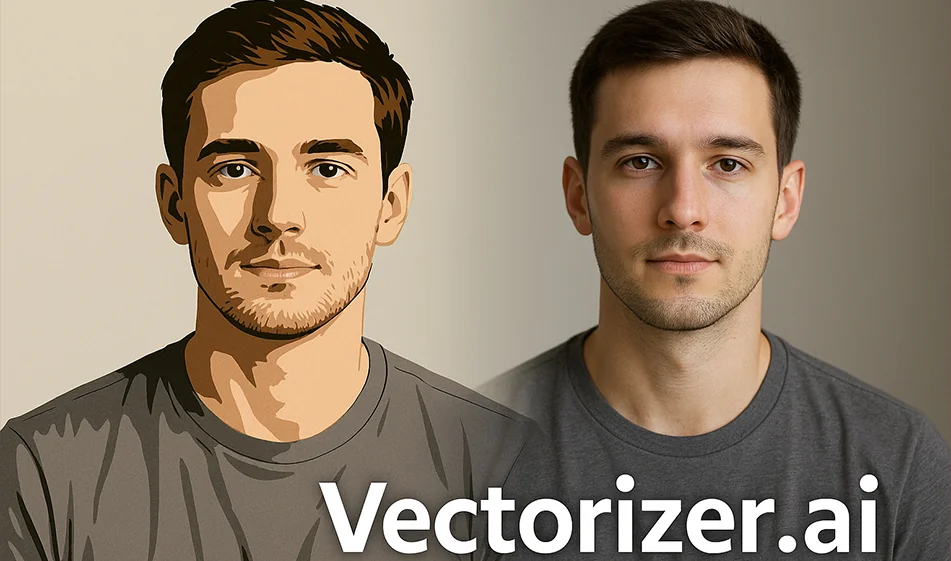
If you have a low-quality logo, graphic, or image and want to convert it into a zoomable vector without losing resolution, the fastest solution is Vectorizer.ai.
This AI-based tool converts any regular image (PNG/JPG) into a professional vector file (SVG/PDF) that can be used directly in design programs such as Illustrator.
️ ⚙ How does the tool work?
- Upload an image from your device (logo, icon, hand drawing...).
- AI analyzes the image edges and colors and converts them into accurate vector paths.
- See the result instantly, with before/after comparisons.
- Download the file in SVG or PDF format and use it for design or printing without losing any resolution.
⭐ Highlights
- Instantly convert images to Vector with very high quality.
- Preserves original colors with edge enhancement and automatic smoothing.
- Accurate results even for small drawings or simple logos.
- Print-ready files that are editable in design programs.
- Simple interface that works from the browser without any programs.
💰 Plans and Pricing
- Free Plan: Allows for good quality image conversion with some limitations in output details.
- Paid plan (starting at $9/month):
- Higher resolution for Vector.
- Clean output with no distortion.
- Additional support for color and fine detail.
- ProPlan (Pro): For designers and businesses that need frequent file conversion.
🧭 Golden Compass Tip
✨ Choose a clear image with good contrast before uploading it.
The AI gives the best result when the lines are clear and the colors are not mixed.
After conversion, open the SVGfile within Illustrator to make any minor adjustments to the paths if needed.
Conclusion
Vectorizer.ai is the fastest way to convert any image into a professional vector without technical expertise.
Whether you're working on a logo, business card, banner, or print design, this tool will ensure high quality and infinitely scalable - at the push of a button.