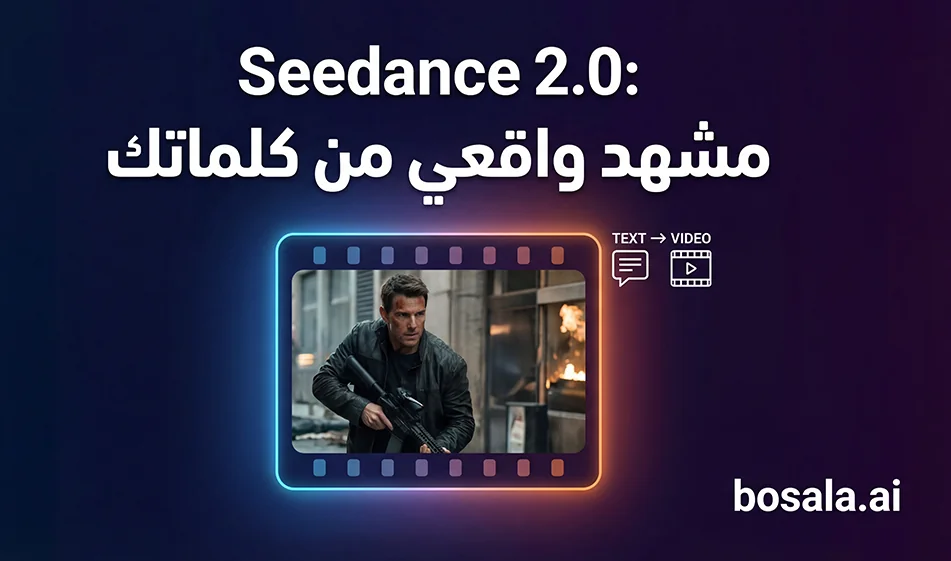
: Mindvideo with Seedance 2.0: Turn text into a cinematic scene in minutes
Tool link:
https://www.mindvideo.ai/text-to-video/
If you want to turn a written idea into a cinematic video ready for publication, this page on Mindvideo lets you generate a video from text using the Seedance 2.0 option. The idea is that you write a clear cinematic description of the scene, specify the duration and aspect ratio, and then generate a finished clip in a style similar to that of movies.
The concept of the tool is simple
You write your scene as if it were filming instructions
Location and time
Character and movement
Camera movement and transitions
Lighting and colors
Then Seedance 2.0 turns this text into a video
This type of writing gives you better results than writing a general sentence like "Create a video for a car race"
Free use and how to use it wisely
Based on your experience with the site
It offers a free trial and gives you 2 credits daily
You can collect credits daily and then generate videos later
Important Tip
I do not recommend using more than one email address or trying to game the credit system. It’s best to make smart use of the free version
Break your idea down into short clips of 6 to 12 seconds
Try only two versions of each idea, then choose the best one
This way, you’ll get strong results without wasting credits
Step-by-step instructions on the page
1. Select Seedance 2.0 from the tools menu on the page
2. Select the aspect ratio
Vertical 9:16 for reels and shorts
or 16:9 widescreen for long cinematic scenes
3 Choose the duration
10 to 12 seconds for quick scenes
15 seconds for scenes with a story
4 Paste the prompt as is
5 Click Generate
6 If the result needs improvement
just regenerate it
and don’t change the entire prompt
Change just one line, such as reducing movement or making the camera smoother
How to Write a Strong Prompt forSeedance 2.0
A strong prompt contains 6 elements
1 Description of the general scene and location
2 Description of the character and main action
3 Camera setup and transitions
4 Simple timing breakdown in seconds
5 Lighting and color style
6 Error prevention line suchas
no distortion, no stretching, stable anatomy, smooth motion
Ready-made prompt 1: A cinematic nighttime street race, 12 seconds
This is an excellent concept for fast-paced, trending videos because it relies on strong movement, dynamic camera work, and captivating nighttime details
cinematic street racing sequence at night, a focused driver inside a high-performance car grips the steering wheel, intense eye focus, city lights reflecting on the windshield, tension building before sudden acceleration
Camera: rapid multi-angle system with seamless transitions, interior close-up → over-the-shoulder → exterior tracking → low ground shots, ultra-dynamic camera movement, whip pans + speed ramp transitions + motion blur masking cuts, continuous flow illusion
(0-2s) interior close-up on driver, hand tightens on gear shift, subtle breathing, dashboard lights glowing
(2-4s) over-the-shoulder shot, road ahead stretching into neon-lit city, engine vibration building
(4-6s) extreme close-up on finger pressing NOS button, instant ignition reaction
(6-8s) explosive acceleration, camera snaps to exterior side tracking shot, car launches forward with violent speed surge
(8-10s) ultra low ground shot near asphalt, wheels spinning at extreme velocity, environment streaking past
(10-12s) high-speed chase through tight streets, sharp turns, camera whip pans between angles, reflections and light trails enhancing speed
Dense urban night environment, wet asphalt reflecting neon lights, tunnel passages, streaking street lights, high-speed city atmosphere
Ultra-realistic, Fast & Furious-inspired energy, photorealistic lighting, intense motion blur, high-contrast neon reflections, cinematic depth of field, extreme sense of speed, fluid transitions, no distortion, no stretching
Ready-to-use prompt: 2 short films, martial arts in the desert, 15 seconds
This is an excellent concept for a poetic cinematic shot featuring an Eastern vibe, rich colors, and fast-paced action with slow motion
15-second Original Desert Martial Arts Short Film: A black cat warrior in light armor stands alone in a desert where yellow sand is flying all over the sky, facing the pursuers. The shots combine slow motion and fast editing; under backlighting, the yellow sand swirls like a mist of ink. The character’s movements are elegant yet fierce, with tattered yet flowing robes. Holding a short weapon, he darts back and forth and counters at high speed. The overall tone is cold, lonely, and oppressive, with high-end colors and a pronounced shallow depth of field, just like a high-quality oriental martial arts movie.
Tips from Bousla to save credits and improve quality
: 10 to 12 seconds instead of 20
Generate only two versions
A version with strong camera movement
and a version with smoother camera movement
Then choose the best one
Always select " no distortion, no stretching "because it reduces distortion
If you notice shaking, request " smooth stable camera movement"
Mindvideo Summary
Mindvideo with Seedance 2.0 is great for quickly turning text into a cinematic scene. The more you write the prompt as if it were a real shooting plan—with shot breakdowns and clear camera angles—the stronger the result. Use the free version wisely by creating short clips and only two versions per idea, and you’ll build a library of trending videos without wasting credits.