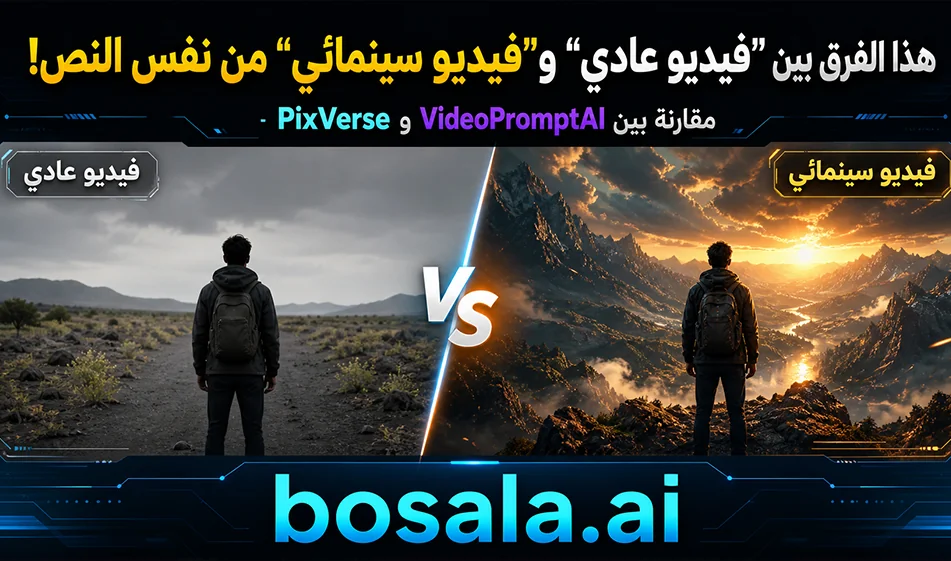
A Comparison of PixVerse and VideoPromptAI for Creating Cinematic Videos with AI
If you want to create cinematic video scenes from a text prompt, there are many tools you can try, but in this guide, we’ll compare two tools: PixVerse and VideoPromptAI. The idea was to test the same prompt on both tools, then compare the results in terms of scene realism, camera movement, level of detail, and stability of elements within the video.
Websites:
https://app.pixverse.ai/creation/video
https://videopromptai.com/dashboard
In our experiment, PixVersedelivered stronger results in terms of cinematic feel, scene realism, movement quality, and the generation of footage that looks closer to professional visual production. VideoPromptAI , on the other hand , was suitable for a quick experiment, but in the same test, it did not reach the level of realism and creativity seen in PixVerse.
About PixVerse
PixVerse uses AI to convert text or images into short videos, making it ideal for content creators who want to produce quick scenes for social media, ads, cinematic concepts, or conceptual clips.
What sets PixVerse apartin cinematic tests is its ability to handle prompts containing precise descriptions of camera angles, movement, lighting, scenes, and sound effects. Therefore, when using a strong and detailed prompt, it can produce more realistic and immersive scenes, especially in short fantasy and action sequences.
About VideoPromptAI
VideoPromptAI is a tool for creating AI-generated videos by entering an idea or prompt, which is then converted into visual content. It is suitable for users who want a quick and simple experience, or who want to test initial ideas before moving on to more powerful tools.
However, in a practical comparison with PixVerse using the same prompt, PixVerse provedsuperior in realism, visual output, and camera movement, while VideoPromptAI’s results weresimpler and lacked depth in terms of cinematic feel.
Practical Comparison Between the Two Tools
When testing the same prompt, we noticed that PixVerse produced more powerful scenes in terms of lighting, cinematic feel, camera movement, and scene cohesion. The result was also closer to a realistic fantasy video that could serve as a model for a short cinematic scene.
VideoPromptAI, on the other hand , was simpler to use, but it didn’t offer the same level of visual depth or cinematic power seen in PixVerse. So if the goal is to produce realistic cinematic scenes, powerful fictional prompts, or film-style footage, PixVerse is the better choice in this comparison.
Free Version and Pricing
PixVerse operateson a credit system. The free plan provides users with an initial credit balance and a daily replenishment, making it suitable for trying out the tool and generating a few short clips. Paid plans typically start at an affordable monthly rate and increase based on the number of credits, video quality, and the length of the desired clips.
Overall, PixVerse offersa relatively good free trial, but the actual number of videos you can create depends on clip length and quality, as each generation process consumes a certain number of credits.
As for VideoPromptAI, information regarding the free trial and pricing isn’t as clear, and the trial is often tied to a limited credit balance or usage within the account. Therefore, it can be considered a suitable tool for an initial trial, but it’s best to check the dashboard within the tool to see your actual credit balance and available plans at the time of use.
Prompts Used in the Test
For the experiment, we used long cinematic prompts, 10 seconds in duration, divided into 6 shots, with a single fixed character, a clear camera description, sound effects, and no music or on-screen text.
The prompts focused on grand, imaginative scenes—a massive black-and-white shot in Cairo, along the Nile, the Pyramids, and the Sphinx—with a request for a realistic cinematic style similar to Hollywood productions. This type of prompt helped highlight the real differences between the two tools in terms of production quality and handling complex scenes.
A brief prompt example for the experiment
Create a 10-second photorealistic cinematic AI video in Hollywood blockbuster style.
Main character: a giant realistic white-and-black cat, consistent in every shot, natural fur, green eyes, realistic movement, not cartoonish.
Scene: Cairo, Egypt, with dramatic city atmosphere, cinematic lighting, dust, smoke, and epic scale.
Structure: 6 fast cinematic shots:
1. Wide aerial shot revealing the giant cat between Cairo buildings.
2. Low-angle street shot showing the cat walking with huge scale.
3. Close-up of the cat’s face with realistic fur and dramatic light.
4. Dynamic action shot with fast camera movement.
5. Wide cinematic shot showing the city and the cat together.
6. Final heroic wide shot with strong atmosphere and epic framing.
Camera style: aerial drone, low-angle hero shot, close-up, tracking shot, fast cuts, IMAX-like realism.
Audio: sound effects only — wind, city ambience, heavy footsteps, distant action sounds.
No music, no subtitles, no on-screen text.
Tip
When using video generation tools, don’t write a general prompt like: “Create a cinematic video.” It’s best to break the prompt down into shots, specifying duration, camera type, lighting, character movement, scene style, and sound effects. The more organized the prompt, the stronger the result.
Conclusion
If you want a quick and simple experience, try VideoPromptAI. However, if you’re looking for more cinematic scenes, higher realism, and results closer to actual films, PixVerse performed best in our tests for the same prompt. Therefore, we recommend PixVerse for content creators who want to produce fantasy, advertising, or short cinematic scenes with higher visual quality.