Head-to-head comparison: WUI.AI or Reap.video?
Head-to-head comparison: WUI.AI or Reap.video?

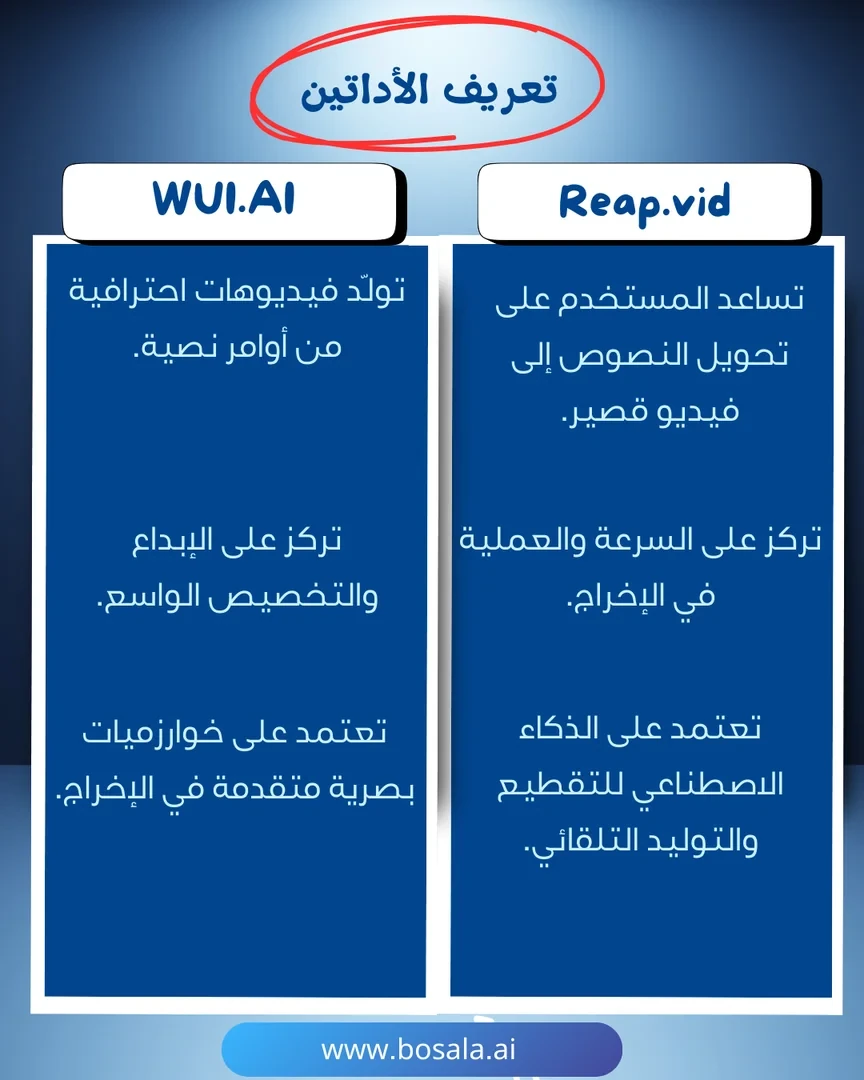
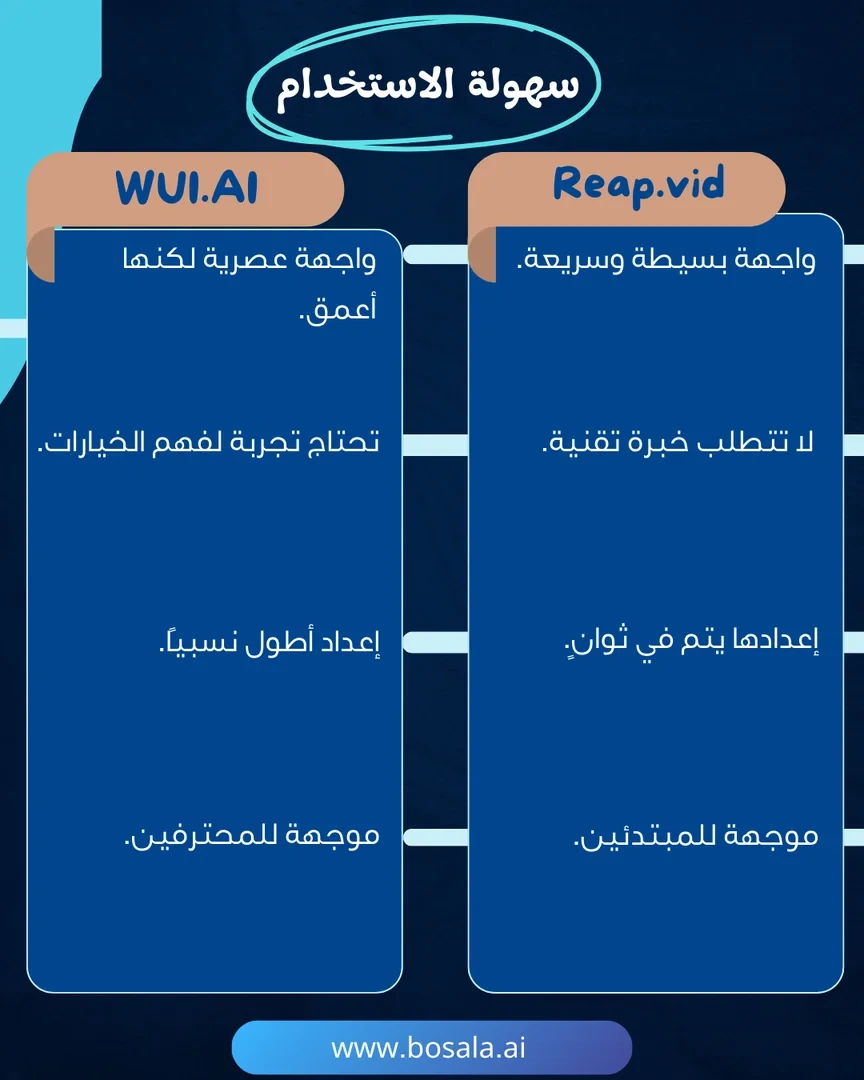
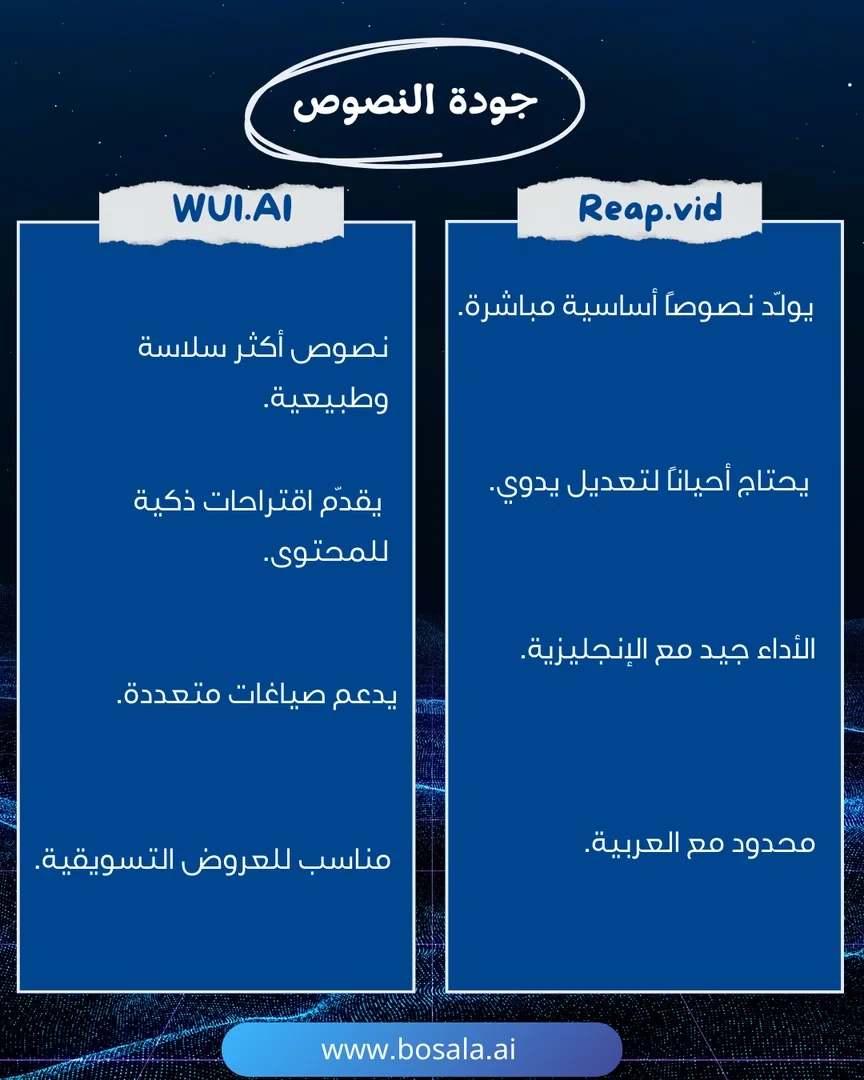
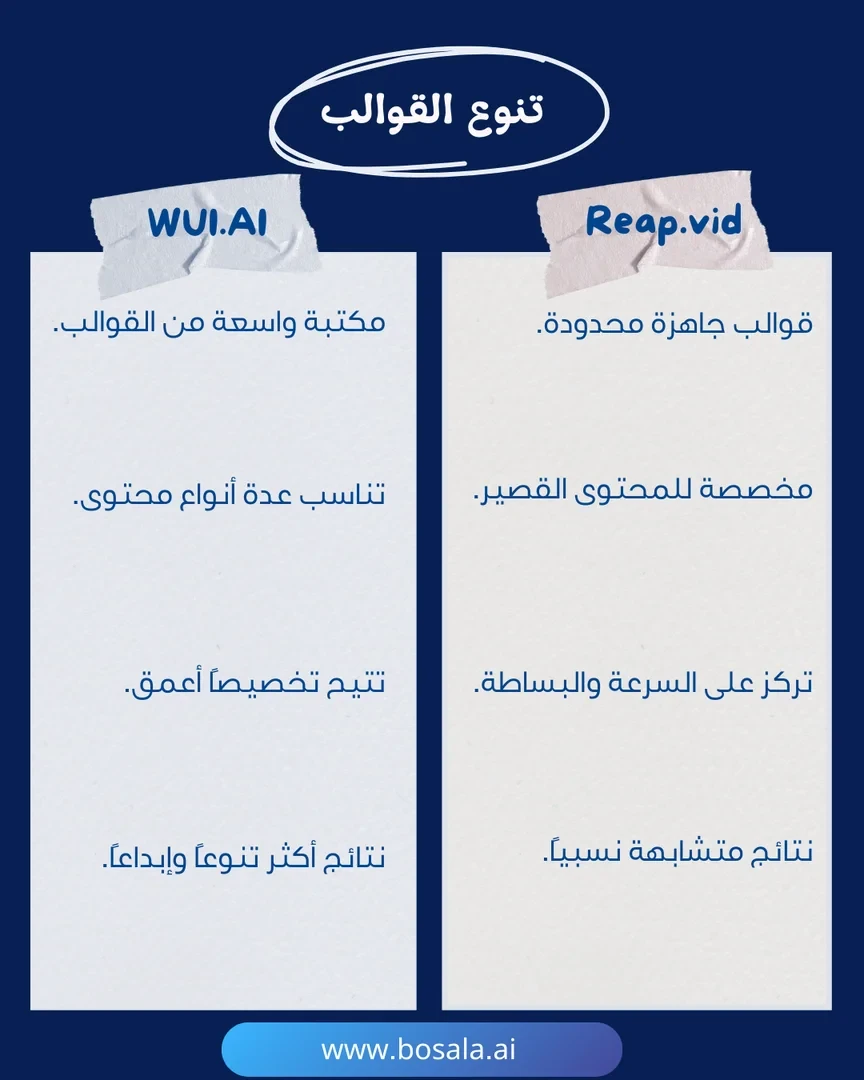
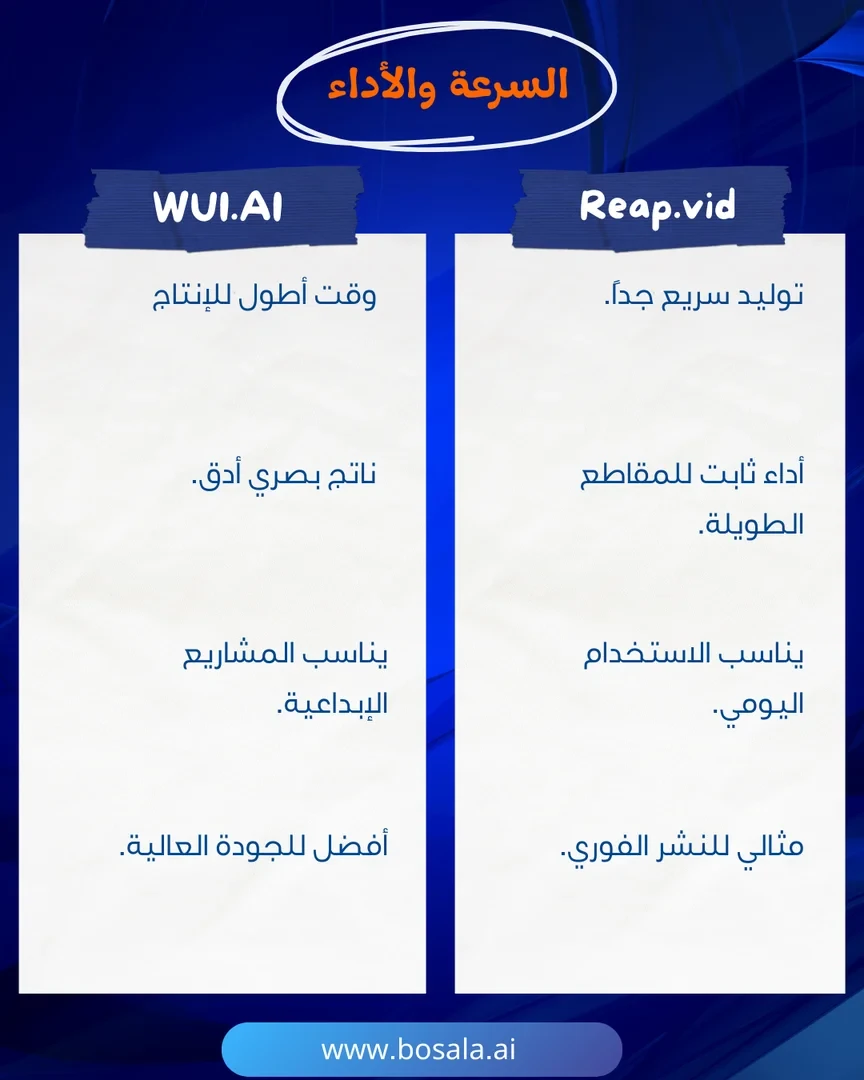
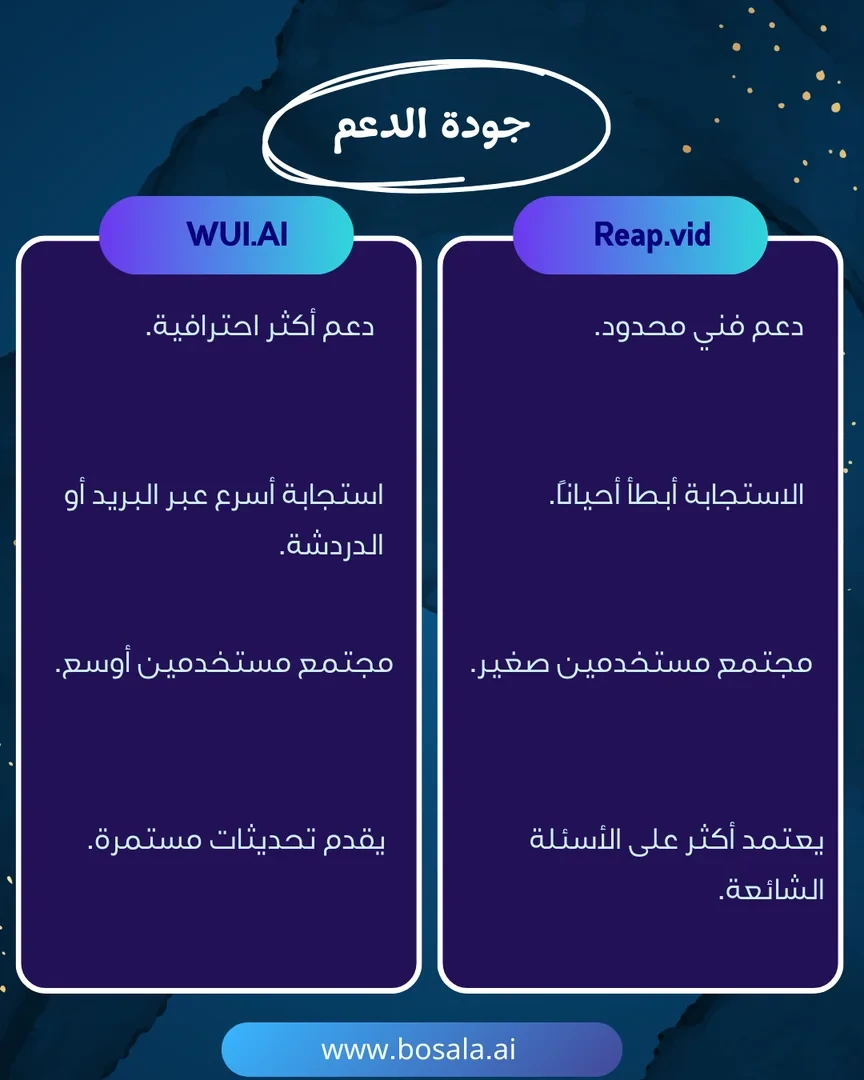
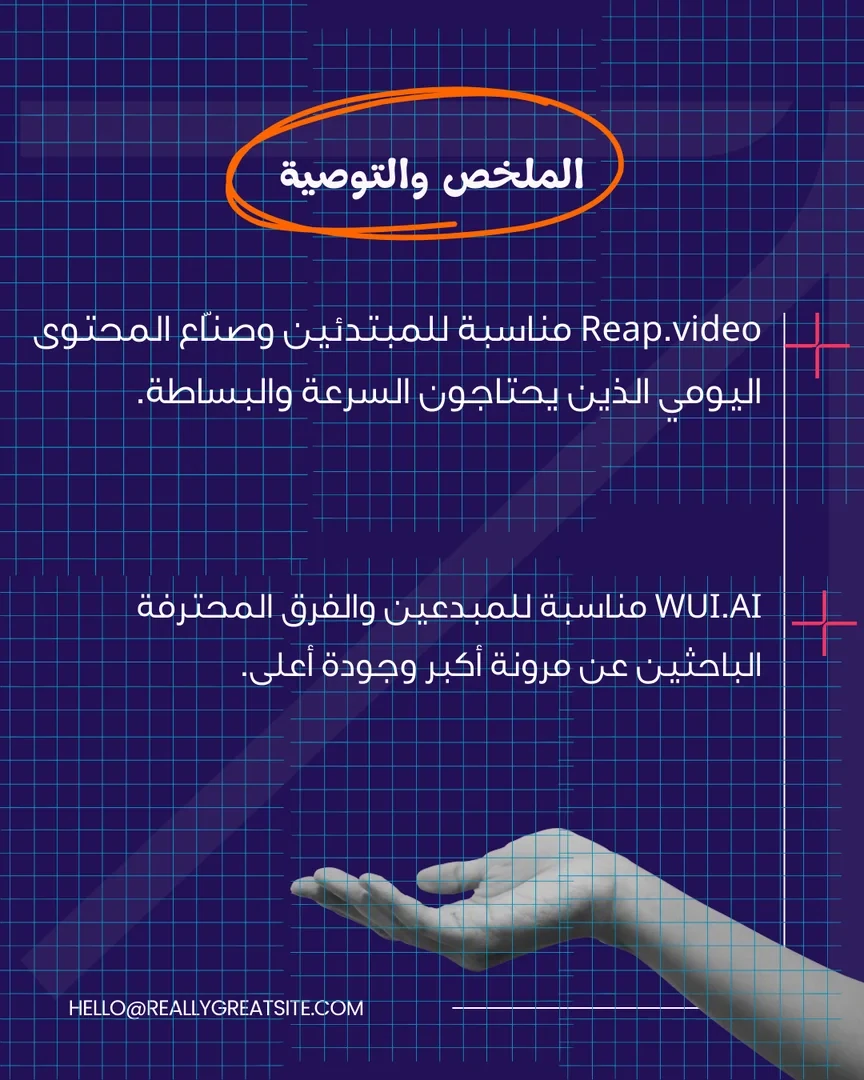
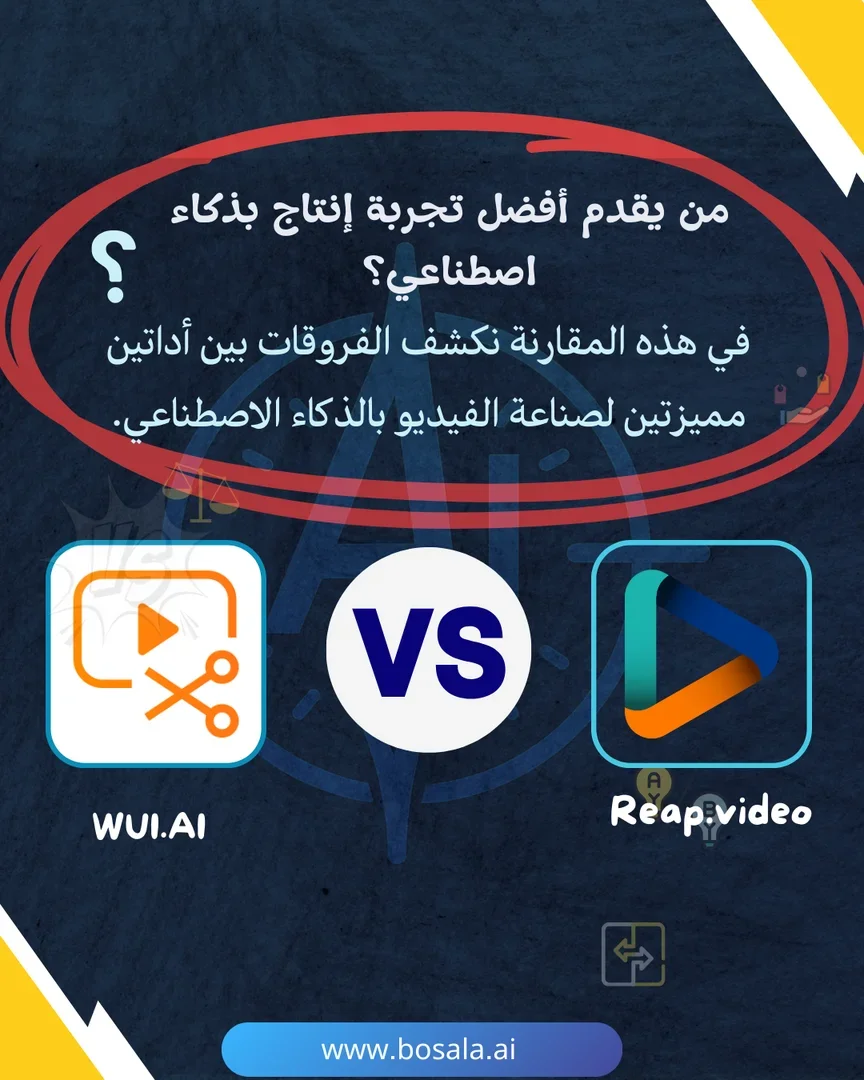
In a world where AI video production is accelerating, tools like WUI.AI and Reap.video have emerged to give content creators innovative solutions. The former focuses on creativity and customization, while the latter offers speed and simplicity for short clips. This comparison highlights the key differences between the two tools to help you choose the one that best suits your goals.
Follow the slides below to find out which one suits you best.

Image Gallery
Head-to-head comparison: WUI.AI or Reap.video? - Image 1Head-to-head comparison: WUI.AI or Reap.video? - Image 2Head-to-head comparison: WUI.AI or Reap.video? - Image 3Head-to-head comparison: WUI.AI or Reap.video? - Image 4Head-to-head comparison: WUI.AI or Reap.video? - Image 5Head-to-head comparison: WUI.AI or Reap.video? - Image 6Head-to-head comparison: WUI.AI or Reap.video? - Image 7Head-to-head comparison: WUI.AI or Reap.video? - Image 8Head-to-head comparison: WUI.AI or Reap.video? - Image 9Head-to-head comparison: WUI.AI or Reap.video? - Image 10
September 09, 2025 08:34 AM GMT
About Reap.video

️ Tool Name: 🖼
reap

Categories: 🔖

  • Text and Images to Video
  • Video, Editing, and Motion Graphics
  • Video summaries and highlights
  • Motion Graphics, Titles, and Subtitles
  • Voice Cloning
  • Audio, Voice-Over, and Music
  • Automation and Smart Agents
  • Integrations and APIs
  • Social media templates and post-production automation
  • Content Management and Publishing

️ What does this tool offer? ✏
reap is an AI-powered video editing tool that converts a single long video into short, versatile content ready for publication across various platforms.

The tool converts long videos, webinars, and interviews into short clips, animated subtitles, dubbed versions, and subtitled transcripts, with the entire workflow automated via API, CLI, and MCP.

Reap relies on multi-signal analysis using artificial intelligence to identify the most shareable moments, analyzing:

  • Faces.
  • Voice tone.
  • Pauses.
  • Speech rhythm.

After the analysis, the tool automatically generates clips, adds captions, adjusts the framing, and prepares the content for publication on platforms such as TikTok, Reels, YouTube Shorts, LinkedIn, and all other platforms.

The tool offers a “Prompt-First Clipping” feature that allows users to direct the AI to search for specific content, such as:

  • Finding all mentions of a specific product.
  • Extracting strong opinions.
  • Creating clips based on intent, topic, marketing hook, or audience angle.

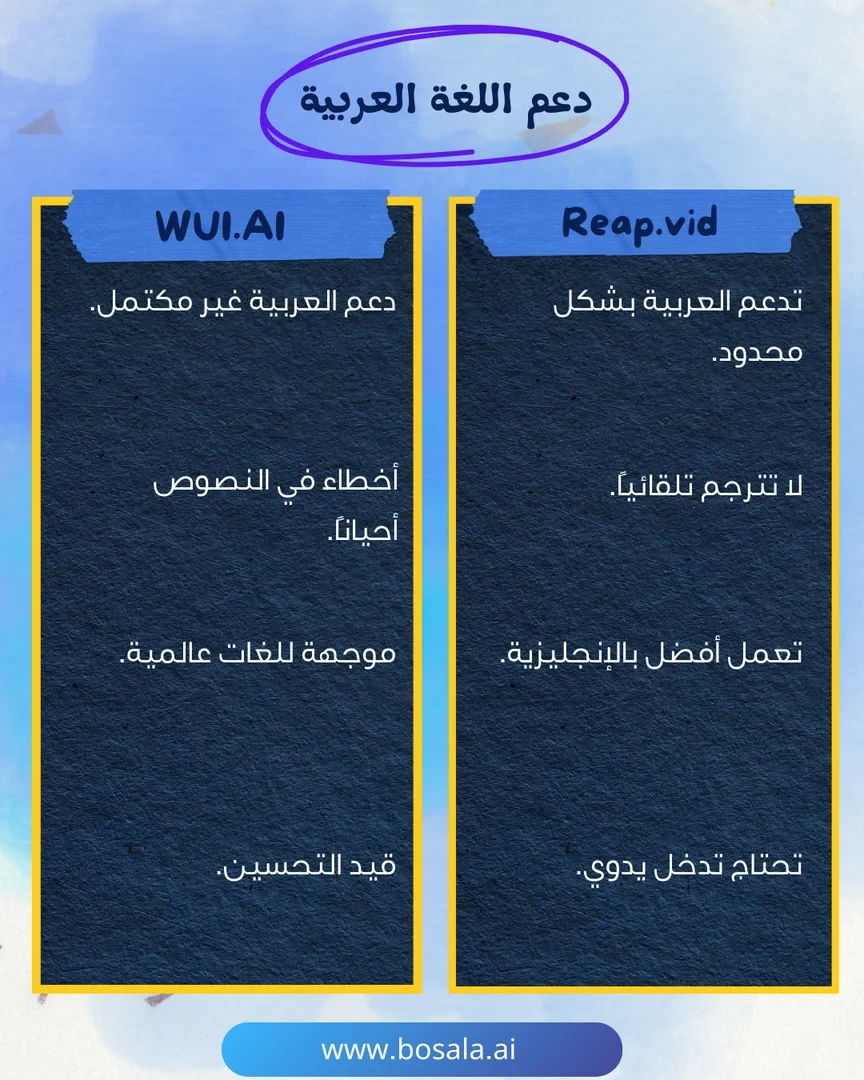
Reap also offers more than 50 animated caption templates that can be applied with a single click and are fully customizable, as well as support for over 100 languages, including Hinglish and Romanized Urdu.

Other features include:

  • AI Dubbing.
  • Merging multiple videos.
  • Branded templates.
  • Over 50 caption styles.
  • Speaker detection.
  • API Access, CLI, and MCP.

Reap is used by content creators and businesses in over 50 countries, and has processed more than 500,000 videos.

What does it actually offer based on user experience? ⭐

  • Convert long videos into short, share-ready clips.
  • Extracts key, shareable moments using AI.
  • Create clips based on a specific topic or goal rather than relying solely on random discovery.
  • Add animated captions in over 50 different styles.
  • Support for over 100 languages for translation and captions.
  • Create dubbed versions and subtitled translations of videos.
  • Automatically resize the video frame to fit short-form video platforms.
  • Schedule and publish content on social media.
  • Provide custom branded templates.
  • Support for integrations via API, CLI, and MCP.

Does it include automation? 🤖
Yes, Reap includes extensive automation for video editing and repurposing workflows.

Automation includes:

  • Analyzing long videos and automatically detecting the best moments.
  • Creating short clips.
  • Adding captions.
  • Frame realignment.
  • Creating subtitles and dubbing.
  • Prepare content for publication on various platforms.

It also provides technical automation tools through:

  • API.
  • CLI.
  • MCP.

Pricing Model: 💰
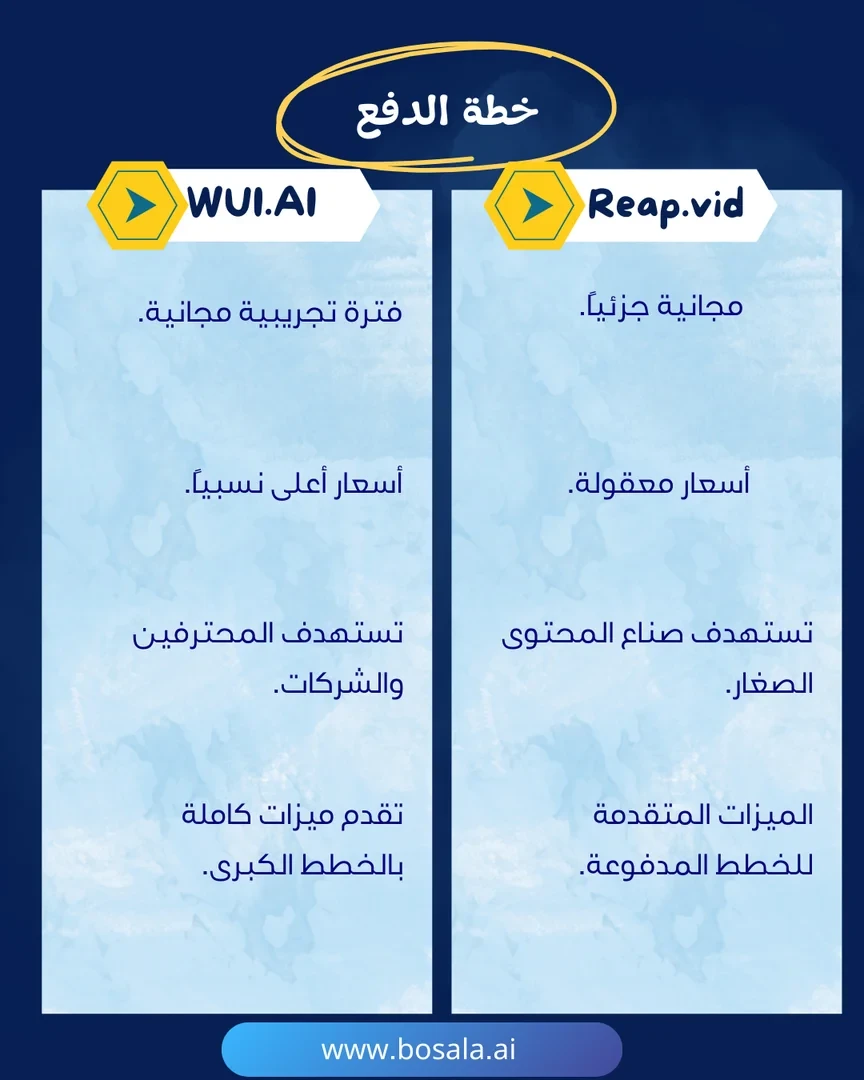
Reap uses a multi-tier pricing model that combines:

  • A free plan.
  • Paid subscription plans for content creators, teams, and organizations.
  • The option to pay monthly or annually, with savings of up to 40% when billed annually.

🆓 Free Plan Details:

FeatureDetails
Plan NameFree
Price$0/month
Plan DurationPermanently Free
AI ClippingUp to 1 hour/month (watermarked)
AI CaptionsUp to 1 hour/month (watermarked)
Video Export720p resolution (watermarked)
CaptionsBasic styles
Additional FeaturesAI Emoji & Keyword Highlighter

Paid Plan Details: 💳

PlanPriceBenefits
Creator$24/month when paying monthly or $9.99/month when paying annually, for a total of $119.88 billed annuallyAI Clipping up to 10 hours/month, AI Captions up to 10 hours/month, 1080p export without a watermark, dubbing and subtitling up to 2 hours/month, unique text-to-speech styles, Clipping with automatic frame adjustment, scheduling and posting content to social media, custom brand templates, support for over 100 languages, API access and integrations, unlimited media storage.
Studio$50/month when billed monthly or $29/month when billed annually, for a total of $348 billed annuallyAI Clipping up to 20 hours/month, AI Captions up to 20 hours/month, 4K export without a watermark, dubbing and translation up to 5 hours/month, team collaboration for up to 3 users, advanced AI tools, support for over 100 languages, API access and integrations, priority support, and faster processing times.
EnterpriseCustomUnlimited team members, custom hours for clipping and captions, dedicated account manager, priority support, 4K export without watermarks, custom volumes for dubbing and subtitling, SSO support, API access & custom integrations.

How to access the tool: 🧭

MethodDetails
WebAvailable via the official website
APIAvailable in paid plans
CLIAvailable in integration tools
MCPAvailable in integration tools

Demo link or official website: 🔗
https://reap.video/pricing

About WUI.AI

️ Tool Name: 🖼
WUI.AI

Categories: 🔖

  • Text and Images to Video
  • Video Ideas and Scripts
  • Video, Editing, and Motion Graphics
  • Generate Images from Text
  • Social Media Templates and Editing Automation
  • Motion graphics, titles, and subtitles
  • Audio, Voice-Over, and Music
  • Voice Cloning
  • Automation and Smart Agents

️ What does this tool offer? ✏
WUI.AI is a platform for creating shareable short videos using artificial intelligence. It allows users to turn an idea, text, or creative brief into a complete short video that includes a storyboard, audio, and subtitles—all ready for publication.

The tool is specifically designed for content creators who rely on storytelling to produce short videos, providing an integrated storytelling system that maintains consistency in characters, style, and tone across different episodes.

WUI.AI relies on a group of AI Agents that function as a full-fledged video production team, led by the Director Agent. This includes:

  • Script Agent: for creating scripts.
  • Storyboard Agent: for creating storyboards.
  • Character Agent: to manage characters.
  • Art Style Agent: to maintain the artistic style.
  • Audio Agent: for audio processing.

These agents work together to produce each frame with cinematic precision.

The platform offers a wide range of content templates and styles, including:

  • Children's Stories.
  • Bedtime Story.
  • Children's Story.
  • Christian Story.
  • Motivational Story.
  • Inspirational Story.
  • Education.
  • Emotional Story.
  • Horror Story.

It also features an “Explainer” section that transforms complex information into easy-to-understand visual narratives in a matter of seconds, covering areas such as:

  • Educational stories.
  • History.
  • Myths.
  • Paleontology.
  • Psychology.
  • Technology.

WUI.AI relies on a unified workflow that starts with an idea or text and ends with a video ready for publication, rather than using several separate tools for creating text, images, video, and audio, as well as editing.

The tool offers the following features:

  • Script to Video.
  • Idea to Video.
  • Story to Video.
  • Prompt to Video.
  • Text to Video.
  • Image to Video.
  • Video to Video.
  • Consistent Character Videos.
  • AI Animation Generator.

It also offers:

  • Over 40+ templates and effects.
  • Watermark-free video output.
  • The ability to export videos in various formats and aspect ratios.
  • Save the generated assets for future reuse and remixing.

WUI.AI supports over 100,000 content creators, has exported over 251,123 videos, supports 20 languages, and has an average export time of ~11 minutes.

What does it actually offer based on user experience? ⭐

  • Create complete short videos starting from just an idea or a script.
  • Produces structured video stories that include a storyboard, audio, and subtitles.
  • Maintain consistency in characters and artistic style across episodes.
  • Create narrative content for various genres, such as children’s, educational, horror, motivational, and religious stories.
  • Transforming complex information into easy-to-understand explanatory videos.
  • Reduce the need to use multiple different tools to create videos.
  • Create videos ready for publication in a short amount of time.
  • Provide a library of templates and ready-made stories with the ability to recreate them using the “Recreate” option.
  • Ability to edit scenes, pacing, and timing through the video editor.
  • Manage audio, art styles, and assets within a single workspace.

Does it include automation? 🤖
Yes, WUI.AI relies on automation through AI Agents that function as a full-fledged video production team.

Automation includes:

  • Automatic script generation.
  • Storyboard creation.
  • Character management.
  • Maintaining artistic style.
  • Audio processing.
  • Create the final video.

The Channel Kit Core feature (Coming Soon) also automatically maintains channel consistency by saving:

  • Characters.
  • Style.
  • Voice.
  • Structure.

You can then create new episodes that carry the same channel identity.

Pricing Model: 💰
WUI.AI uses a credit-based pricing system that renews monthly, where credits are used to create and export videos.

It offers:

  • A free plan.
  • Paid subscription plans.
  • Option to pay monthly or annually, with a 20% discount for annual subscriptions.

🆓 Free plan details:

FeatureDetails
Plan NameFree
Price$0.00 USD / mo
Credits20 credits
Model SupportAll-in-one multi-model support
Text-to-video conversionText to Video
Image to videoImage to video
Video to videoVideo to video
Consistent Character VideosConsistent character video
AI animation generatorAI animation generator
Templates and effects40+ templates & effects
WatermarkNo watermarked outputs
SupportPriority support

Paid Plan Details: 💳

PlanPriceFeatures
Lite$15.00 USD/mo before discount, becomes $12.00 USD/mo300 credits, support for multiple models, Text to Video, Image to Video, Video to Video, Consistent Character Video, AI Animation Generator, over 40+ templates & effects, watermark-free outputs, priority support.
Pro$29.00 USD/mo before discount, becomes $23.20 USD/mo800 credits, all Lite features, support for multiple models, Text to Video, Image to Video, Video to Video, Consistent Character Video, AI Animation Generator, over 40+ templates & effects, watermark-free outputs, priority support.

How to access the tool: 🧭

MethodDetails
WebAvailable via the official website
WorkspaceManage conversations, create topics, manage voices, and manage art styles
Video EditorAvailable for scene enhancement and fine-tuning
Audio UploadUpload an audio sample, duplicate the audio, and review the results

Demo link or official website: 🔗
https://www.wui.ai/