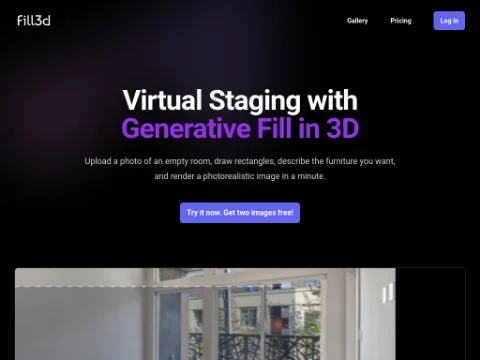
Description
🖼️ Tool name:
Fill 3D
✏️ What does this tool offer?
Unlike standard AI image editors that just "overlay" furniture, Fill 3D understands the depth and geometry of the room. Its 2025 features include:
3D Generative Fill: You can draw a rectangle in a 3D perspective within your photo, and the AI fills it with photorealistic furniture that matches the room's lighting and scale.
High-Resolution Output: Supports up to 4K resolution, moving away from the blurry 512x512 results common in older AI tools.
Realistic Lighting & Shadows: The AI ensures that the shadows of the added furniture react naturally to the windows and light sources in the original photo.
Infinite Refinement: After generating an object, you can tweak the prompt or regenerate specific parts until the result perfectly matches your vision.
⭐️ What does the tool actually offer based on user experiences?
Elimination of "Warping": Users report that furniture looks grounded and stable, avoiding the "floating" or "glitchy" look found in 2D AI tools.
Speed: What used to take hours in 3D Max or Blender now takes about one minute.
Real Estate Advantage: It is highly praised by realtors for making empty, "cold" listings look warm and lived-in for a fraction of the cost of physical staging.
🤖 Does the tool have automation features?
Yes, it automates the most difficult parts of 3D modeling:
Auto-Perspective Matching: It automatically detects the floor and wall planes.
Automated Lighting Adjustment: No need to manually set up virtual lights; the AI does it based on the input image.
💵 Pricing (2025 Update)
Fill 3D typically operates on a Pay-per-Render or Subscription model:
Free / Beta Access:
Cost: $0.
Features: Often available as a limited "Beta" where users can generate a few low-resolution staged images to test the technology.
Paid Plans:
Cost: Rates vary, but it usually follows a "Credit" system (e.g., $1 - $5 per high-res render) or a monthly subscription starting around $19/month for professional stagers.
Note: Many users access this via Google Colab or specific API integrations, which may have their own usage costs.
🎁 Is the free version a trial or completely free?
It is primarily a Paid tool with a Free Trial/Beta. Because generating 4K 3D-aware images requires massive GPU power, the tool is not "free forever" for high-volume use.
💳 What does the free version offer?
Access to the basic 3D staging engine.
Lower resolution exports (for testing purposes).
Standard generation speed.
💳 What does the paid version offer?
4K & High-Definition Exports: Necessary for professional real estate listings.
Commercial Rights: The ability to use the images for business and marketing.
Faster Rendering: Priority on the AI servers.
Advanced Controls: More precise tools for "drawing" where furniture should go.
⚙️ Access or source:
Official Website
Platform: Web-based (often integrated with professional staging workflows).
🔗 Experience Link: