Phygital+
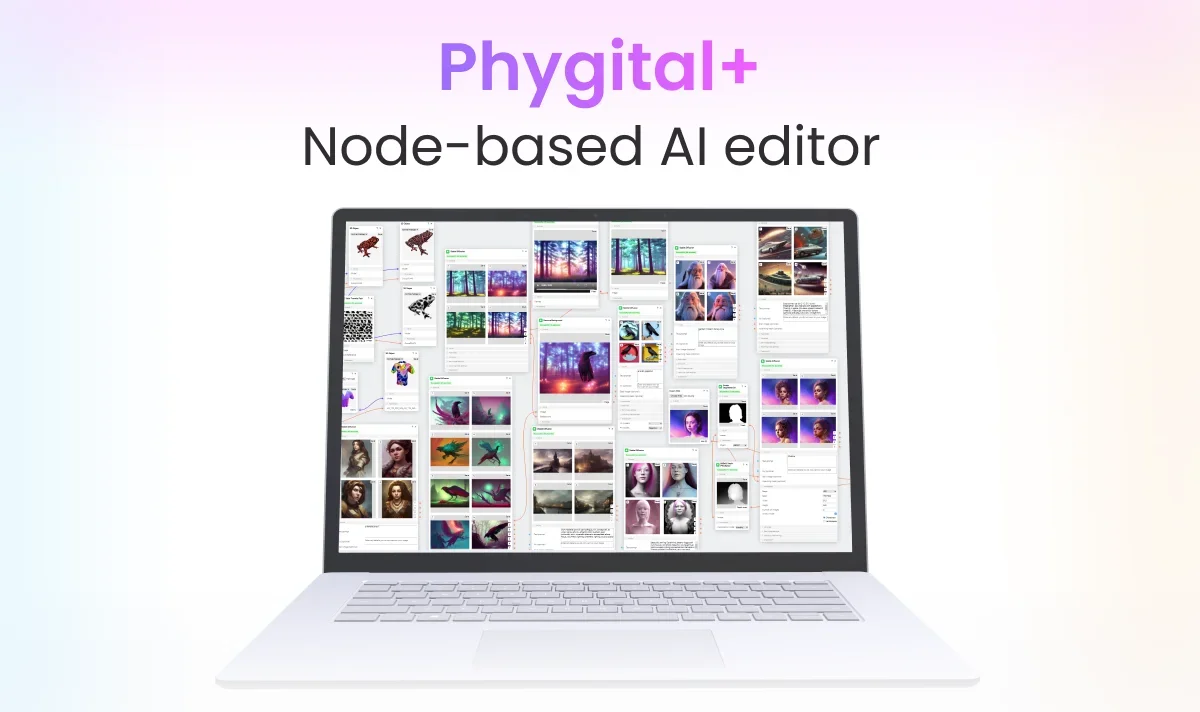
Description
🖼️ Tool Name:
Phygital+
🔖 Tool Category:
Node-based AI workspace; fits under Generative AI & Media Creation, Design & Creativity, Programming & Development, Productivity & Automation, and Image Generation.
✏️ What does this tool offer?
Phygital+ is a no-code, visual AI platform that lets creators build neural workflows using a node-based interface. Users can design pipelines combining models like Stable Diffusion, DALL‑E 3, GPT‑4, MidJourney, upload custom models (via DreamBooth or LoRA), and generate mixed-media outputs (images, text, video, 3D prototypes).
⭐ What does the tool actually deliver based on user experience?
• A unified canvas hosting 20+ neural networks including DALL‑E 3, GPT‑4, Stable Diffusion, MidJourney.
• Visual node editor enabling drag‑and‑drop composition of AI workflows with live previews.
• Support for physical‑digital (phygital) prototyping: 3D models, AR previews, and integration for printing .
• Team collaboration features: shareable projects, version control, and real-time editing .
🤖 Does it include automation?
Yes —
Automates orchestration: scheduling prompts, managing execution across nodes, and returning multimodal outputs.
Offers hyperparameter optimization and workflow telemetry automatically.
No-code automation empowers non-technical creators and teams to explore AI without writing code.
💰 Pricing Model:
Freemium with paid subscription tiers.
🆓 Free Plan Details:
• Basic access to node-based canvas, select AI models, and limited generations per month.
💳 Paid Plan Details:
• Pro/Premium tier unlocks premium models (DreamBooth, HD video/3D), larger project limits, team access, priority support.
• Enterprise plans include dedicated infrastructure, SLAs, and onboarding — custom pricing.
🧭 Access Method:
• Web-based platform (no installation) at phygital.plus.
• APIs for workflow embedding and enterprise integration.
• YouTube channel for walkthroughs and community support.
🔗 Experience Link: