Komandi
Description
🖼 Tool Name:
Komandi
🔖 Approved Categories:
DevOps, CI/CD & MonitoringCode Generation & Review
✏️ What does this tool offer?
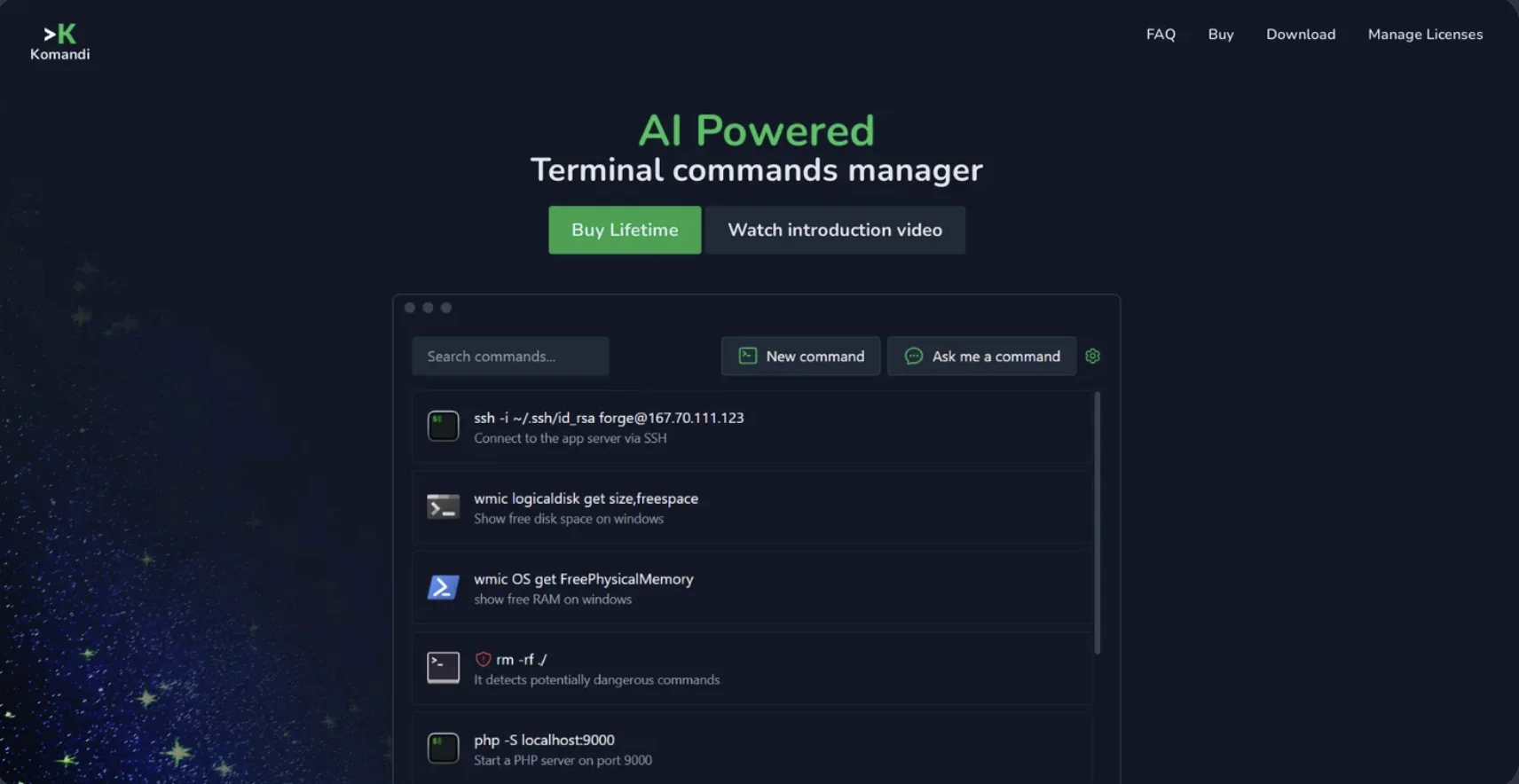
AI-Powered Terminal Command Manager: Komandi is an innovative productivity tool designed for developers and system administrators to streamline their command-line interface (CLI) experience. It serves as a centralized hub to organize, generate, and safely execute terminal commands.
Natural Language to CLI Generation: Integrates artificial intelligence that translates plain, natural language prompts directly into exact, executable terminal commands. This allows users who aren't fully familiar with complex syntax to generate accurate scripts effortlessly.
Intelligent Dangerous Command Detection: Features built-in security scans that automatically flag and warn users about potentially destructive or dangerous commands (such as unsafe directory deletions or malicious script execution) before they are run.
Omnipresent Environment Execution: Allows users to cleanly catalog, search, bookmark, and copy commands. It supports direct execution across a massive variety of native system environments, including Windows Terminal, PowerShell, iTerm2, and Gnome Terminal.
Multi-Platform Desktop Integration: Built natively to accommodate various coding environments, offering dedicated cross-platform support across macOS, Windows, and Linux architectures.
⭐ What does it actually offer based on user experience?
Eliminates CLI Syntax Memorization Fatigue: Developers and DevOps engineers highly value the tool, stating that it eliminates the constant need to search the web or scroll through endless documentation to remember intricate flag syntax.
Acts as a Digital Safety Net for Junior Engineers: Technical leads praise the destructive command scanner, noting that having an automated layer filter out accidental, high-risk commands prevents catastrophic server downtime.
Drastically Accelerates Repetitive Workflows: System administrators find immense value in the bookmarking and cross-environment execution modules, confirming that running frequent multi-step commands across different shells takes just a click.
🤖 Does it include automation?
Yes, Komandi relies on prompt parsing and automated workflow execution:
Automated Prompt Translation: Autonomously interprets conversational text inputs to construct functional, multi-flag shell commands.
Autonomous Safety Audits: Automatically scans text layouts to detect and flag potentially hazardous shell combinations prior to execution.
Programmatic Environment Routing: Automatically formats and passes selected commands to the active underlying terminal system (e.g., PowerShell or Bash).
💰 Pricing Model
Item Details: B2C commercial lifetime license with integrated AI token resource bundles.
General Concept: Avoids ongoing monthly recurring charges by providing a single-purchase downloadable application.
🆓 Free Plan Details / Trial Security
Feature: Risk-Free Testing Track.
Details: While the software is structured primarily as a paid download, the developer provides a comprehensive 7-day money-back guarantee. This allows technical teams and developers to fully test out the terminal management pipelines and AI command generations completely risk-free before finalizing the asset.
Cost: Paid Entry with a 7-day refund guarantee.
💳 Paid Plans (Official 2026 Standards)
Purchasing a lifetime license unlocks total access to the core CLI organizer dashboard across supported operating networks:
🧭 How to access the tool:
Downloaded as a secure desktop application operational across macOS, Windows, and Linux machines via komandi.app.