Features
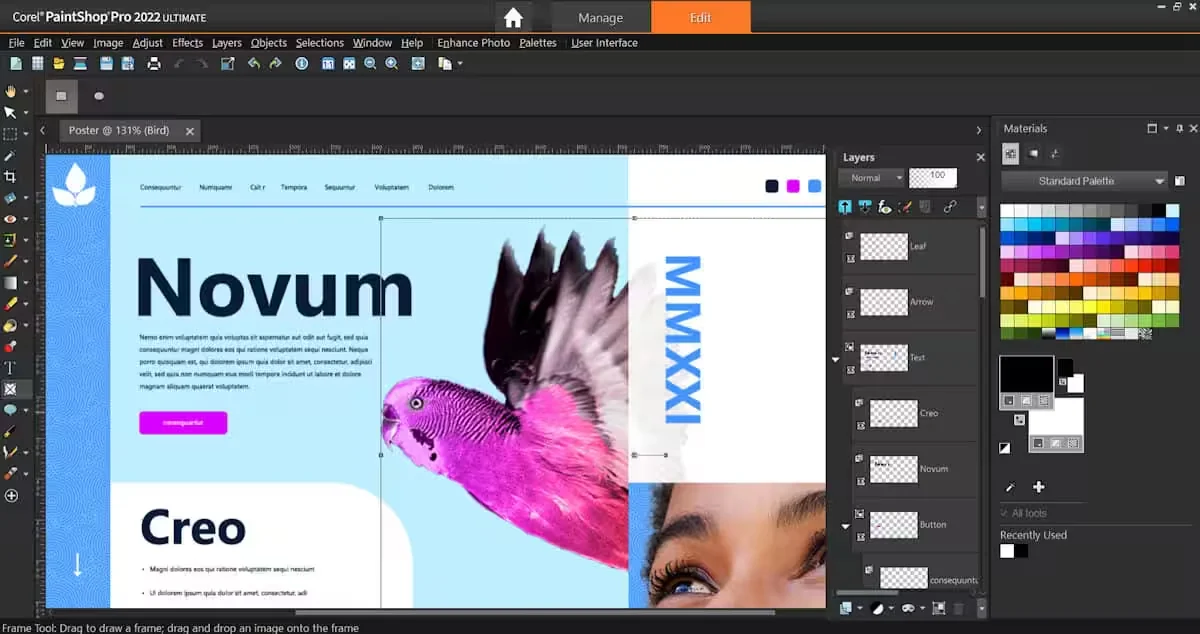
- Digital Photo Editing: Provides comprehensive tools for editing, modifying, and enhancing the quality of photos.
- Photo Editing: Helps correct photos and enhance their appearance to achieve professional-looking results.
- Graphic Design: Allows you to create designs and illustrations using the built-in design tools.
- Multiple Editions: PaintShop Pro 2023 is available in the Standard edition and the Ultimate edition, which offers a comprehensive set of tools for editing, enhancing, and retouching photos.
- Photo and Video Editing: The Photo Video Bundle Ultimate combines PaintShop Pro 2023 Ultimate and VideoStudio Ultimate 2023.
- Converting Photos into Animations: PhotoMirage lets you convert photos into animations in three simple steps.
- Adding Artistic Effects: The ParticleShop add-on lets you use Photoshop brushes powered by Painter technology to transform images into distinctive works of art.
- Licensing Options for Organizations: The company offers licensing options for businesses and educational institutions to help reduce the cost of photo editing software.
- Offers and Discounts: Promotional offers are available on certain editions and bundles, including discounts of up to 50%, according to the information provided.
- 1. Free bonus bundle as part of a promotional offer: One of the offers includes a 40% discount on PaintShop Pro 2023, plus a free Best Sellers Script Bundle valued at $119.99.
Pricing Details
PaintShop Pro 2023 pricing is based on the sale of the software’s editions and related bundles, with promotional offers and discounts available on certain products. The company also offers licensing options for businesses and educational institutions to help reduce the cost of image editing software. The information provided does not include confirmed details on whether all versions are based on a perpetual license or a subscription model. No confirmed details were provided regarding a permanent free plan or the number of tools available for free. The website mentions the availability of free trial options, but the trial period, terms, and features available during the trial are not specified in the information provided. The standard PaintShop Pro 2023 is available at a 40% discount according to the promotional offers mentioned. The PaintShop Pro 2023 Ultimate edition is also available at a 40% discount and includes tools for editing, enhancing, and retouching photos. The Photo Video Bundle Ultimate, which combines PaintShop Pro 2023 Ultimate and VideoStudio Ultimate 2023, is available at a 35% discount. The website is also running a sale offering up to 50% off select products, along with a special offer for PaintShop Pro 2023 that provides a 40% discount and a free copy of the Best Sellers Script Bundle, valued at $119.99. The final prices in dollars for each version after the discounts have been applied have not been specified, so the exact final cost cannot be determined based on the available information alone.