Call Prompter
Description
🖼️ Tool Name:
Call Prompter
🔖 Selected Classifications:
Chat/Voice Agents (as a live call assistant)
Tasks & Projects (for meeting preparation)
Startup Analysis & Due Diligence (via real-time battlecards)
✏️ Overview & Key AI Features:
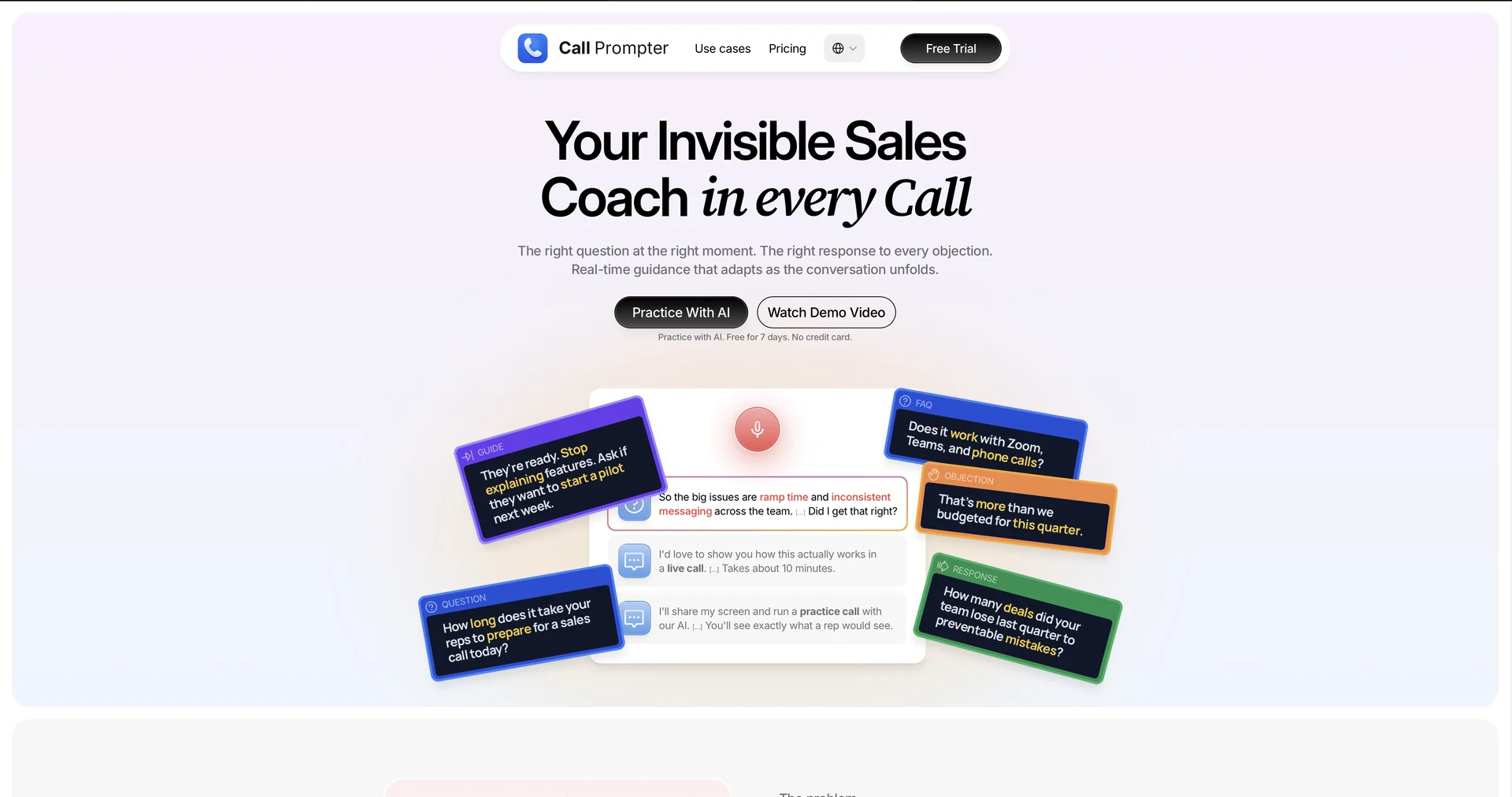
Invisible Real-Time Coaching: Call Prompter acts as a "live teleprompter" for virtual meetings. It provides floating scripts and prompts that are visible only to you—they remain hidden from others during screen shares and are not captured in platform recordings (Zoom, Teams, etc.).
Dynamic Objection Handling: The AI listens to the conversation and instantly surfaces "Battlecards" or specific rebuttals when it detects a competitor mention or a common customer objection (e.g., "It's too expensive").
Multi-Platform Compatibility: Unlike built-in tools tied to a specific CRM, Call Prompter works across Zoom, Microsoft Teams, phone calls, and browser-based audio interfaces.
Contextual Smart Search: Instead of scrolling through PDFs, you can upload your sales briefs or technical docs. During a call, you can use hotkeys to instantly pull relevant snippets without breaking eye contact with the camera.
Zero-Distraction UI: Features a minimalist, semi-transparent overlay that follows your eye line, allowing you to read your notes while appearing to maintain perfect eye contact with your audience.
Privacy-First Architecture: Because the prompts live on a separate software layer from the video call, there is no risk of accidentally sharing your "secret notes" with a client during a presentation.
⭐️ User Experience:
"The Rep's Secret Weapon": Rated highly for its "stealth" factor. Users, particularly in high-stakes sales and customer success, praise the tool for reducing "umms" and stutters. It’s frequently described as having a "senior mentor whispering in your ear," providing a massive boost to confidence for newer reps or those handling complex technical products.
💵 Pricing & Plans (April 2026 Status):
🎁 How to Get Started:
Head to CallPrompter.app, download the desktop client, and upload your first "Cheat Sheet" or pitch deck. Launch the app before your next Zoom call to see the floating prompter in action.
⚙️ Access or Source:
Official Website
Platform: Windows, macOS, and Web Browser Extension.