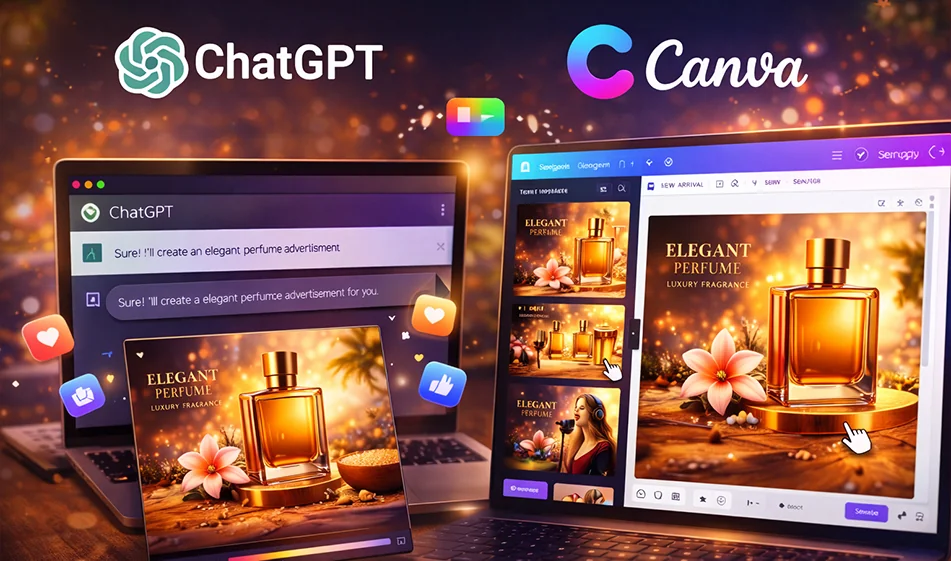
✨ ChatGPT + Canva: Create ready-to-use social media posts in minutes

✨ ChatGPT + Canva: Create ready-to-use social media posts in minutes

If you're wasting time writing text, then arranging the design, then adjusting the sizes for each platform, the practical solution is to combine two strengths:
ChatGPT prepares texts and ideas for you in multiple formats,and Canva quickly converts them into ready-made designs with customizable templates.

️ ⚙ Step-by-step workflow

  1. Define your goal: Product advertisement? Certificate of appreciation? Awareness post?
  2. Ask ChatGPT for a "text package" instead of a single text:
    • A strong line to put on the design (Hook)
    • A descriptive text for the post
    • Call to action (CTA)
    • 3 short/medium/long versions
  3. Also request a "design outline": colors, font, text distribution, and logo placement.
  4. Open Canva and choose a suitable template, then paste the texts into the template and edit them as layers.
  5. Export the required sizes:
    • 1080×1350 for posts
    • 1080×1920 for stories/reels
    • 1920×1080 for cover or YouTube
  6. Make 3 copies A/B/C by changing only one element (background, color, or title line) to test which one works best.

Ready-made template for ChatGPT (works for any post)

Copy this text and edit what's in brackets:
"
Write me a social media content package about (topic). Give me:

  1. 5 short sentences to put on the design (each sentence 3–6 words).
  2. Ashort post description of 2–3 lines.
  3. Amedium post description of 5–6 lines.
  4. Ashort call to action.
  5. Design ideas for Canva: colors, font, text distribution, and image format suggestions.
    Keep the language simple and appealing.”

🧴 Example 1: Perfume ad (ready to use)

What do you want from ChatGPT?

"Write a luxury perfume ad called (name of perfume). Give me:

  • 5 short headlines to put on the design
  • A short post text
  • Medium post text
  • 3 benefits in marketing language
  • Color suggestions: black/gold or navy blue/silver
  • Canva design suggestion: image of a bottle in the center, with a halo of light behind it, and text space above

How to quickly implement it in Canva?

  • Select the "Luxury Product"template
  • Place the perfume image in the center
  • Keep the title very short on the design
  • Leave space for the perfume name, price, or offer

Example 2: Certificate of Appreciation from Bousla for Artificial Intelligence

What do you want from ChatGPT?

"Write the text of an official certificate of appreciation from (Bousla for Artificial Intelligence) that includes:

  • The title of the certificate
  • Recipient's name (blank to be filled in later)
  • Reason for the honor (blank to be filled in later)
  • Date (blank)
  • Signature line (Management/Bousla Team)
    Also write 3 design styles: formal gold, formal blue, formal black."

How to implement it in Canva?

  • Select the "Certificate"template
  • Place the name in the middle of the certificate in clear, large font
  • Add the Compass logo at the top or bottom
  • Export a copy for printing (PDF) and a copy for social media (PNG).

🧭 Compass's golden tip

Don't just ask for "one text."Ask for a ready-made package: (design line + post description + CTA + design ideas + 3 copies).
This way, you can go from "one design" to "a whole campaign" in no time.

For more AI tools: bosala.ai

January 09, 2026 07:09 PM GMT
About ChatGPT

🖼️ Tool Name:

ChatGPT 

✏️ Key Features:

  • GPT-5.1/5.2 Models: Massive improvements in factual accuracy, reducing hallucinations by nearly 26% compared to older models. It supports a 400k token context window (roughly 300 pages of text).

  • Advanced Voice Mode (unfied): A seamless voice experience that understands emotions and tone. It can perform real-time translation and allows for natural interruptions.

  • Canvas & Coding: A dedicated workspace for writing and coding where you can edit side-by-side with the AI, now supporting direct "code edits" in desktop apps.

  • Memory & Personalization: The AI remembers your preferences, past projects, and specific instructions across all conversations unless you turn it off.

  • Sora Integration: Plus and Pro users can generate short, high-quality video clips directly within the chat.

⭐️ User Experience Highlights:

  • "The Senior Partner": Developers treat it as a senior pair-programmer that anticipates modular hooks and coding standards.

  • "Ambient Intelligence": With the 2026 updates, ChatGPT is often used hands-free via mobile or smart glasses for real-time visual translations and "how-to" overlays.

💵 Pricing Plans (2026 Status)

OpenAI has expanded its tiers to cater to everyone from casual users to high-end researchers.

PlanPriceKey Features
Free$0Access to GPT-5.1, limited Search, and ~5 DALL-E images/day.
Go~$5 /moAn affordable "middle tier" for basic premium features in specific regions.
Plus$20 /moFull access to GPT-5.2, Advanced Voice, Sora video (limited), and early access to new tools.
Pro$200 /moUnlimited reasoning (o1 Pro), highest compute priority, and expert-level analysis tools.
Team$25 - $30 /userShared workspace, admin console, and higher security for business data.

🎁 Is the free version a trial or completely free?

 It is Free Forever. OpenAI continues to offer free access to its latest models (like GPT-5.1) to support global AI literacy. However, during peak times, free users may be moved to "Mini" models, and they have strict caps on "Thinking" modes and image generation.

⚙️ Access or Source:

  • Official Website: 

  • Desktop: Native apps for Windows and macOS (Note: Voice mode on Mac is now unified via the web/app bridge).

  • Mobile: Highly optimized apps for iOS and Android with "Advanced Voice" as the central feature.

🔗 Experience Link: 

https://chatgpt.com/

About Canva Image Generator

🖼️ Tool Name:
Canva Image Generator

🔖 Tool Category:
AI-powered design assistant; it falls under the category of Image Generation and Design & Creativity.

✏️ What does this tool offer?
Canva Image Generator is a built-in feature within Canva that allows users to create AI-generated images directly from text prompts. It empowers designers, marketers, and content creators to produce unique visuals without needing traditional stock photos or illustration skills.

What does the tool actually deliver based on user experience?
• Text-to-image generation directly inside the Canva editor
• Multiple style presets (photo-realistic, sketch, painting, etc.)
• Seamless integration with other Canva design tools
• High-res image output suitable for social media, web, and print
• Easily editable within Canva’s drag-and-drop interface
• Ideal for presentations, posts, ads, and content mockups

🤖 Does it include automation?
Yes — Canva Image Generator automates:
• Generating unique images from user prompts
• Styling the output based on preset categories
• Instant placement and scaling within Canva projects
• Streamlining creative workflows by combining AI with design templates

💰 Pricing Model:
Freemium

🆓 Free Plan Details:
• Access to basic AI image generation
• Limited number of images per month
• Available within the free version of Canva

💳 Paid Plan Details:
Canva Pro (~$12.99/month) includes:
– Higher image generation limits
– Access to premium styles and faster processing
– Full media library, brand kits, and collaboration tools
• Team and Enterprise plans available for larger organizations

🧭 Access Method:
• Web app (desktop and mobile)
• Built into Canva Editor
• No separate installation required

🔗 Experience Link:

https://www.canva.com/ai-image-generator