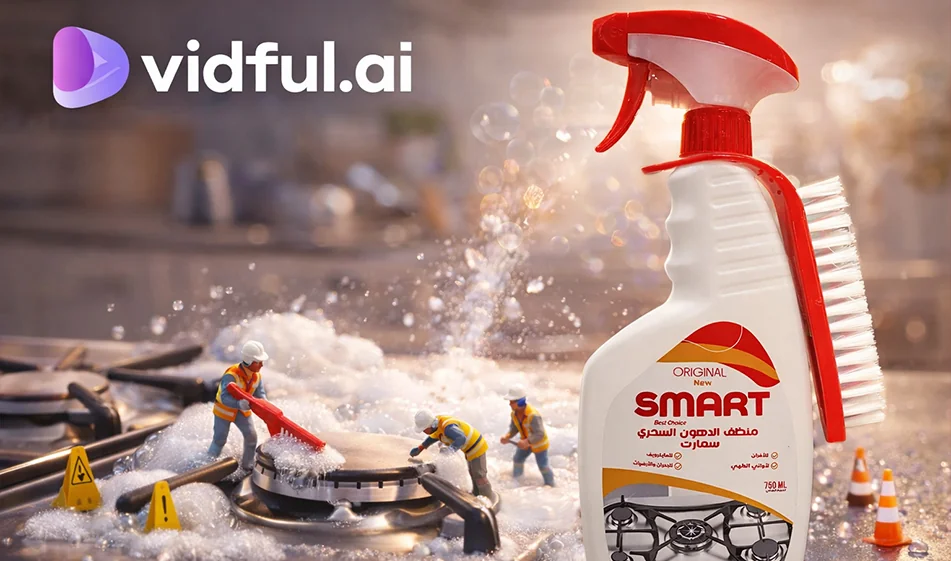
🎬 Vidful.ai – Create action figure-style promotional videos for your products using artificial intelligence
💡 Compass tip
If you want a different ad that quickly grabs attention, try the action figure style: turn your product into an "animated character" in a 3D scene, then create a short video that showcases it in a fun way. With Vidful.ai, you can turn a product image + simple description into a ready-to-publish advertising video in minutes.
️ ⚙ Practical steps
- Prepare a clear image of the product (simple background and good resolution).
- Choose the type of creation in Vidful.ai:
- Image to Video (most suitable for products).
- Write a clear "action figure" description:
- Shape of the product as an animated character
- Type of scene (studio/miniature city/game table)
- Simple movement (product rotation, camera zoom, lighting flash)
- Specify:
- 9:16 aspect ratio for shorts and reels
- Duration 8–15 seconds
- Generate 2–3 versions, choose the best one, then add the final Arabic text in Canva (product name + offer + call to action).
🧩 Prompt ready for a “Action Figer” video for a product (copy and edit between brackets)
“9:16 vertical video, 12 seconds long. Turn (product name) into a realistic 3D action figure inside a transparent display box, luxury game ad style. Soft studio lighting, realistic shadows, camera slowly rotating around the product, high detail and shiny materials, clean background, final shot zooming in on the product with empty space for text. Smooth motion without distortions."
✅ Alternative scene ideas:
- A "miniature city" as if a superhero is carrying the product.
- "Game table" with small accessories around the product
- "White studio" for a clean ad style
🎯 Quick ad template (same for all products)
- 0–2 sec: Action figure appears with a strong flash (Hook)
- 2–9 sec: Slow rotation + close-up shot of details
- 9–12 sec: Final shot of the product + invitation to try it
Golden Compass Tip
To make the result look truly "professional":
- Use one clear product image and request "studio lighting + realistic shadows + slow camera."
- Don't put too much text in the video; keep the final Arabic text short and add it after generating it in Canva.
- Create 3 versions: white background, dark background, and miniature city scene... then choose the most appealing version.
For more AI tools: bosala.ai